世赛题目.note
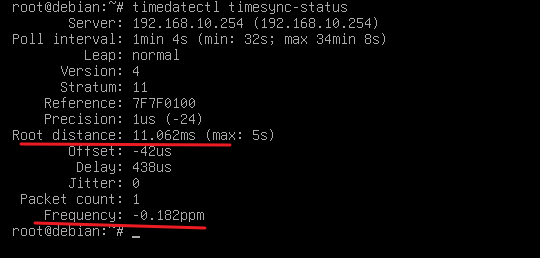
一、使用 timedatectl timesync-status 查看时间同步状态:
· 需要使用 systemd-timesyncd 软件包 作为 NTP客户端:
1、配置 systemd-timesyncd:
apt install -y systemd-timesyncd
vim /etc/systemd/timesyncd.conf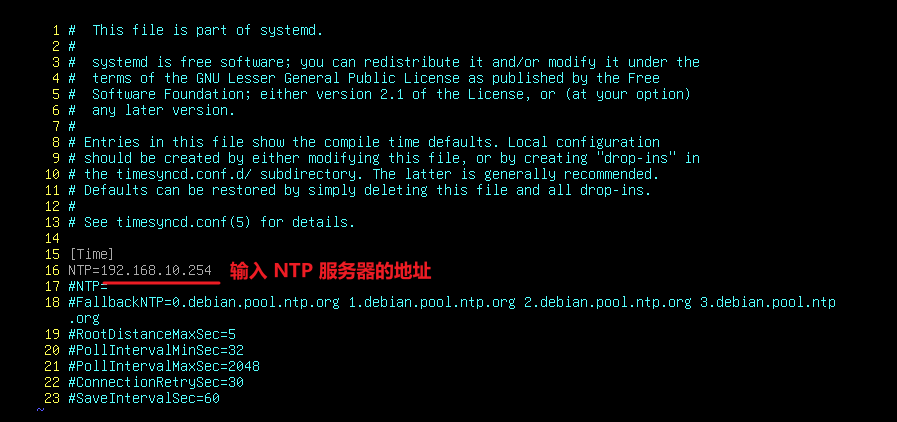
· 重启服务:
systemctl restart systemd-timesyncd2、使用 timedatectl timesync-status 查看时间:
如果同步成功,则将会看到有时间偏移