DNS 命令添加区域、A记录等.note
1、客户端操作:
·刷新 DNS 缓存:
ipconfig /flushdns·刷新所有 DHCP 租用并重新注册 DNS 名称:
ipconfig /registerdns2、创建 正向区域:
(1)cmd:
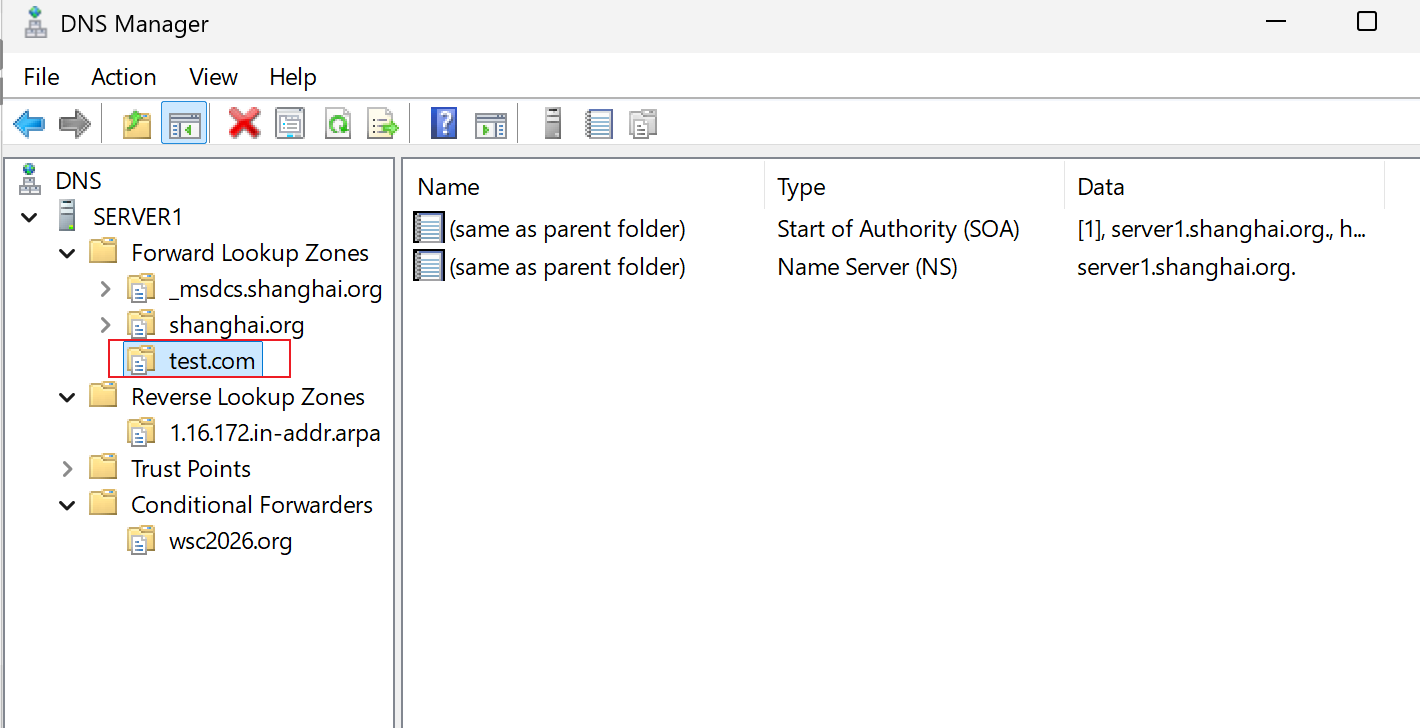
# 添加一个主区域:test.com
dnscmd /zoneadd test.com /primary

# 添加 辅助区域:
dnscmd /zoneadd test1.com /secondary 172.16.1.5    //如果有多个主dns服务器,这里可以指定多个地址

# 添加AD集成主区域(可选参数:/domain or /enterprise,作用:该AD集成区域存在当前AD域还是当前林):
dnscmd /zoneadd test1.com /dsprimary

# 添加存根区域:
dnscmd /zoneadd test1.com /stub 192.168.10.1 /file test1.com.dns

# 添加AD集成存根区域:
dnscmd /zoneadd test1.com /dsstub 192.168.10.1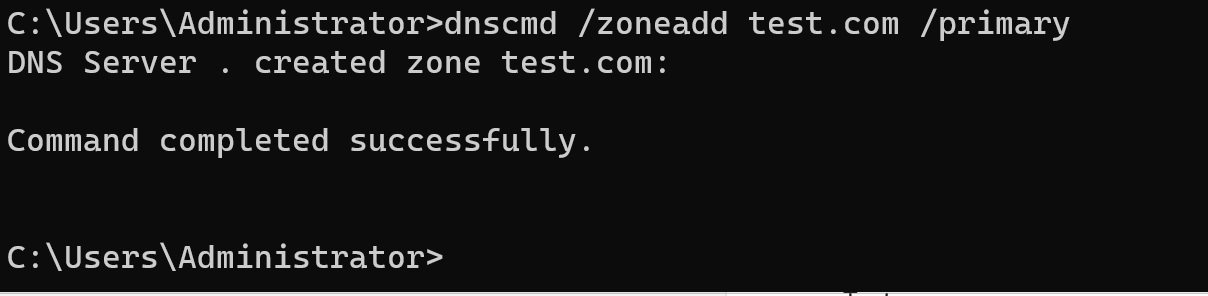
(2)powershell:
# 添加一个主区域:
Add-DnsServerPrimaryZone -Name test1.com -zonefile test1.com.dns

# 添加辅助区域:
Add-DnsServerSecondaryZone -Name test1.com -ZoneFile test1.com.dns -MasterServers 192.168.10.1

# 添加AD集成主区域:
Add-DnsServerPrimaryZone -Name test1.com -ReplicationScope Domain    //这里也可以写'Enterprise'

# 添加存根区域:
Add-DnsServerStubZone -Name test1.com -MasterServers 192.168.10.1 -ZoneFile test1.com.dns

# 添加AD集成存根区域:
Add-DnsServerStubZone -Name test1.com -MasterServers 192.168.10.1 -ReplicationScope Domain
3、创建 反向区域:
(1)cmd:
# 普通反向区域:
dnscmd /zoneadd 10.168.192.in-addr.arpa /primary /file 10.168.192.in-addr.arpa.dns

# AD集成反向区域:
dnscmd /zoneadd 10.168.192.in-addr.arpa /dsprimary
(2)powershell:
# 普通反向区域:
Add-DnsServerPrimaryZone -NetworkID "192.168.10.0/24" -ZoneFile "10.168.192.in-addr.arpa.dns"

# AD集成反向区域:
Add-DnsServerPrimaryZone -NetworkID "192.168.10.0/24" -ReplicationScope "Domain"
4、删除区域:
# 删除普通区域:
## cmd:
dnscmd /zonedelete test1.com /f
## powershell:
Remove-DnsServerZone -Name test1.com -Force

# 删除反向区域:
Remove-DnsServerZone -Name 10.168.192.in-addr.arpa -Force

# 删除AD集成区域:
## cmd:
dnscmd /zonedelete test1.com /dsdel /f
5、添加 DNS 记录:
# A记录:
cmd:
dnscmd /recordadd wsc2026.org www A 192.168.10.10
powershell:
Add-DnsServerResourceRecordA -ZoneName "wsc2026.org" -Name "www" -IPv4Address "192.168.10.10"

# AAAA记录:
cmd:
dnscmd /recordadd wsc2026.org web6 AAAA 2001:db8::10
powershell:
Add-DnsServerResourceRecordAAAA -ZoneName "wsc2026.org" -Name "web6" -IPv6Address "2001:db8::10"

# CNAME记录:
cmd:
dnscmd /recordadd wsc2026.org ftp CNAME www.wsc2026.org.
powershell:
Add-DnsServerResourceRecordCName -ZoneName "wsc2026.org" -Name "ftp" -HostNameAlias "www.wsc2026.org."

# PTR记录:
cmd:
dnscmd /recordadd 10.168.192.in-addr.arpa 10 PTR www.wsc2026.org.
powershell:
Add-DnsServerResourceRecord -ZoneName "10.168.192.in-addr.arpa" -Name "10" -Ptr -PtrDomainName "www.wsc2026.org."

# MX记录:
cmd:
dnscmd /recordadd wsc2026.org @ MX 10 mail.wsc2026.org.
powershell:
Add-DnsServerResourceRecordMX -ZoneName "wsc2026.org" -Name "." -MailExchange "mail.wsc2026.org." -Preference 10

# SRV记录:
cmd:
dnscmd /recordadd wsc2026.org _sip._tcp SRV 0 0 5060 sipserver.wsc2026.org.
powershell:
Add-DnsServerResourceRecord -ZoneName "wsc2026.org" -Name "_ldap._tcp" -Srv -DomainName "dc1.wsc2026.org." -Priority 0 -Weight 100 -Port 389
·删除DNS记录:
# A记录:
dnscmd /recorddelete wsc2026.org www A 192.168.10.10 /f
Remove-DnsServerResourceRecord -ZoneName "wsc2026.org" -Name "www" -RRType "A" -Force

# AAAA记录:
dnscmd /recorddelete wsc2026.org web6 AAAA 2001:db8::10 /f
Remove-DnsServerResourceRecord -ZoneName "wsc2026.org" -Name "web6" -RRType "AAAA" -Force

# CNAME记录:
dnscmd /recorddelete wsc2026.org ftp CNAME www.wsc2026.org. /f
Remove-DnsServerResourceRecord -ZoneName "wsc2026.org" -Name "ftp" -RRType "CNAME" -Force

# PTR:
dnscmd /recorddelete 10.168.192.in-addr.arpa 10 PTR www.wsc2026.org. /f
Remove-DnsServerResourceRecord -ZoneName "10.168.192.in-addr.arpa" -Name "10" -RRType "PTR" -Force

# MX记录:
dnscmd . /recorddelete wsc2026.org @ MX 10 mail.wsc2026.org. /f
Remove-DnsServerResourceRecord -ZoneName "wsc2026.org" -Name "." -RRType "MX" -Force