(拨号)IOS RAVPN(IKEv2证书拨号VPN).note
客户端要安装 anyconnect
1、配置 证书颁发机构、申请证书:
ip domain name wsc2026.org
crypto key generate rsa label ROOTCA modulus 2048
ip http server
crypto pki server ROOTCA
 grant auto
 hash sha256
 eku server-auth client-auth
crypto key generate rsa label KEY modulus 2048 exportable
crypto pki trustpoint IKE
enrollment url http://192.168.1.2:80
fqdn none
subject-name cn=100.1.1.254
ip-address 100.1.1.254
revocation-check none
rsakeypair KEY
eku request server-auth client-auth
# 将证书导出为 .pfx 并拷给客户端
crypto pki export IKE pkcs12 terminal password 12、配置 RAVPN:
username admin algorithm-type scrypt secret Skills39
aaa new-model
aaa authorization network RAVPN local

ip local pool IP 10.0.0.1 10.0.0.10

access-list 10 permit 192.168.1.0 0.0.0.255    //匹配内网地址

no crypto ikev2 http-url cert

crypto ikev2 authorization policy RAVPN-IKEV2
 pool IP
 netmask 255.255.255.0
 route set access-list 10

crypto ikev2 proposal PROPOSAL
 encryption aes-cbc-256
 integrity sha256
 group 14
 prf sha256

crypto ikev2 policy 1
 proposal PROPOSAL

crypto ikev2 profile PROFILE
 match identity remote any
 identity local dn
 authentication remote rsa-sig
 authentication local rsa-sig
 pki trustpoint IKE
 aaa authorization group cert list RAVPN RAVPN-IKEV2
 virtual-template 1

crypto ipsec transform-set IPSEC esp-aes esp-sha256-hmac
 mode tunnel

crypto ipsec profile PRO
 set transform-set IPSEC
 set ikev2-profile PROFILE
 set pfs group14

int lo 99
 no sh
 ip address 10.0.0.11 255.255.255.0    //IP与VPN地址池网段一样

int virtual-tempalte 1 type tunnel
 ip unnumbered Loopback 99
 tunnel mode ipsec ipv4
 tunnel protection ipsec profile PRO

ip http server
ip http secure-server
ip http secure-trustpoint IKE
·允许客户端下载附件:
·将附件上传给IOS:
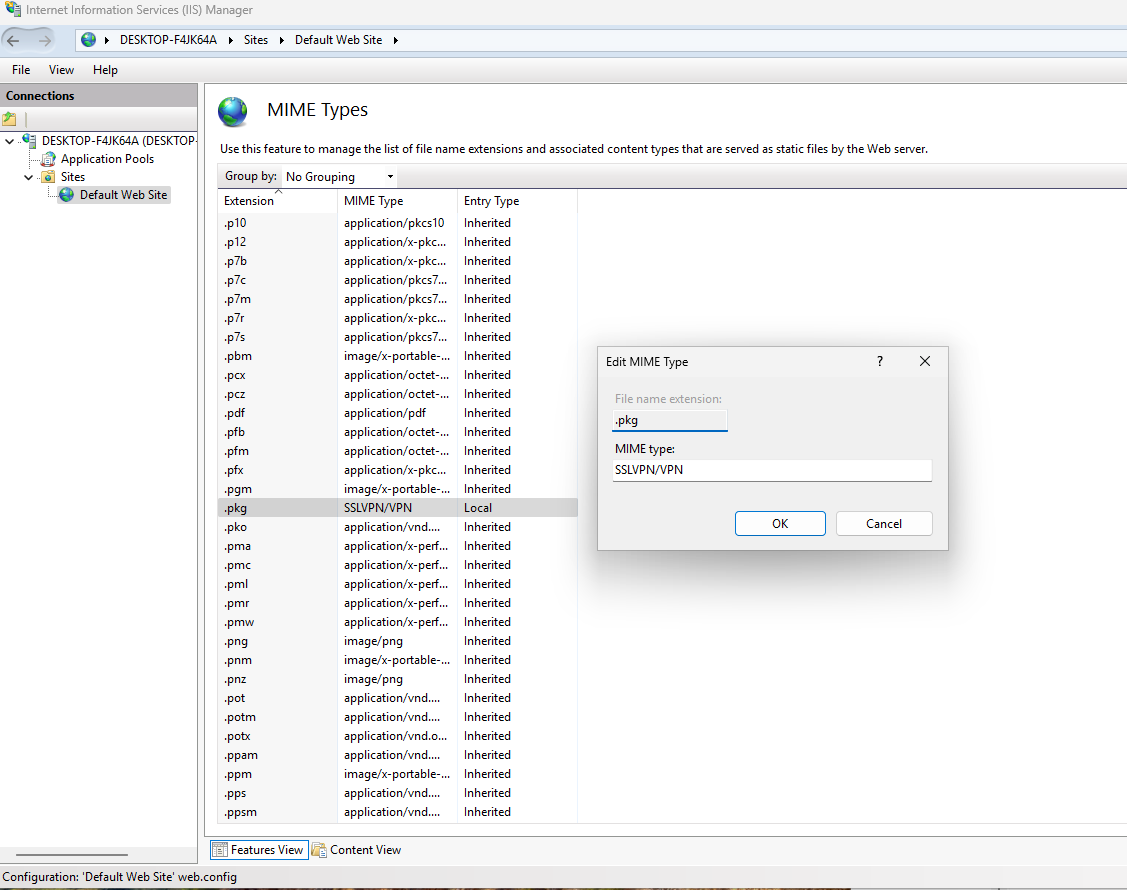
客户端先配置 IIS:
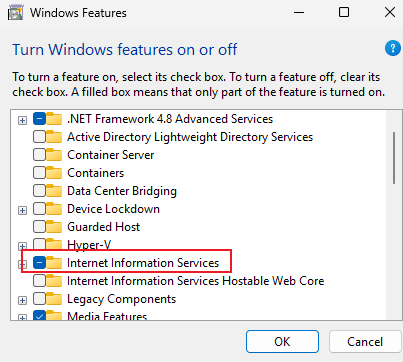
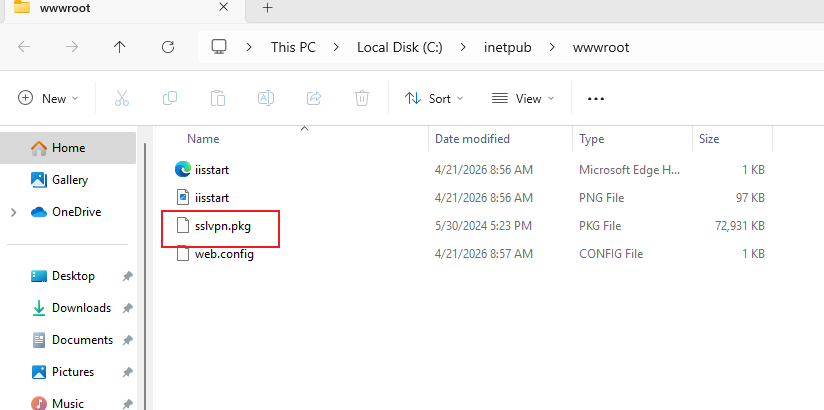
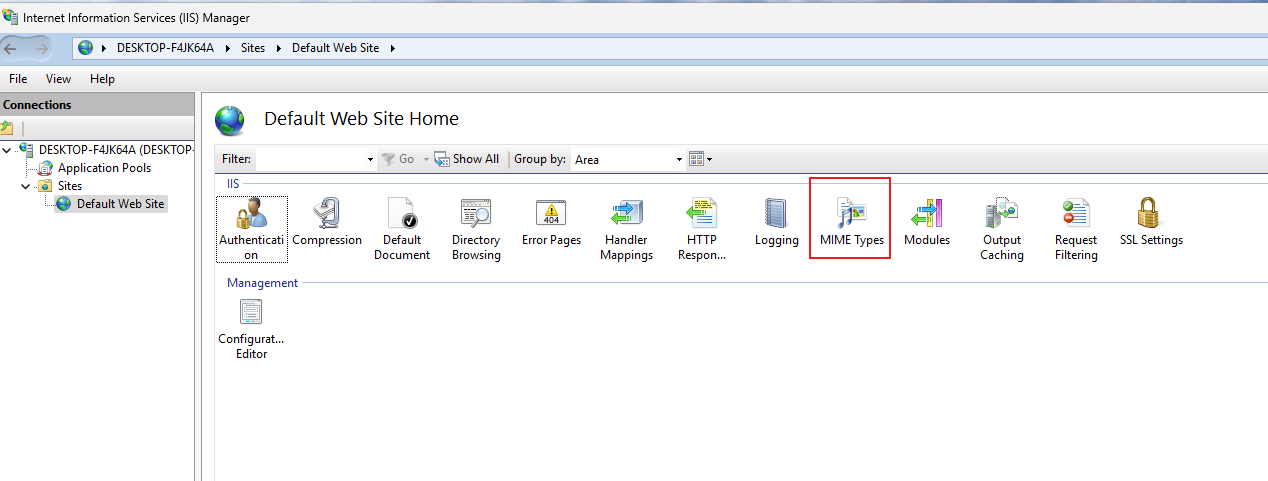
添加 .pkg 的文件扩展名
copy http: flash: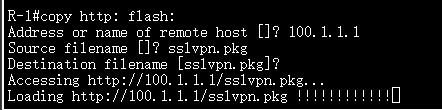
·配置:
crypto vpn anyconnect flash0:/webvpn/sslvpn.pkg sequence 1

aaa new-model
aaa authentication login RAVPN local
aaa authorization network RAVPN local    //这条前面RAVPN有配置过

webvpn gateway GW1
 ip address 100.1.1.254 port 443
 ssl trustpoint IKE
 inservice

webvpn context CTX1
 title "SSLVPN Portal"
 aaa authentication list RAVPN
 gateway GW1
 max-users 10
 user-profile location flash:/
 inservice
 policy group POLICY1
   functions svc-enabled

ip http server
ip http authentication local
ip http secure-server
ip http secure-trustpoint IKE
访问有点问题,因为Cisco支持的TLS协议版本太低,只有Windows10 才能够访问,Windows11不支持这么低版本的TLS协议
4、使用 profile-editor 生成 .xml 文件:
# 这里没有找到软件,用的是网站生成的:
https://www.ifm.net.nz/cookbooks/online-anyconnect-profile-editor.html
VPN Name可以自定义
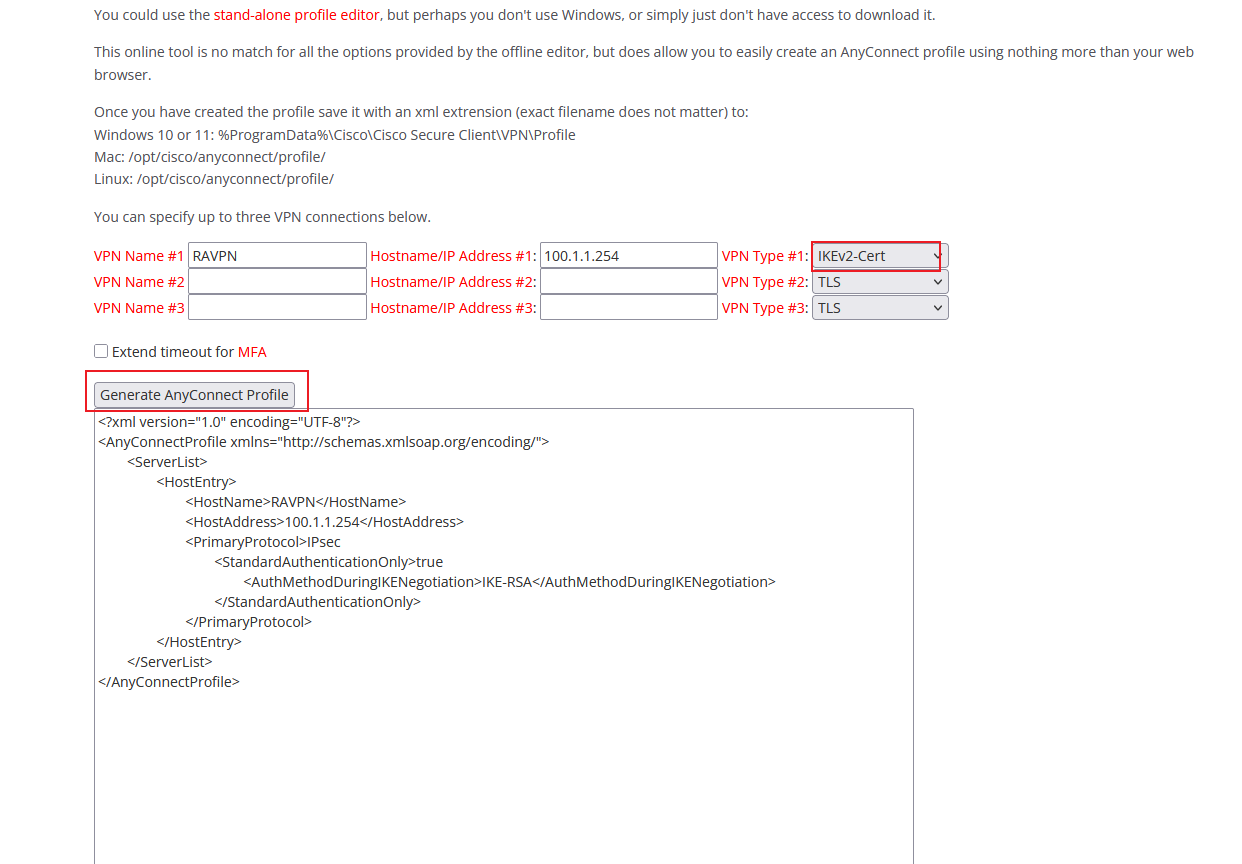
将内容拷到 anyconnect profile中:
路径:C:\ProgramData\Cisco\Cisco AnyConnect Secure Mobility Client\Profile
ProgramData是隐藏文件夹
创建一个 .xml的文件,然后将这里生成的内容复制进去:
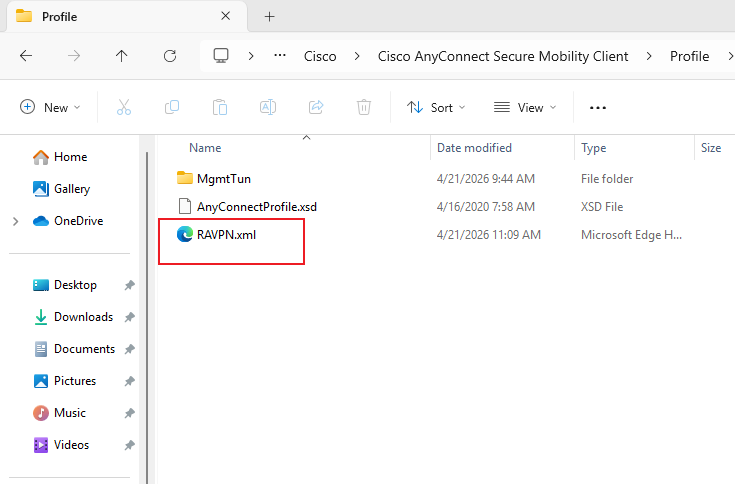
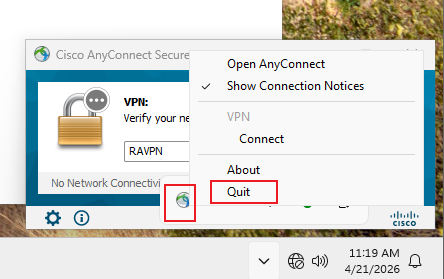
有时客户端读取不到配置文件,需要手动退出,然后重新打开:
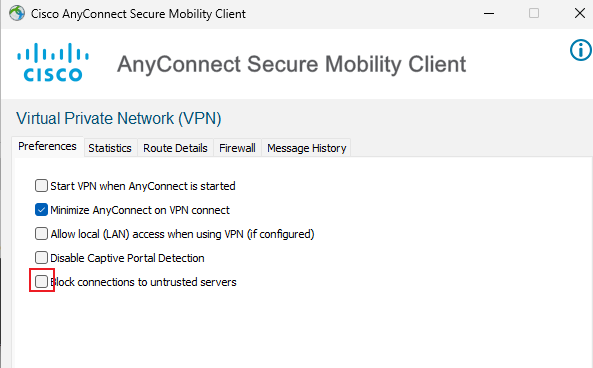
·客户端连接:
点击连接:
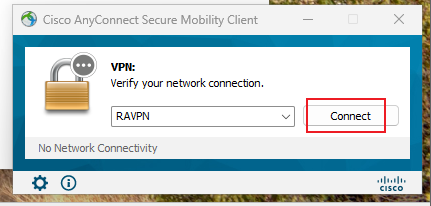
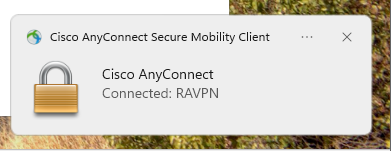
连接成功
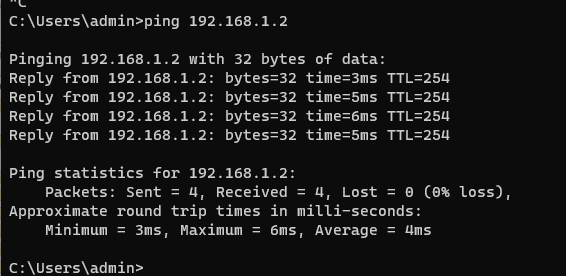
ping 测试: