Server2025安装Hyper-v之后服务器管理器无法远程连接的报错.note
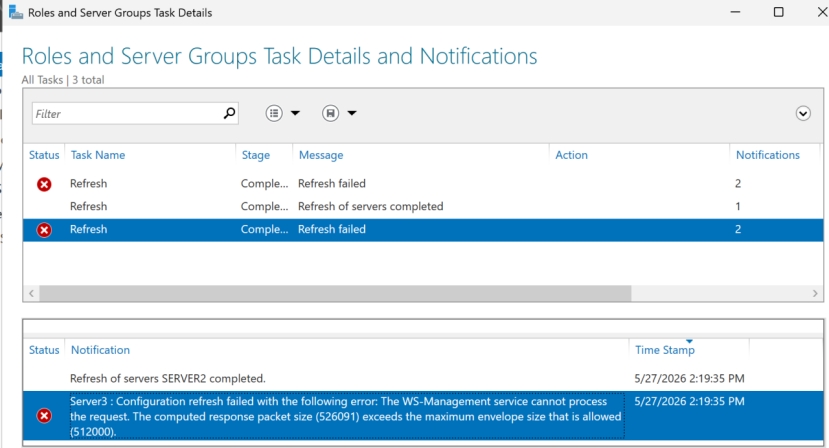
(一开始是可以连接的,这个报错是在安装 Hyper-V之后出现的)
# 解决办法:
# 如果是 Server2连接Server3报错,那么就要在Server2本地配置(最好两台都配置):
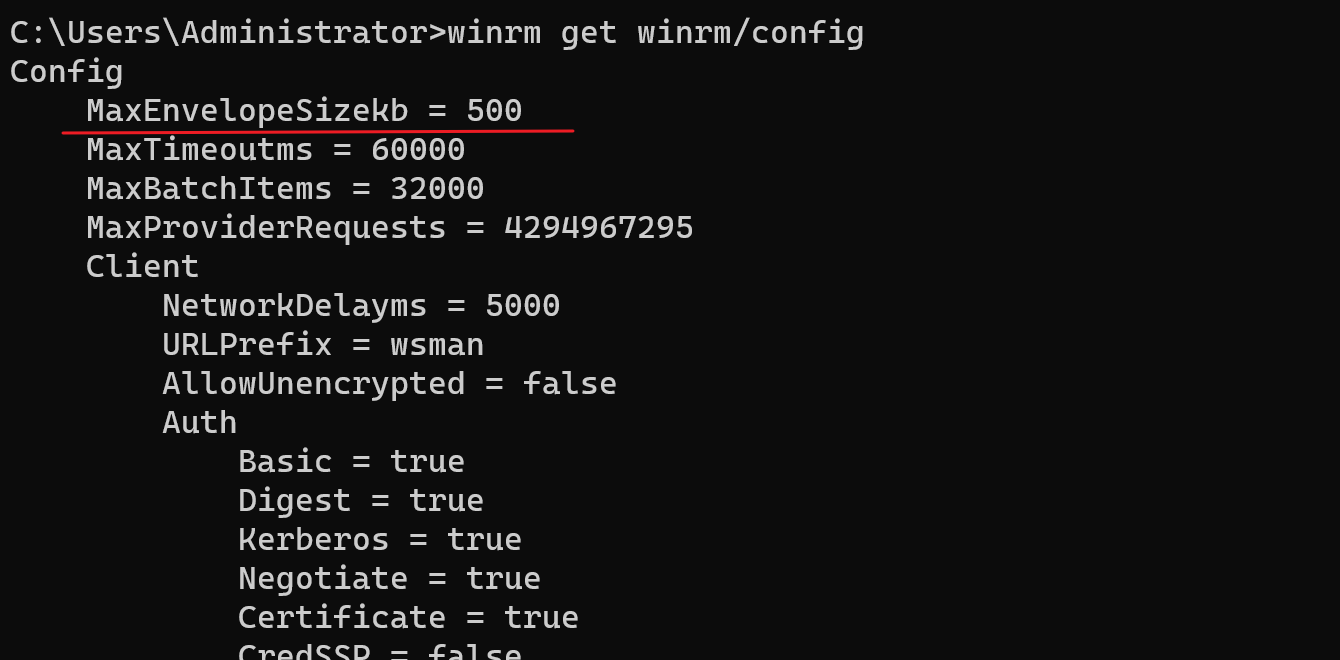
Set-Item WSMan:\localhost\MaxEnvelopeSizekb 2048    //敲了 WSman:\ 后就能够 Ctrl + 空格补全
restart-service winrm
或者:
winrm set winrm/config @{MaxEnvelopeSizekb="2048"}

# 问题原因,因为连接成功后,会检索服务器信息,然后打包拿回来,这个大小默认只有500kb,一旦拿回来的数据超过500kb,就无法拿回来,连接就会报错
·编写ticket:
# 问题:
On Server2:
Server Manager failed to refresh Server3 from the management server. Because The WinRM return information packet size exceed the default MaxEnvelopeSizekb limit.

# 解决方案:
On Server2:
Execute the following command in the powershell command line:
set-item wsman:\localhost\maxenvelopesizekb 2048
restart-service winrm