nagios4 基础配置.note
一、配置 nagios(apache2作为web):
1、安装 nagios及组件:
apt install -y nagios4默认会安装apache2,nagios4的配置文件在 /etc/apache2/conf-enabled/nagios4-cgi.conf 中
# 安装并启用PHP:
apt install -y php8.2-fpm
a2enmod php8.2
a2enconf php8.2-fpm
systemctl restart apache2
# 启用 cgi(否则无法点击其它内容):
a2enmod cgi
systemctl restart apache2如果不启用cgi,无法点击其它内容会直接下载
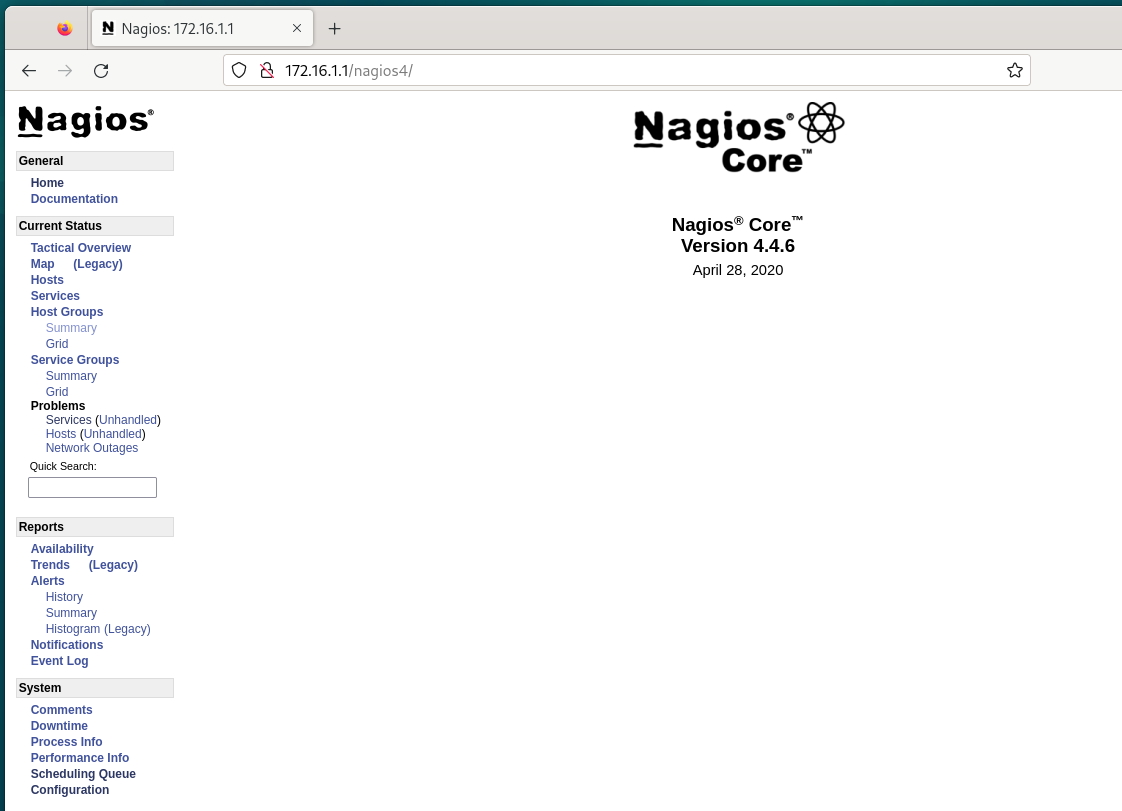
·安装后就能够直接访问:
加上 /nagios4
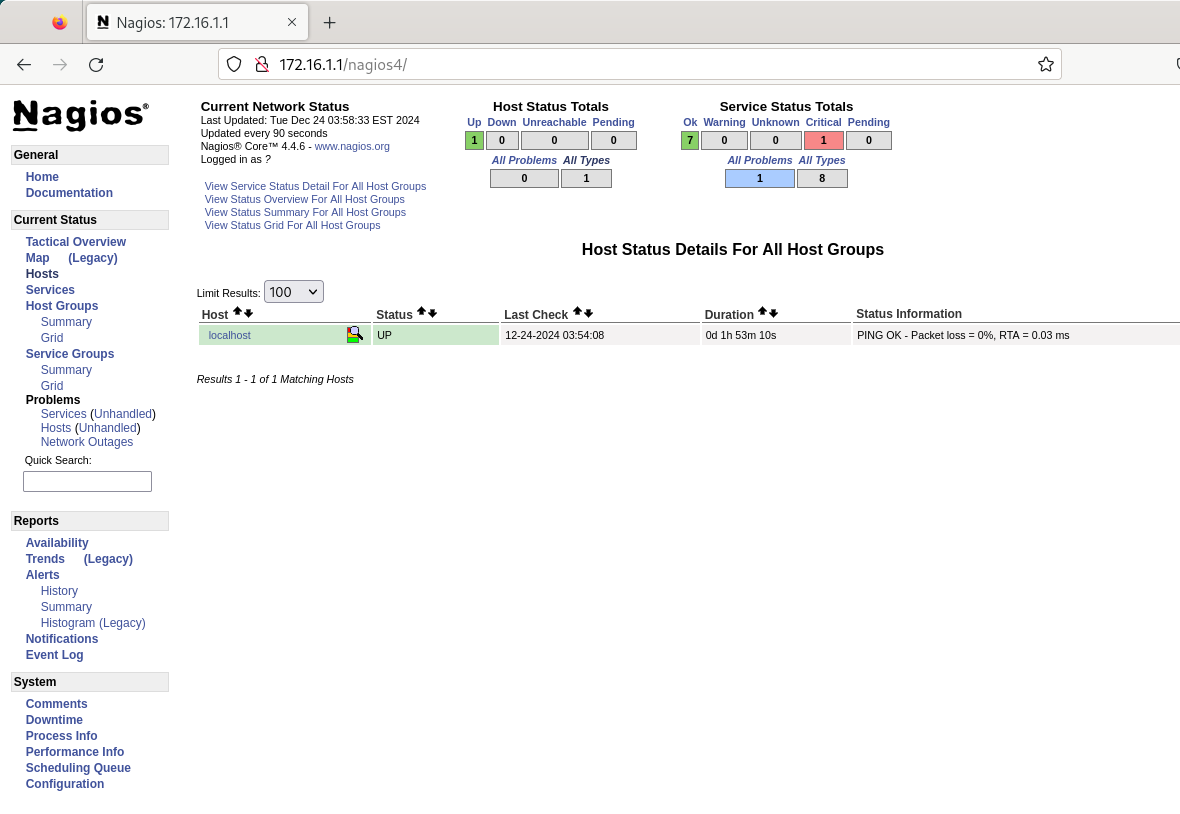
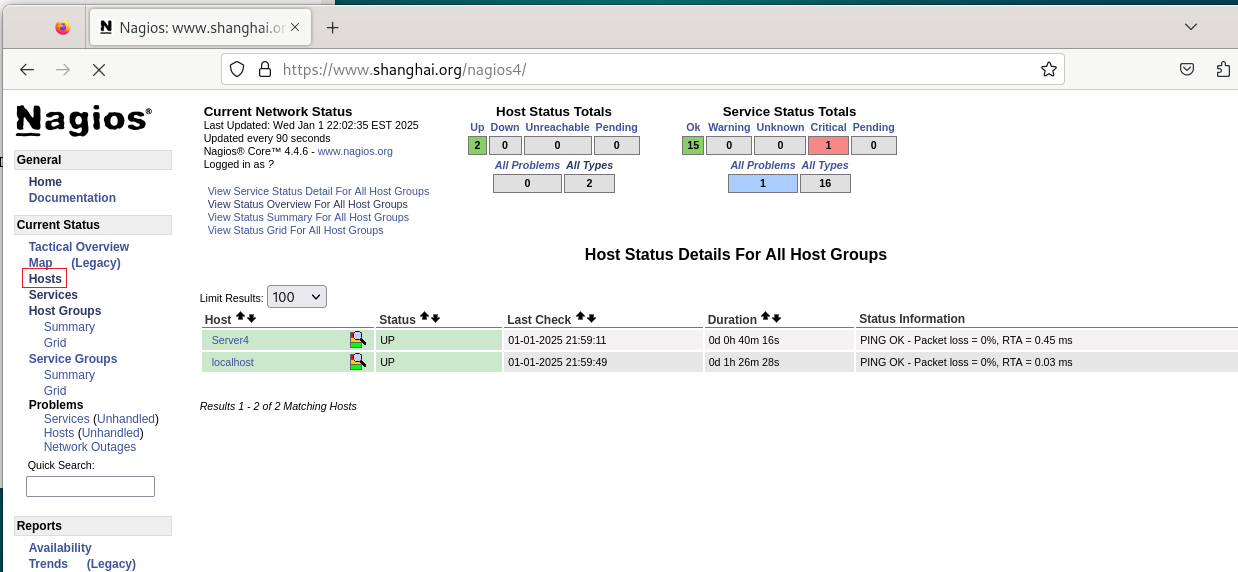
点击 hosts,此时应该只有 nagios本地一台主机
2、配置 nagios4 监控其它机器:
·为 nagios4 配置开启自启动:
nagios和其它服务不一样,它默认不是开机自启动
systemctl enable nagios4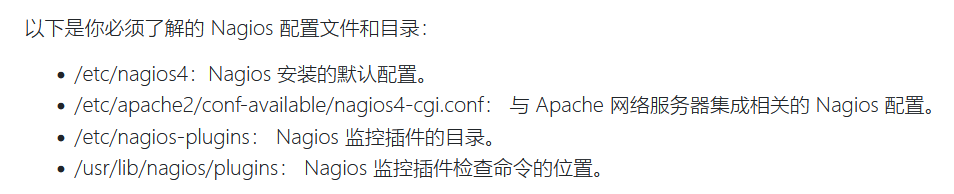
(1)配置 nagios4服务端:
cd /etc/nagios4/conf.d

# 复制模板:
cp /etc/nagios4/obejcts/localhost.cfg ./host.cfg

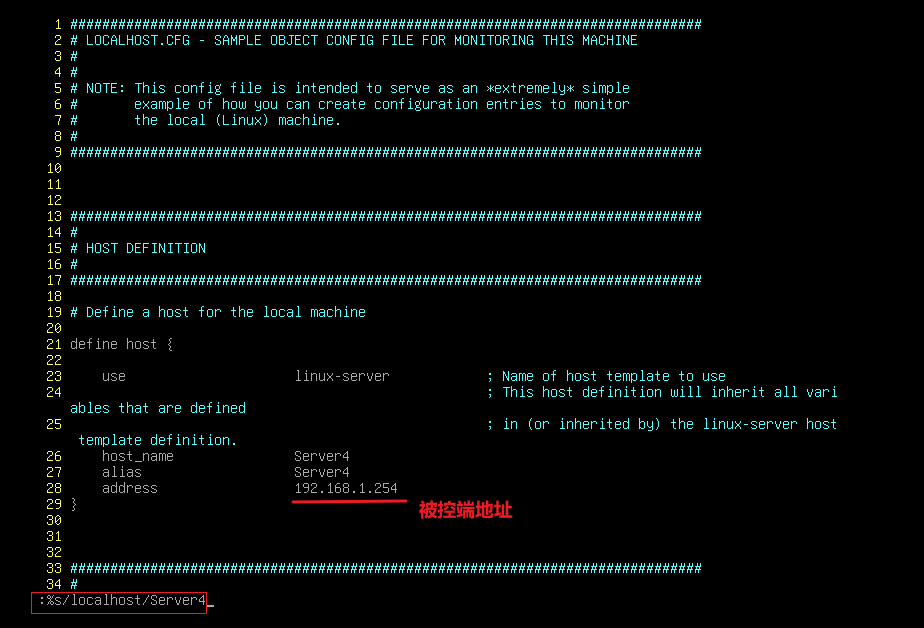
vim host.cfg
## 因为是复制的,所以需要修改名称,否则会冲突使用“ :%s/localhost/Server4 ”一键替换

# 检查配置是否成功:
nagios4 -v /etc/nagios4/nagios.cfg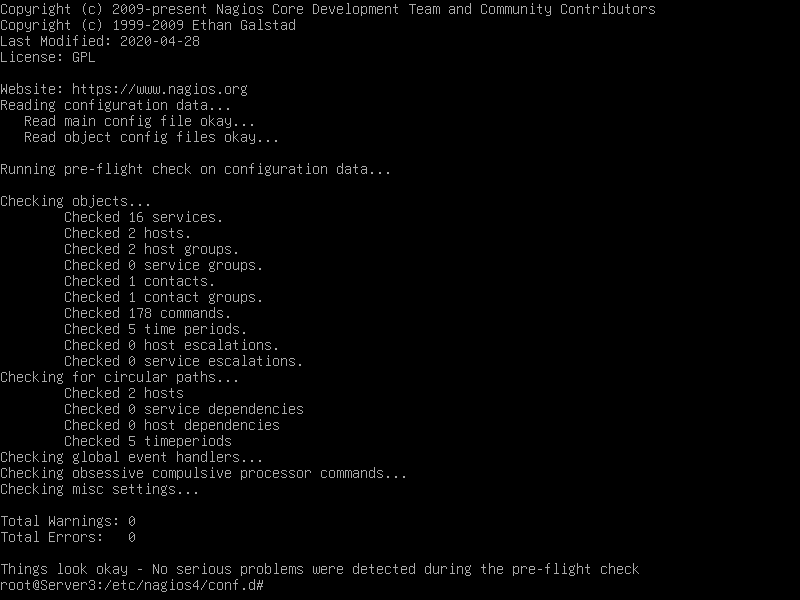
systemctl restart nagios4
(2)配置 nagios4被控端:
apt install -y nagios-nrpe-server
vim /etc/nagios/nrpe.cfg
# 书写 0.0.0.0 或者 主控端的 IP:
systemctl restart nagios-nrpe-server·查看:
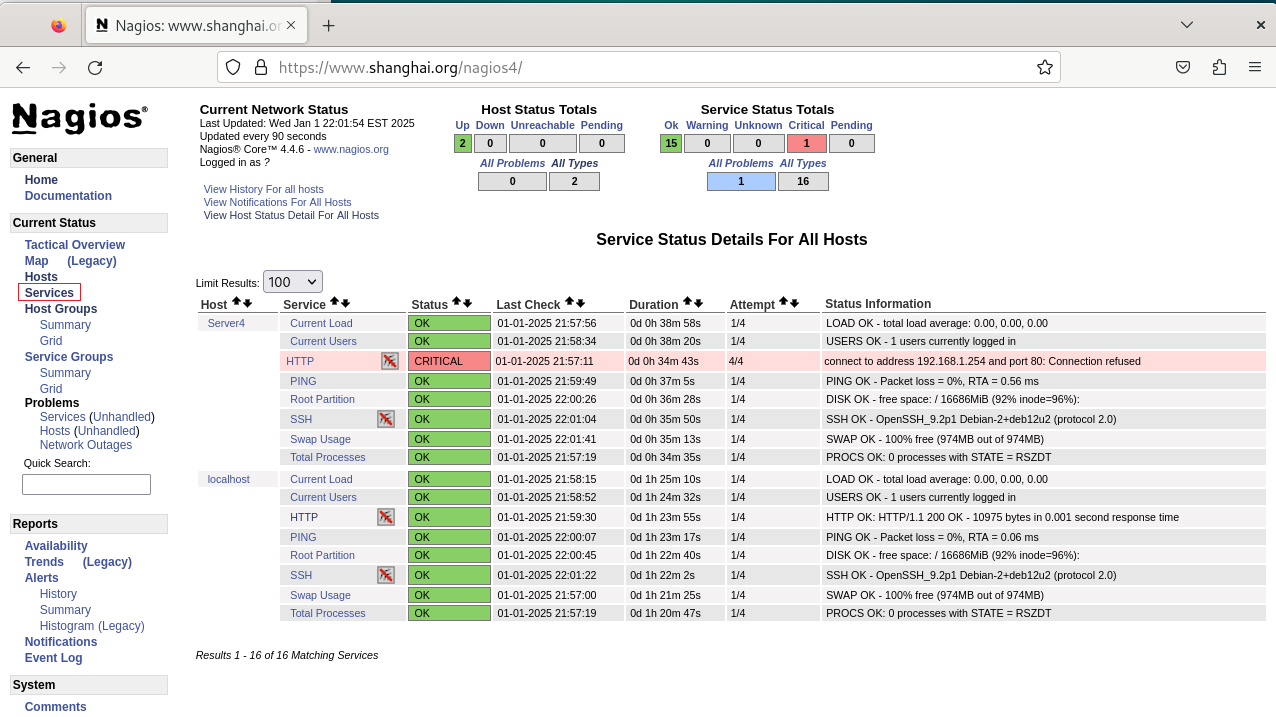
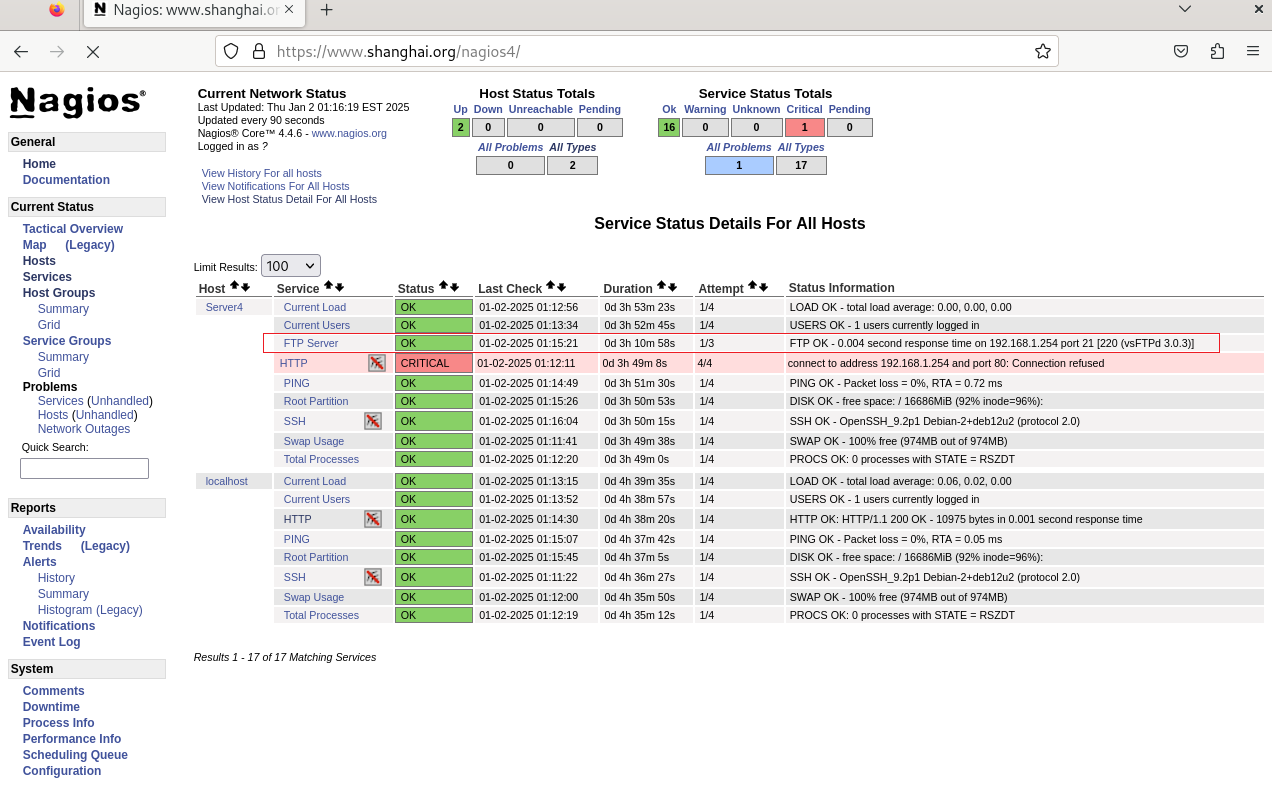
HTTP 失败是因为 Server4 上面没有 http 服务,是正常的,如果任意安装一个 web就 OK
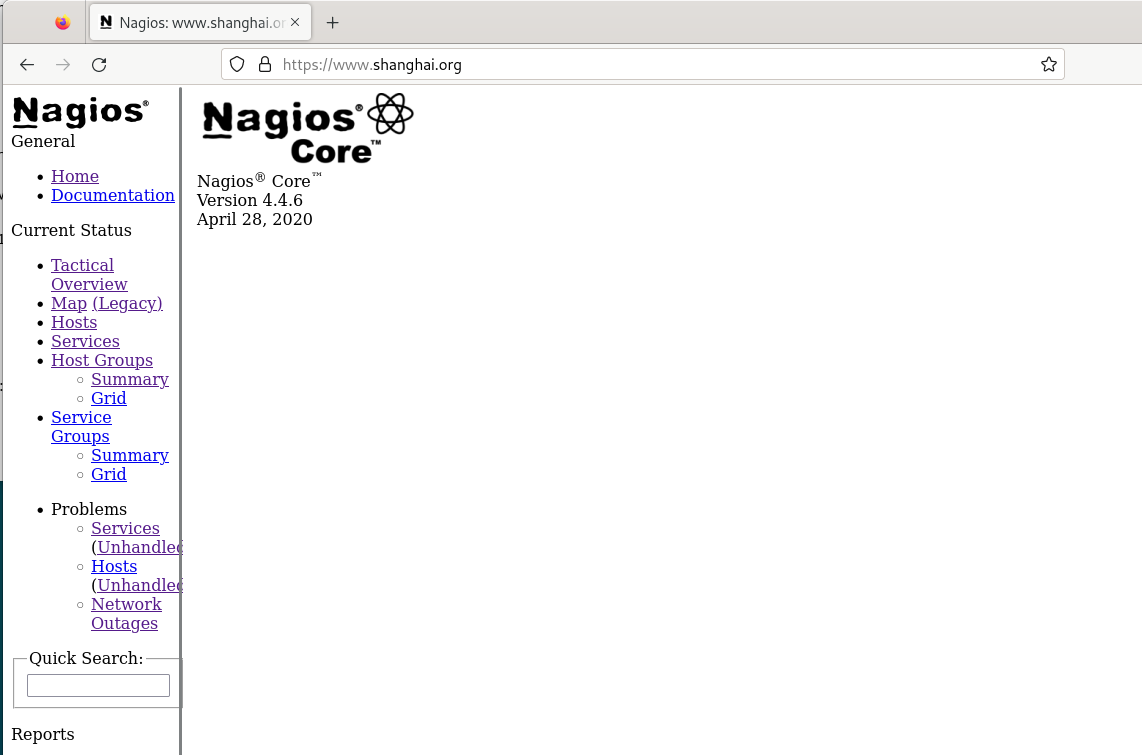
3、配置 nagios4 访问首页即可,无需再访问 /nagios4:
配置了之后,无论是访问首页,还是访问 /nagios4 都能够访问到 nagios
# 将 网站根目录设置为 /usr/share/nagios4/htdocs 即可
vim /etc/apache2/sites-enabled/000-default.conf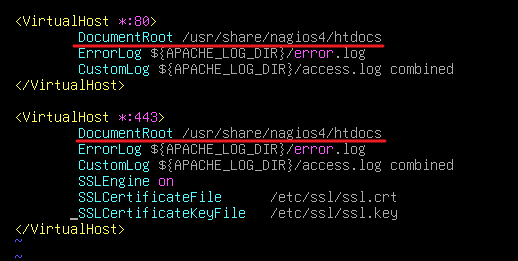
systemctl restart apache2·查看:
二、配置 nagios4使用 nginx 作为 Web:
1、安装 nagios4 及组件:
apt install -y nagios4 php8.2-fpm
apt install -y fcgiwrap    //安装cgi
2、配置 nginx 为 web:
# 停止默认安装的 apache2:
systemctl stop apache2
systemctl disable apache2

# 启动 cgi:
systemctl start fcgiwrap
systemctl enable fcgiwrap

# 编辑 nginx:
apt install -y nginx
vim /etc/nginx/sites/enabled/default
## cgi 的配置可以在 /usr/share/doc/nginx/examples/mailman 中抄到部分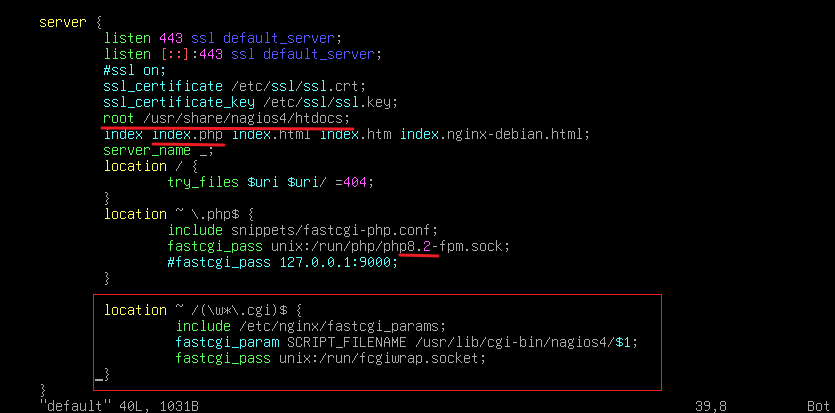
这样配置 cgi 是成功启动了,但是还是无法调用到css文件,如果无法调用到css文件,是能够访问的,但是会像下面这样:
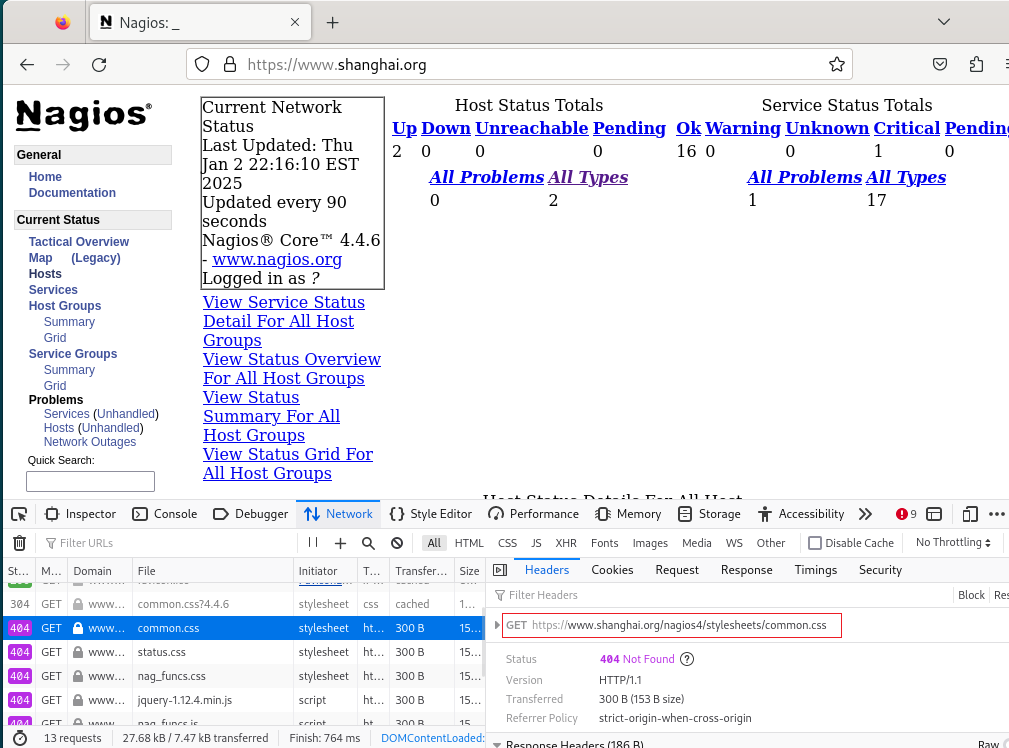
因为这个路径下的 css 文件找不到
因此有两种配置方法:
方式一:将 css 文件拷贝到网站根目录下(按照上面 GET url 的路径)
## 这个方法需要将 /usr/share/nagios4/htdocs 设置为网站根目录
# 在根目录下创建:
mkdir /usr/share/nagios4/htdocs/nagios4

# 将 css 文件拷贝过去:
cp -r /etc/nagios4/stylesheets /usr/share/nagios4/htdocs/nagios4/
systemctl restart nginx
方式二:编辑 nginx 配置文件配置 别名:
vim /etc/nginx/sites-enabled/default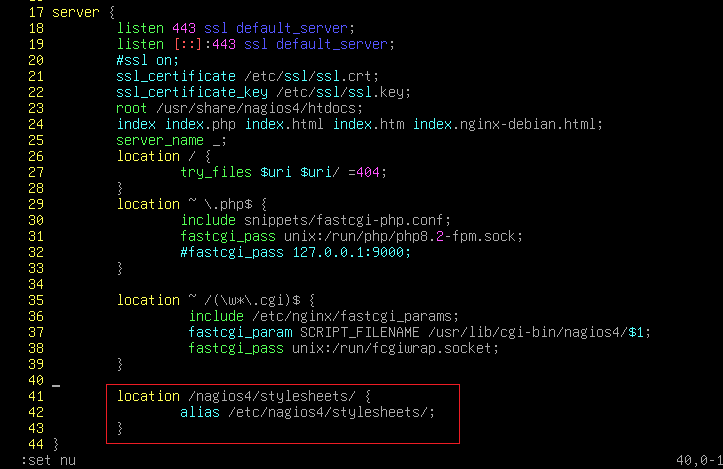
systemctl restart nginx
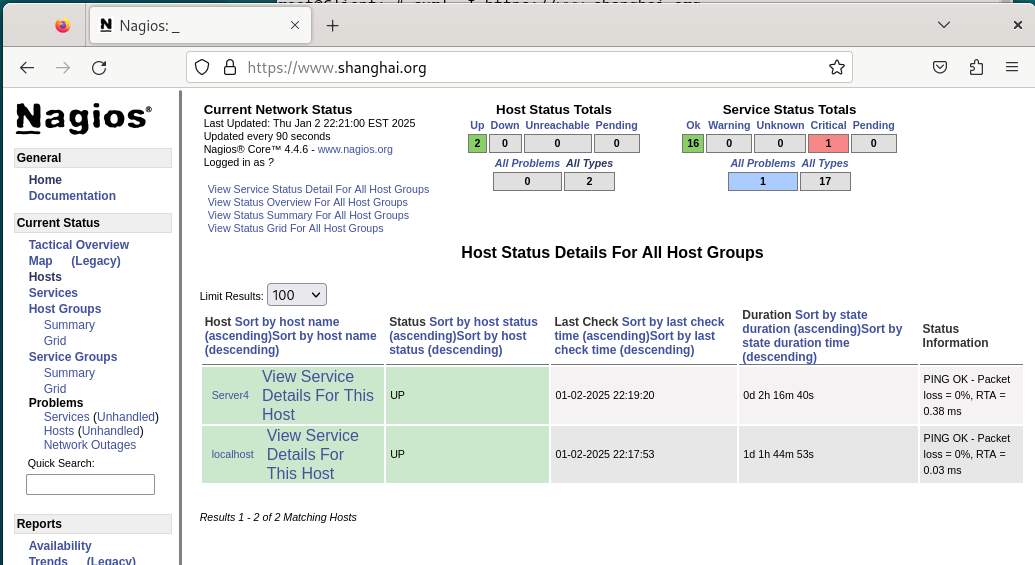
· 测试:
三、监测其它指定服务:
前提是需要先按照前面配置好nagios,然后直接调用 nagios内置模板即可
1、监测 ftp 服务:
vim /etc/nagios4/conf.d/host.cfg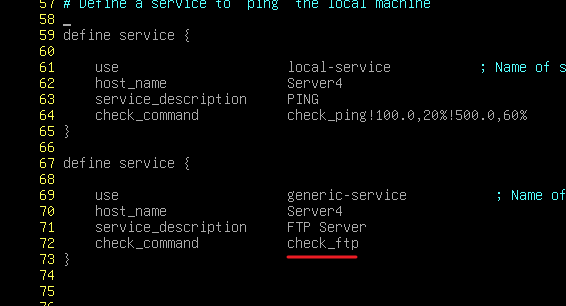
systemctl restart nagios4
check_ftp 是内置在 /etc/nagios-plugins/config 下的:

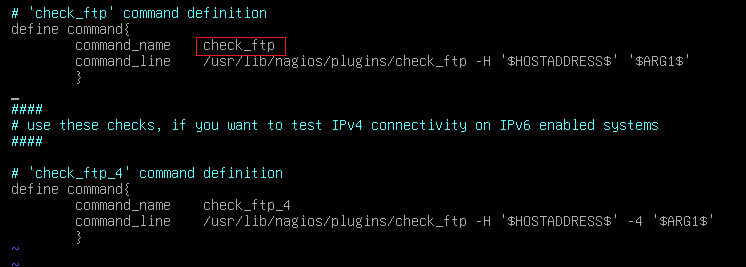
这些都是默认内置的,直接调用 command_name 即可。
·测试:
被监控机器上必须要有 ftp 服务,否则是无法监控到的