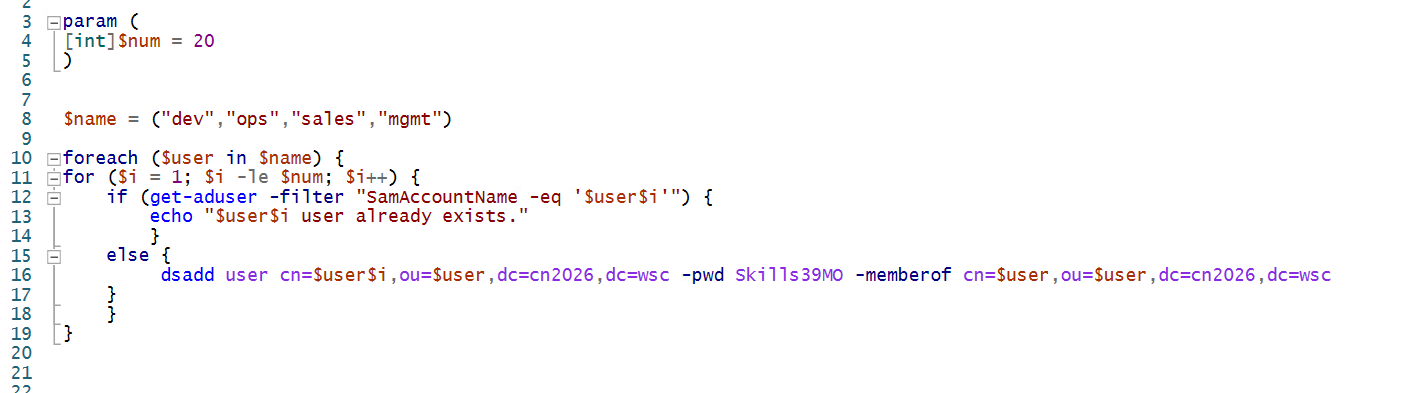
批量创建用户(-count 指定用户数量).note
·题目:
5. 编写一个 PowerShell 脚本,并保存为:C:\Create_User.ps1该脚本必须根据下表创建用户:
用户名前缀	编号范围	密码	OU	组成员
dev	1 - 20	默认密码	DEV	DEV
ops	1 - 20	默认密码	OPS	OPS
sales	1 - 20	123456	SALES	SALES
mgmt	1 - 20	Ski1ls39MO!@#$%	MGMT	MGMT
示例用户名:
dev13
要求脚本可以运行,并且接受参数:-count当使用:-count X调用时,X 是一个数字,表示要创建的最大用户编号。脚本必须确保创建的用户在下次登录时 不需要更改密码。如果用户已经存在,则跳过创建。
示例运行:
C:\Create_User.ps1 -count 5
param (
[int]$num = 20
)
$name = ("dev", "ops", "sales", "mgmt")
## 用foreach遍历用户名字(遍历列表只能用 foreach)
foreach ($user in $name) {
for ($i = 1; $i -le $num; $i++) {
if (Get-ADUser -Filter "SamAccountName -eq '$user$i'") {
echo "$user$i user already exists."
}
else {
dsadd user "cn=$user$i,ou=$user,dc=cn2026,dc=wsc" -pwd Ski1ls39MO -memberof "cn=$user,ou=$user,dc=cn2026,dc=wsc"
}
}
}