haproxy 代理ftp.note
1、Haproxy 代理 Ftp:
vim /etc/haproxy/haproxy.cfg模板:
/usr/shar/edoc/haproxy/examples/socks4.cfg
搜索 tcp: grep -r tcp ./*

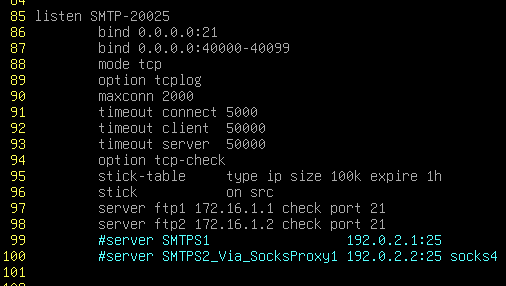
expire 1h 字段可以不写,不是必要的
或者另一种写法:
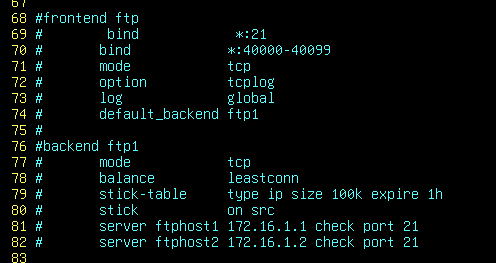
systemctl restart haproxy
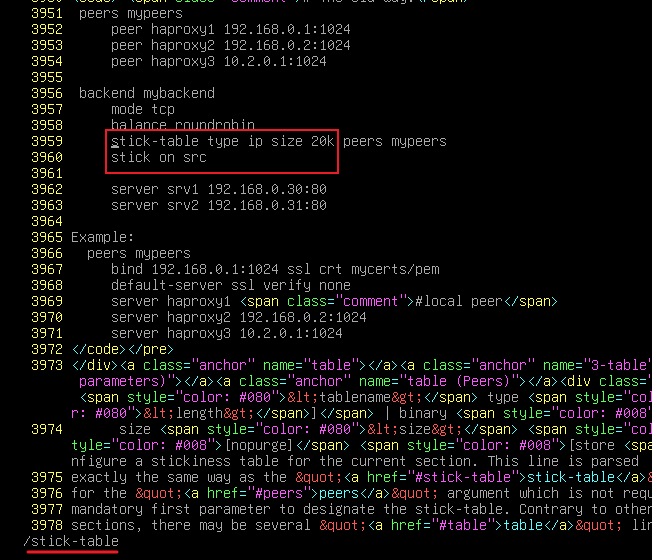
stick-table 的模板:
apt install -y haproxy-docsear
cd /usr/share/haproxy
grep -r stick-table ./*
vim /usr/share/haproxy/html/configuration.html
2、后端 ftp配置:
必须要配置被动模式,并且要指定被动IP指向 haproxy,还要指定被动端口范围给防火墙DNAT和放行
apt install -y vsftpd
vim /etc/vsftpd.conf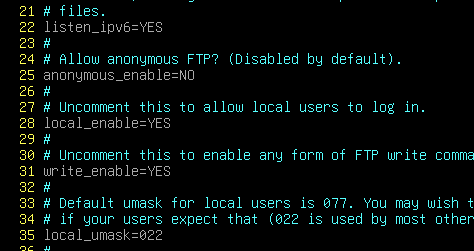

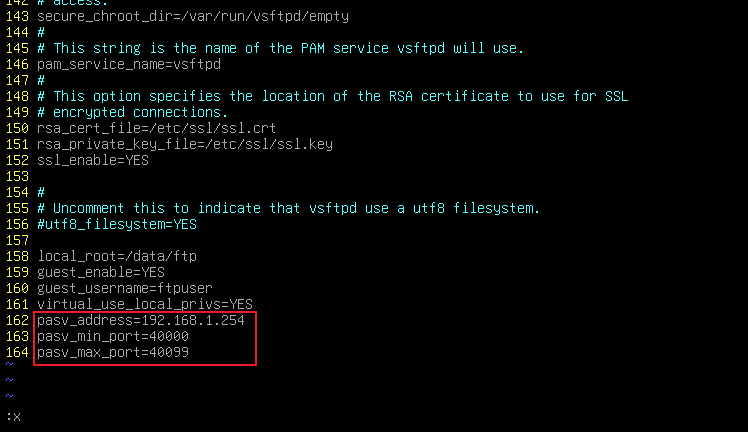
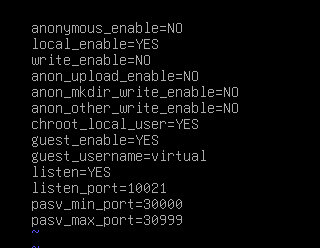
要开启被动模式,并且指定 pasv_address=192.168.1.254,否则客户端无法通过代理连接
systemctl restart vsftpd
部分模板(虚拟用户、被动接口):
/usr/share/doc/vsftpd/examples/VIRTUAL_USERS/vsftpd.conf