配置 文件加密(不要求证书字段).note
# 原理:
生成一个私钥、一个公钥,发送方使用公钥加密文件,接收方使用私钥解密
文件加密:加密文件,用公钥加密,只有拥有私钥的客户端才能解密并读取该文件
文件签名:不加密文件,用私钥签名,证明该文件的来源、防止文件被篡改,客户端用公钥验证1、文件加密(openssl)(CMS加密):
(1)生成openssl密钥:
这个用于加密的证书可以是web证书,只要是张证书就行
# 生成私钥公钥:
/usr/lib/ssl/misc/CA.pl -newca
/usr/lib/ssl/misc/CA.pl -newreq-nodes
/usr/lib/ssl/misc/CA.pl -sign生成后将公钥拷贝给文件发送端(发送端需要信任该证书公钥)
(2)发送方 加密文件(使用公钥):
# 加密文件:
echo security > test.txt
openssl cms -encrypt -in test.txt -out test.txt.cms -outform PEM web.crt
# 格式:openssl cms -encrypt -in [要被加密的文件] -out [加密后的文件] -outform PEM [用来加密的证书文件]
## 可使用的 outform:PEM、DER、SMIME
## 可以使用 -aes-256-cbc 来指定算法(不指定默认就是 aes-256-cbc):openssl cms -encrypt -aes-256-cbc -in test.txt -out test.txt.cms -outform PEM web.crt
cat test.txt.cmd
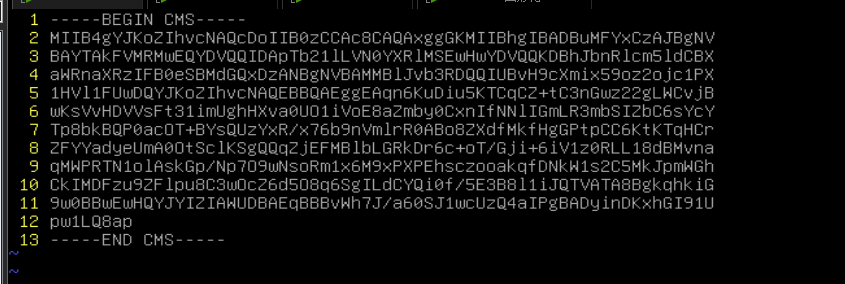
然后就可以通过网络安全的将该文件传输给接收方了
# 查看加密算法:
openssl cms -cmsout -print -inform PEM -in test.txt.cms
(3)接收方 解密文件(使用私钥):
openssl cms -decrypt -in test.txt.cms -inform PEM -inkey web.key -out test.txt
2、文件加密(gpg):
(1)生成 gpg 密钥(在接收方生成):
apt install -y gpg

gpg --full-generate-key
# 1
# 4096
# 0
# y
# gpg_cert    //CN名称
# O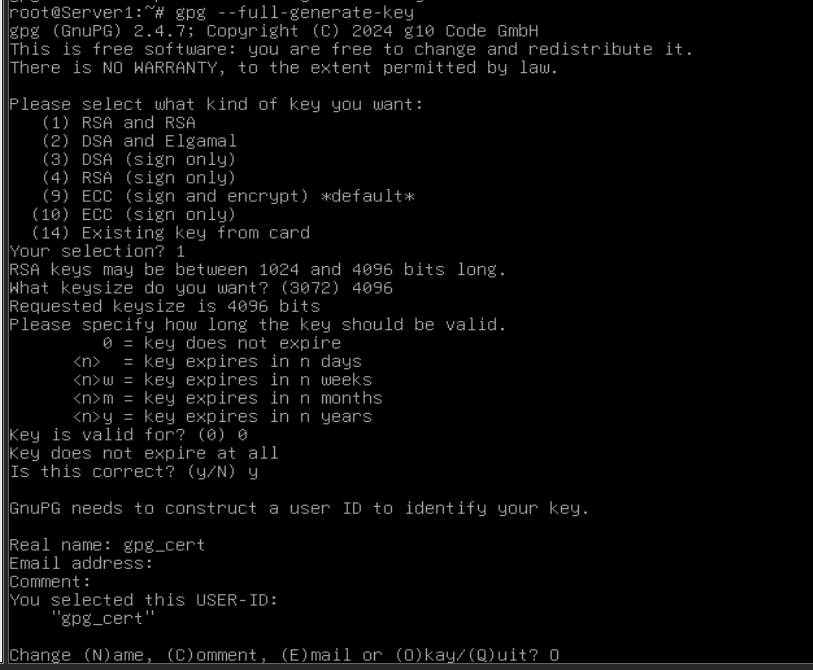
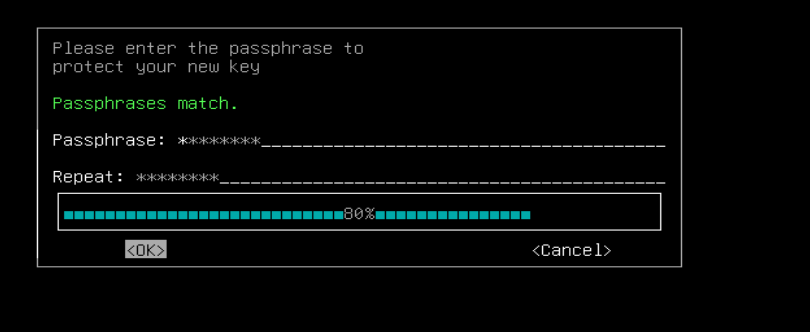
输入密码
# 导出公钥:
gpg --armor --export gpg_cert > public.asc

# 导出私钥(私钥一般不需要导出):
gpg --armor --export-secret-keys gpg_cert > private.asc

scp public.asc root@192.168.10.2:~导出公钥后,将公钥发送给加密方:
scp public.asc root@192.168.10.2:~
(2)发送方 加密文件(使用公钥):
## 如果要导入私钥(私钥中会包含公钥):
## 一般不这样做
gpg --import private.asc

# 导入并信任公钥:
gpg --import public.asc

gpg --edit-key gpg_cert
# trust
# 5
# y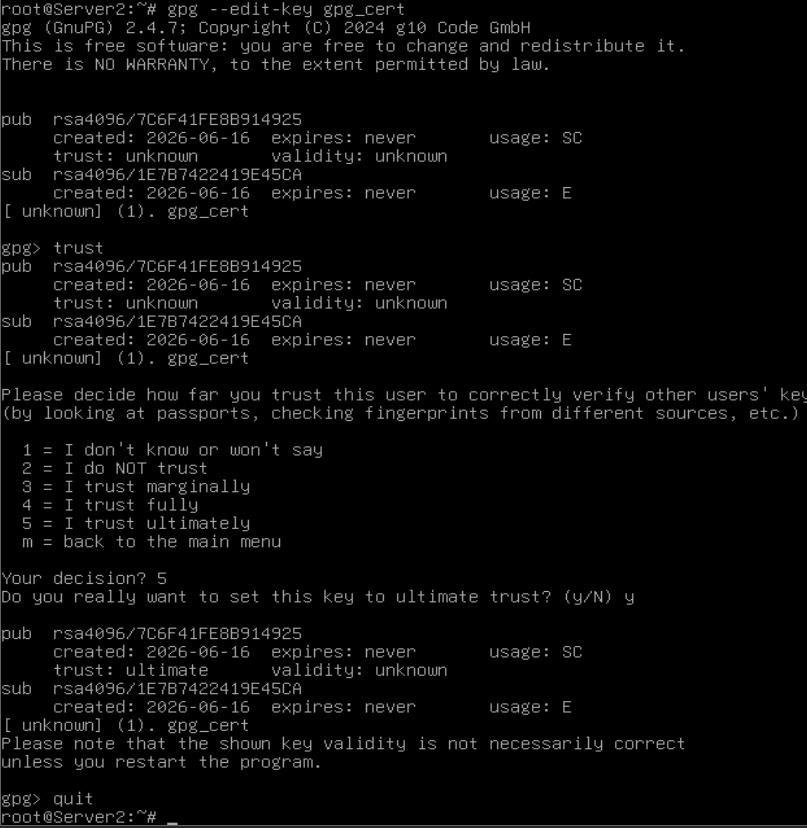
## 使用公钥加密文件:
echo security > test.txt
gpg --yes --batch --output test.txt.gpg --encrypt --recipient gpg_cert test.txt
scp test.txt.gpg root@192.168.10.1:~
将该文件拷贝给接收方
(3)接收方 解密文件(使用私钥):
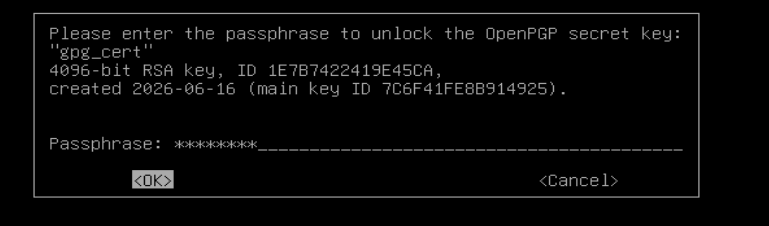
# 使用私钥解密文件(会自动调用私钥解密):
gpg --output test.txt --decrypt test.txt.gpg

·删除 gpg 公钥、私钥:
# 删除公钥:
gpg --delete-keys gpg_cert

# 删除私钥:
gpg --delete-secret-keys gpg_cert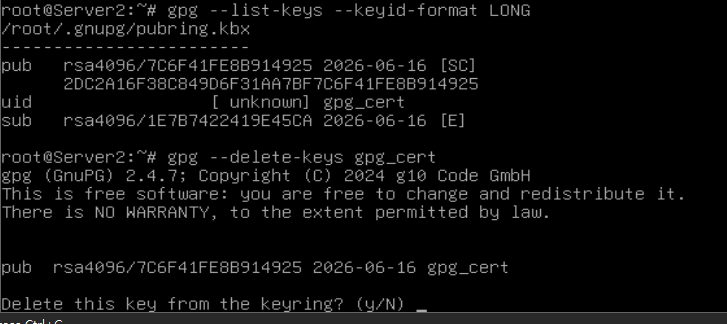
3、文件加密(age):
(1)生成age密钥:
# age-keygen 命令直接就能够生成私钥和公钥:
age-keygen > age.key
# 直接复制文件中的公钥到一个新文件,然后拷给发送端:
vim age.key
vim age.pub
scp age.pub root@192.168.10.2:~

(2)发送方 加密文件(使用公钥):
age -r "$(cat age.pub)" -o test.txt.age test.txt
scp test.txt.age root@192.168.10.1:~
(3)接收方 解密文件(使用私钥):
age -d -i age.key -o test.txt test.txt.age