连接ldap(不使用nslcd).note
一、dovecot 连接 ldap(不使用nslcd):
1、配置 dovecot连接 ldap:
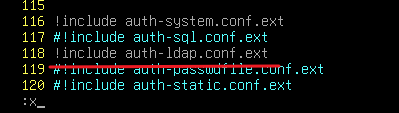
apt install -y dovecot-ldap ldap-utilsvim /etc/dovecot/conf.d/10-auth.conf取消注释,这里要把原本的 system注释掉
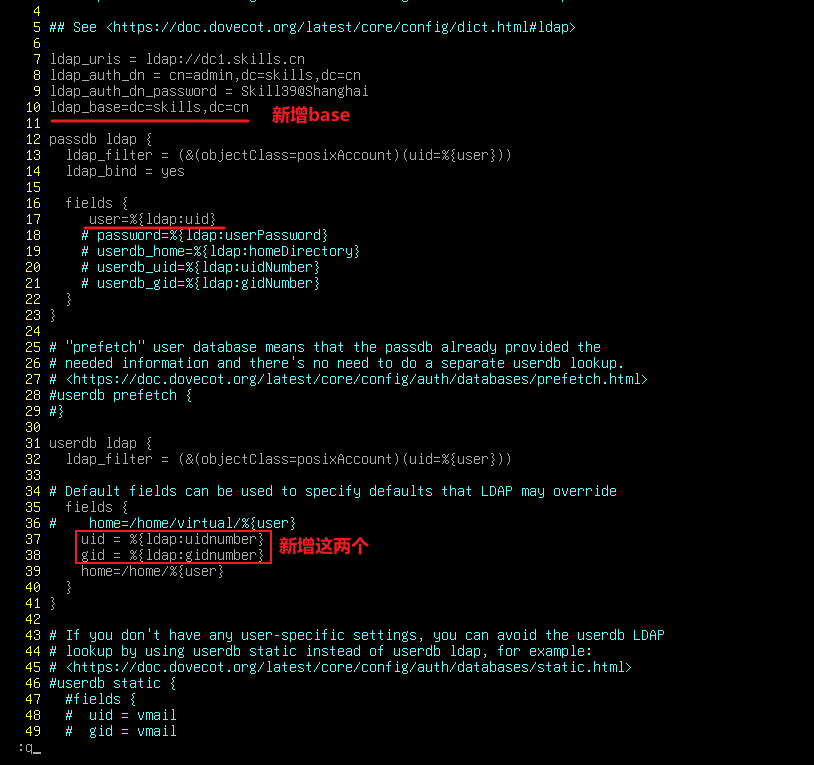
vim /etc/dovecot/conf.d/auth-ldap.conf.ext
# 安装 dovecot-ldap 后自动出现%{ldap:uidnumber} 这个变量在上面能够抄到
systemctl restart dovecot
2、配置 dovecot连接 ldaps:
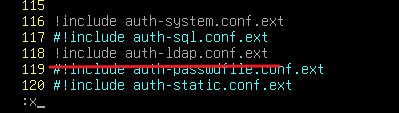
apt install -y dovecot-ldap ldap-utilsvim /etc/dovecot/conf.d/10-auth.conf取消注释
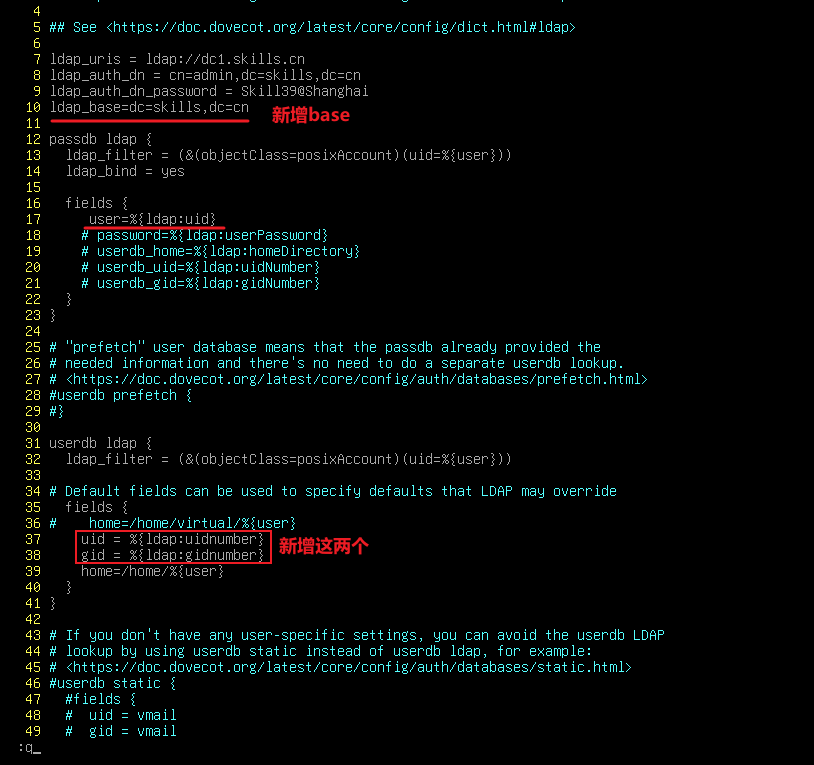
vim /etc/dovecot/conf.d/auth-ldap.conf.ext
# 安装 dovecot-ldap 后自动出现
## 将uri改为 ldaps 就能连接ldaps了%{ldap:uidnumber} 这个变量在上面能够抄到
systemctl restart dovecot
·注意要给 /home 权限,否则用户无法创建邮件目录:
chmod -R 777 /home