配置 Windows NTP时间同步.note
一、配置 NTP时间同步:
1、配置 NTP Server:
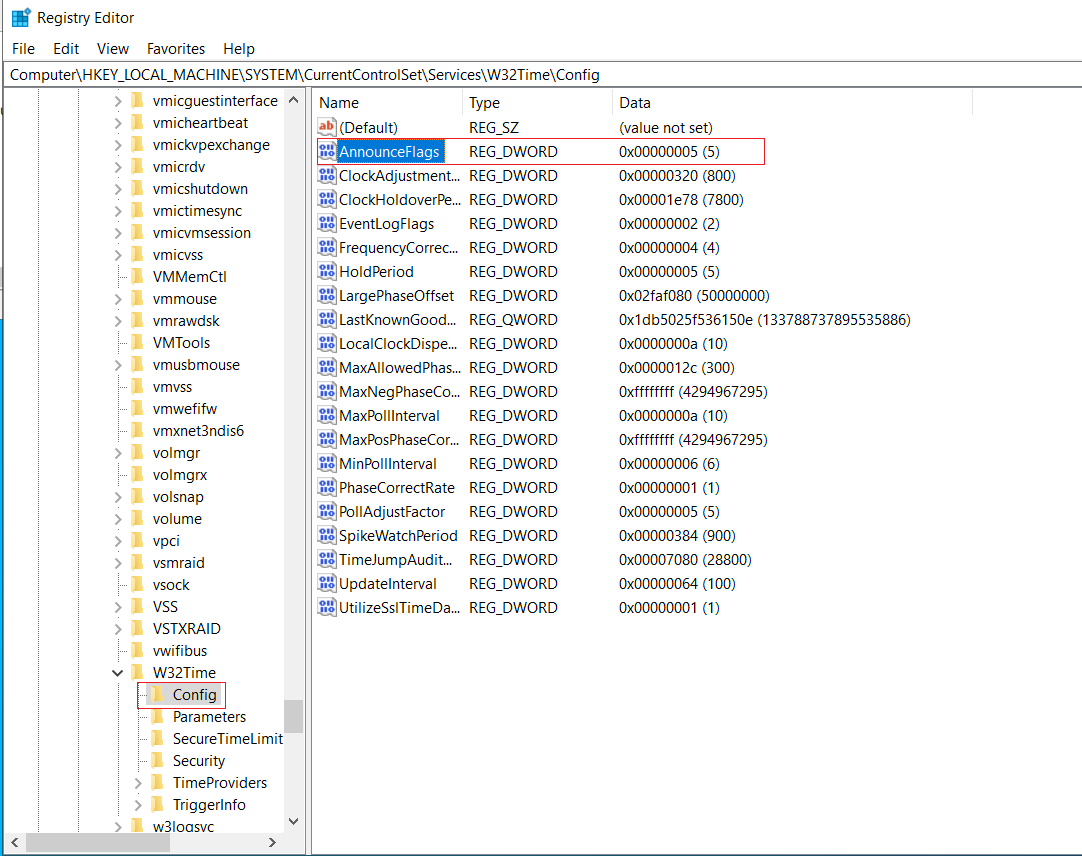
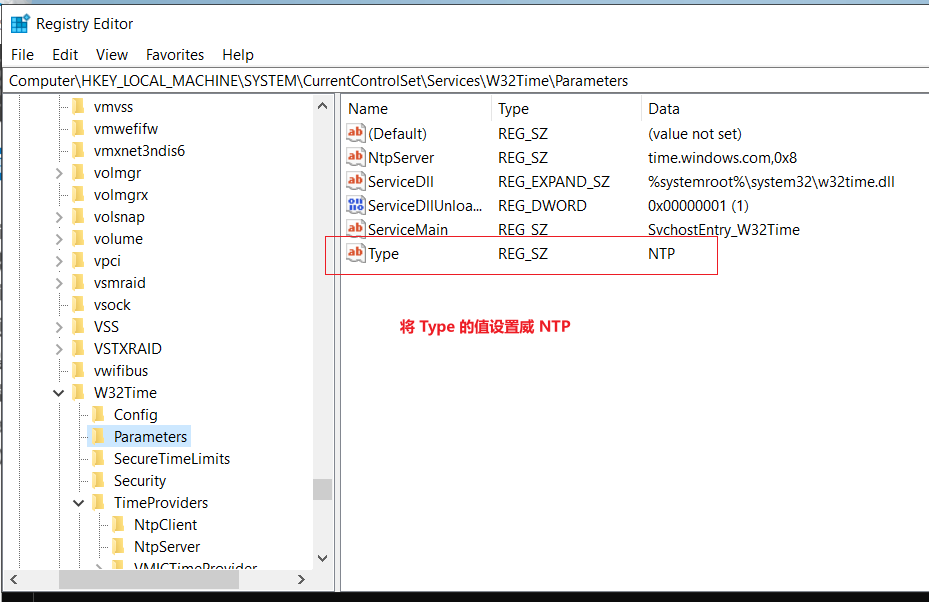
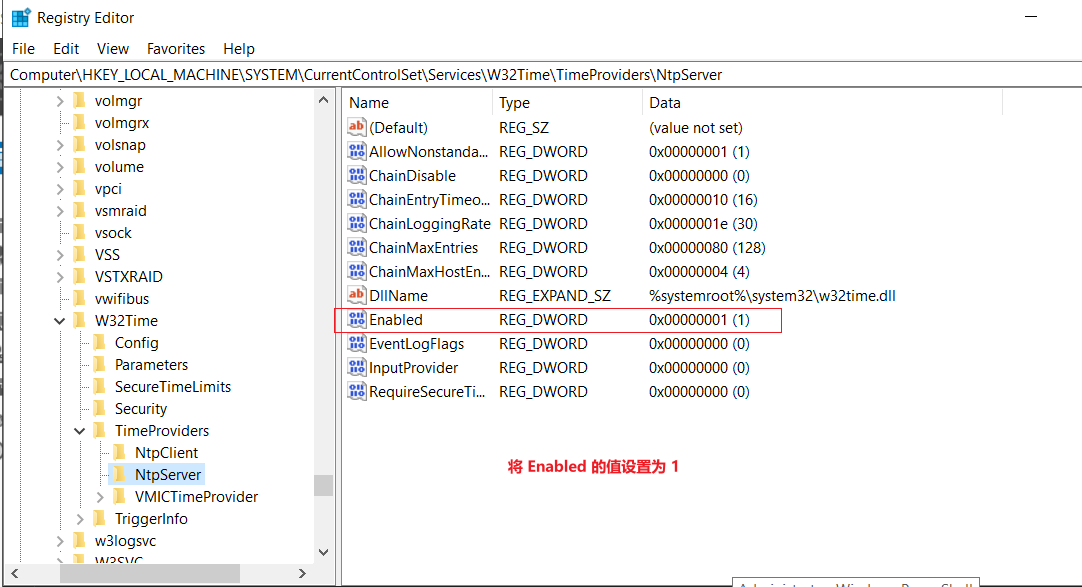
(1)注册表中启用NTP:
# 打开注册表:
regedit注册表路径:


(2)重启 w32time 服务:
restart-service w32time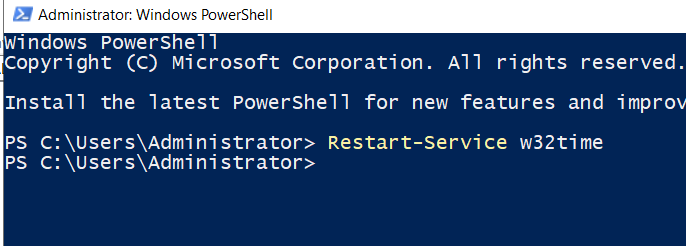
2、配置 NTP Client:
在域控上编辑域策略:(如果没有域,编辑本地组策略也可以)
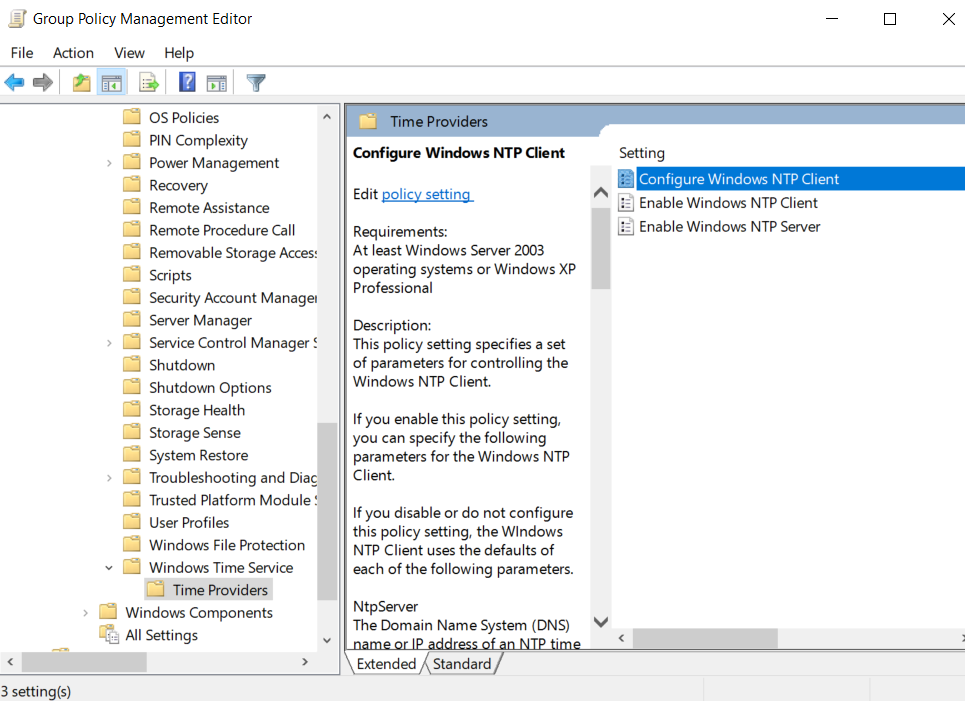
计算机配置 - 管理模板 - 系统 - Windows 时间服务 - 配置 Windows NTP 客户端·设置NTP服务器地址:
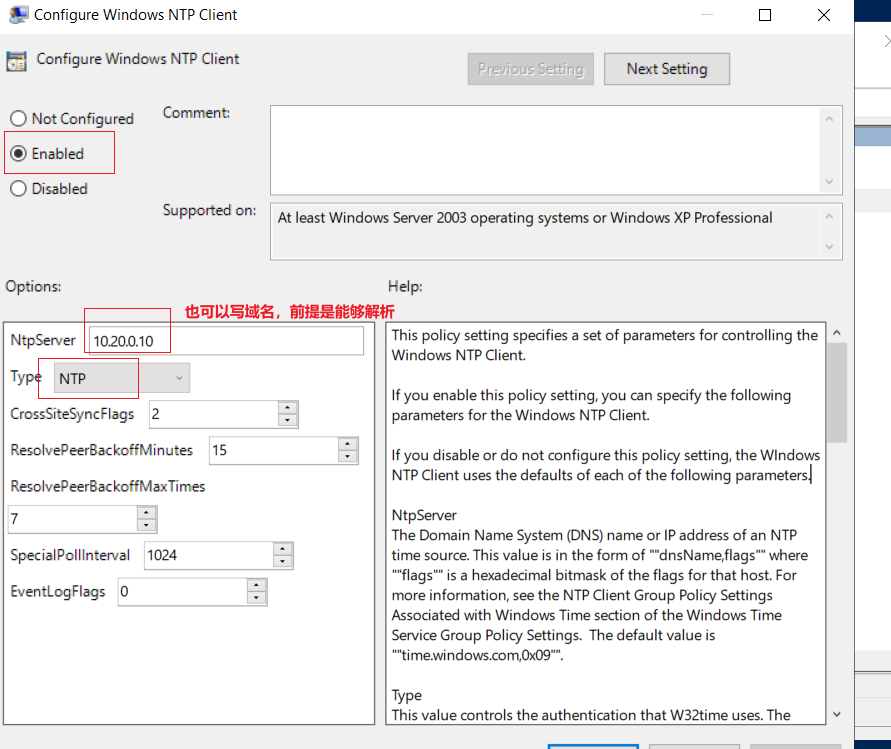
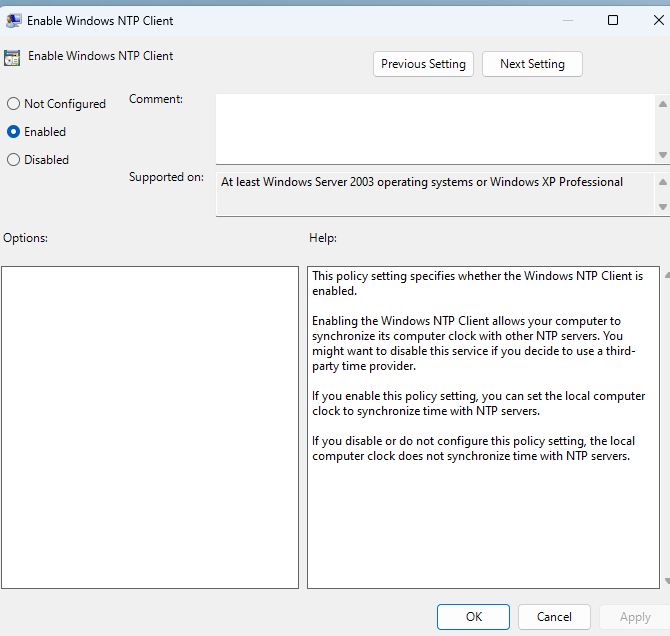
·启用NTP客户端:
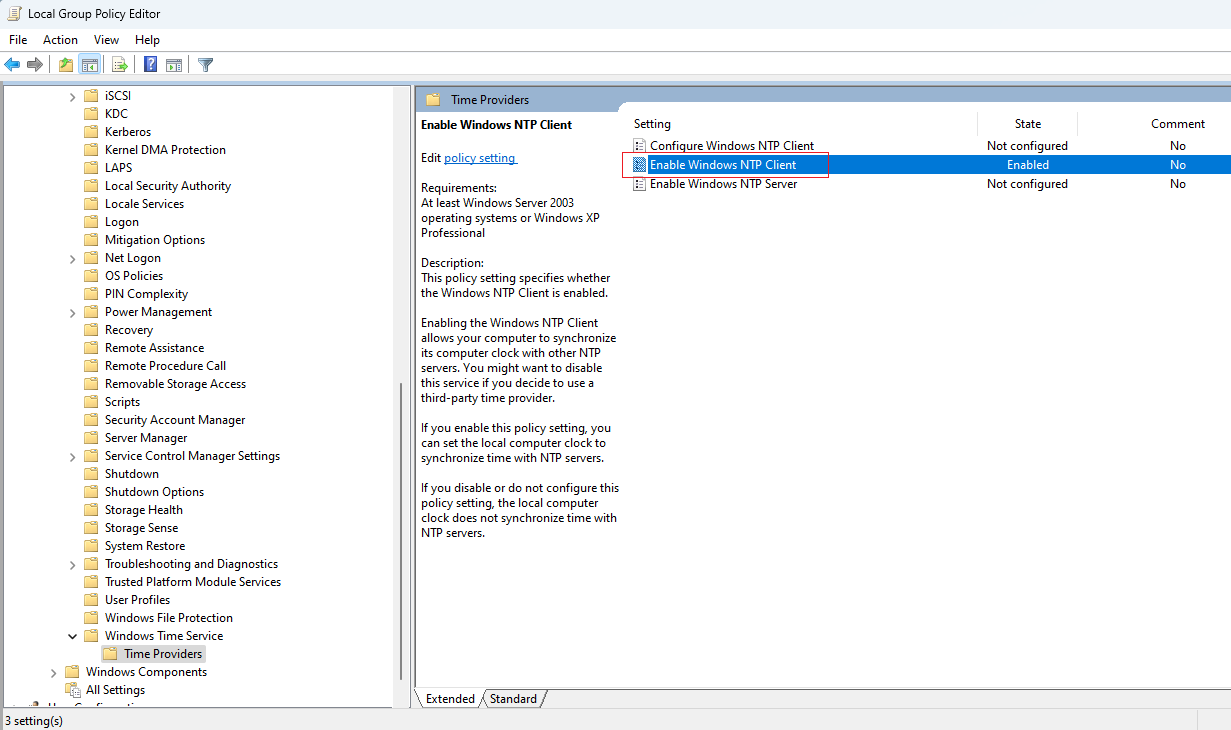
gpupdate /force
# 同步策略即可生效
·使用命令测试:
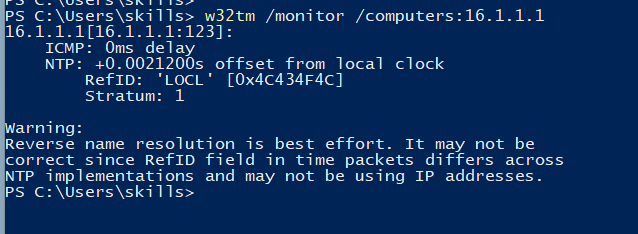
w32tm /monitor /computers:16.1.1.1

# w32tm /monitor /computers:[NTP服务器地址]
同步成功: