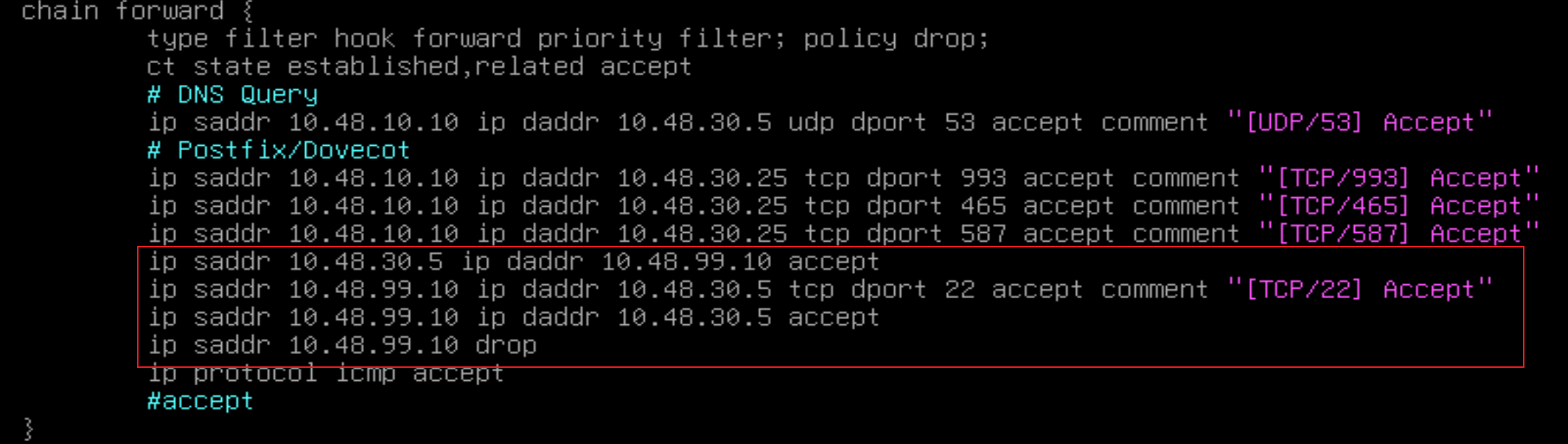
题目配置、解法.note
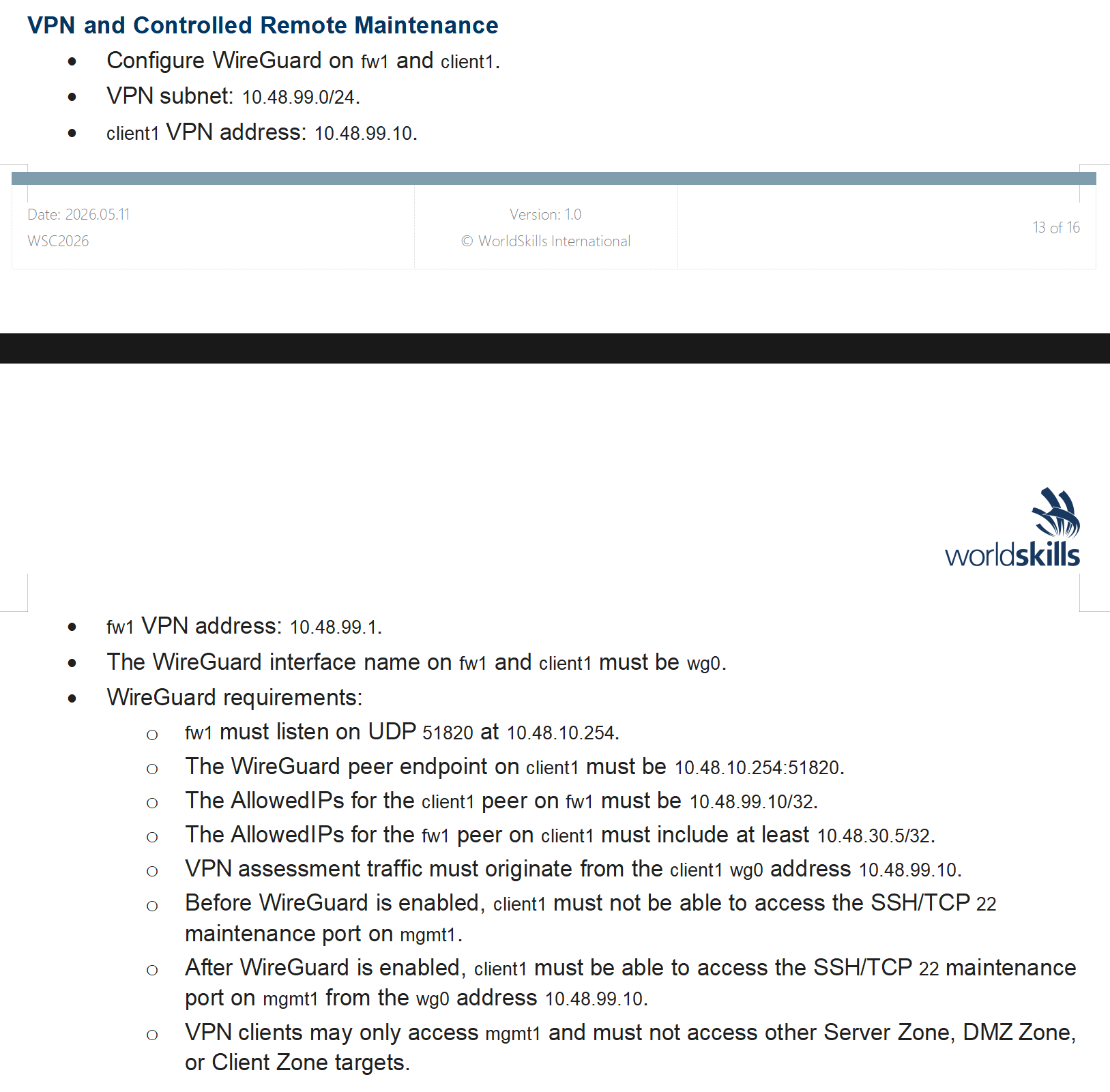
1、服务端(fw1):
apt install -y wireguard resolvconf
wg genkey | tee privatekey | wg pubkey > publickey    //会生成 publickey和privatekey
vim /etc/wireguard/wg0.conf
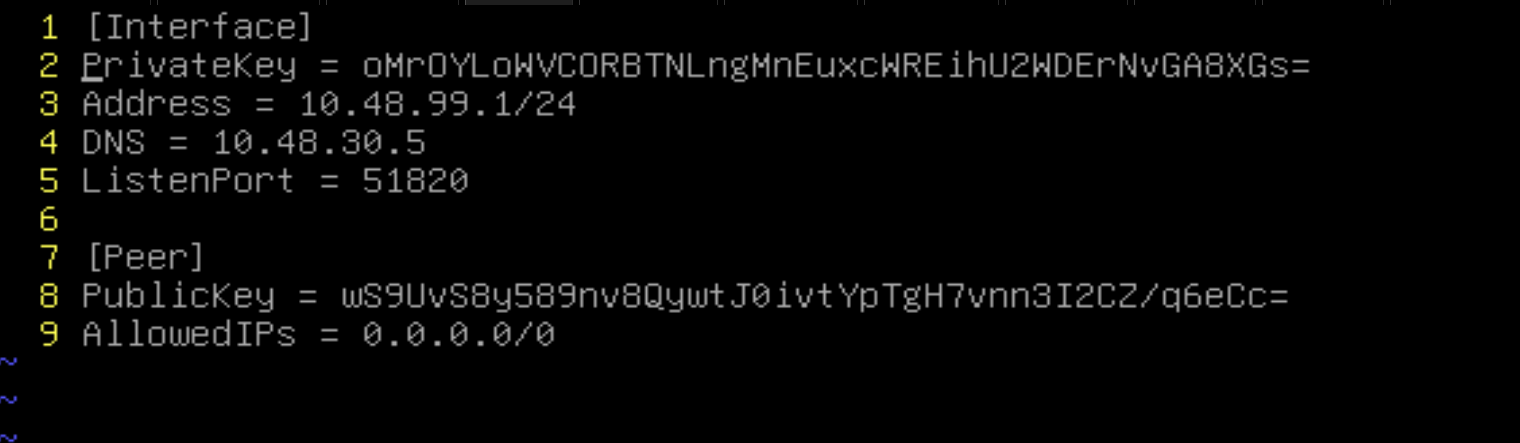
systemctl restart wg-quick@wg0
systemctl enable wg-quick@wg0
2、客户端(client1):
apt install -y wireguard resolvconf
wg genkey | tee privatekey | wg pubkey > publickey
vim /etc/wireguard
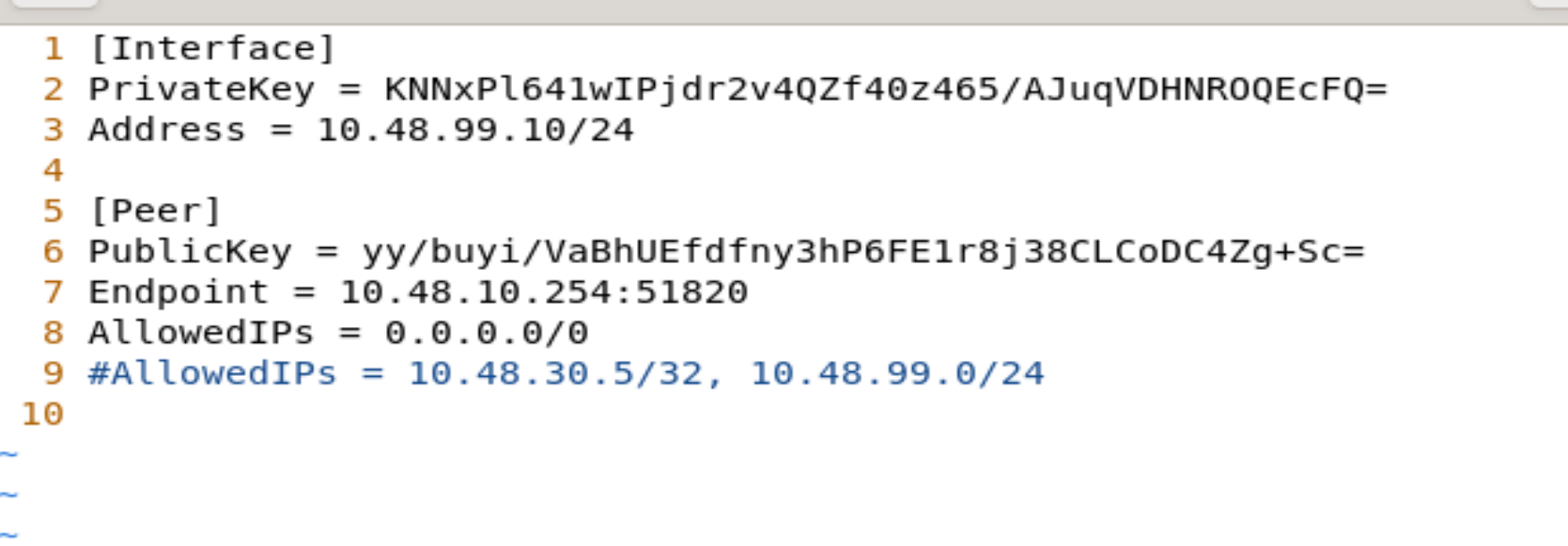
AllowedIPs 这里可以定义下发路由,与openvpn不一样,wireguard下发路由是直接在客户端配置的
systemctl restart nftables
·题目中的流量限制配置: