anyconnect使用IKEv2进行加密.note
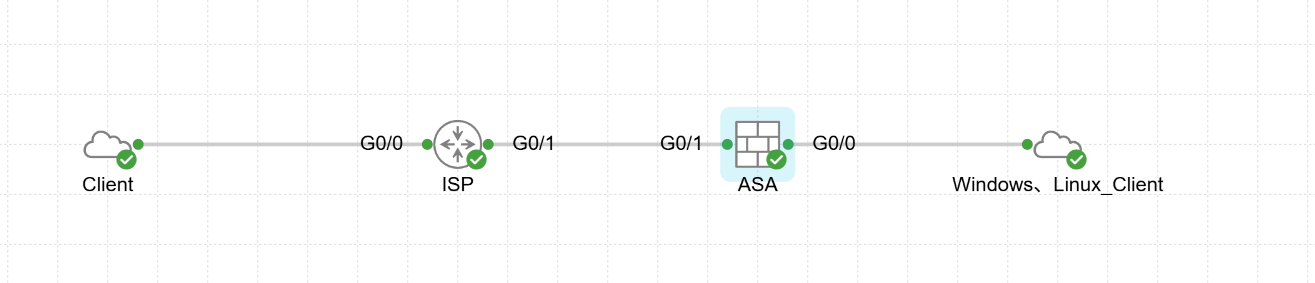
# 要求:使用IKEv2加密anyconnect VPN,证书由Windows颁发,配置二次认证,第一个认证使用 Linux Freeradius,第二个认证使用 Windows LDAP认证一、配置Anyconnect VPN使用IEKv2加密:
1、配置证书由 Windows CA颁发:
(1)先配置 Windows证书颁发机构:
·安装证书服务 和 NDES:
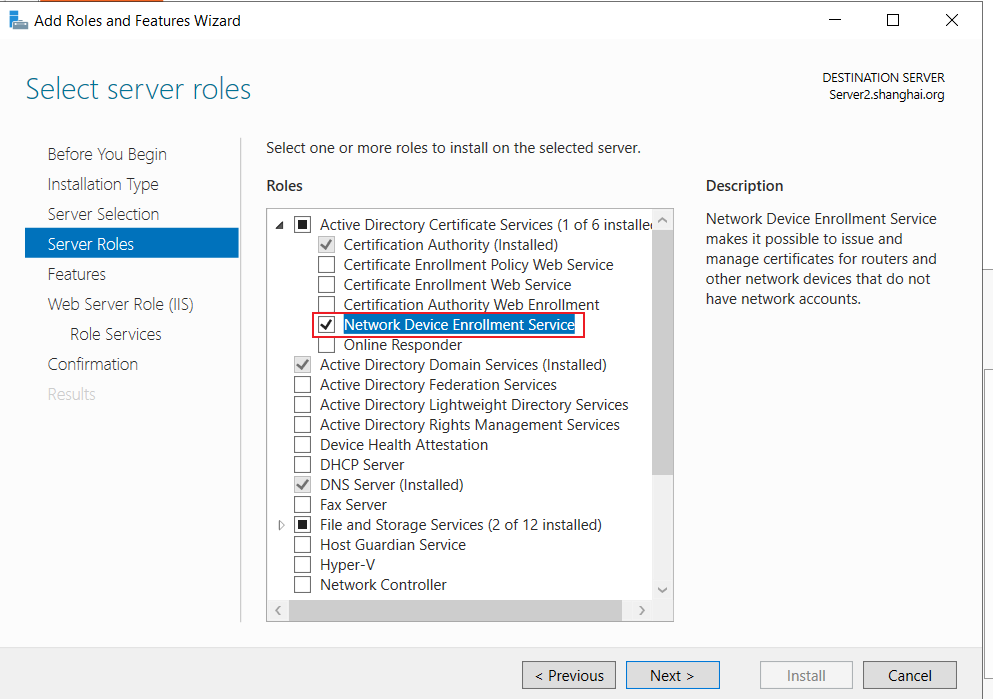
·根据引导配置 NDES:
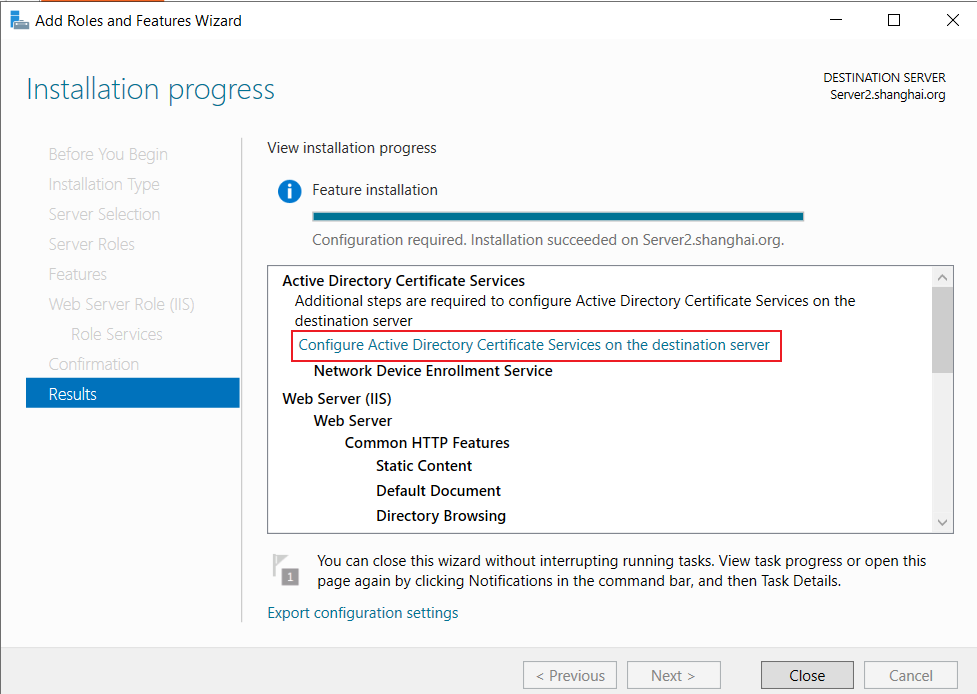
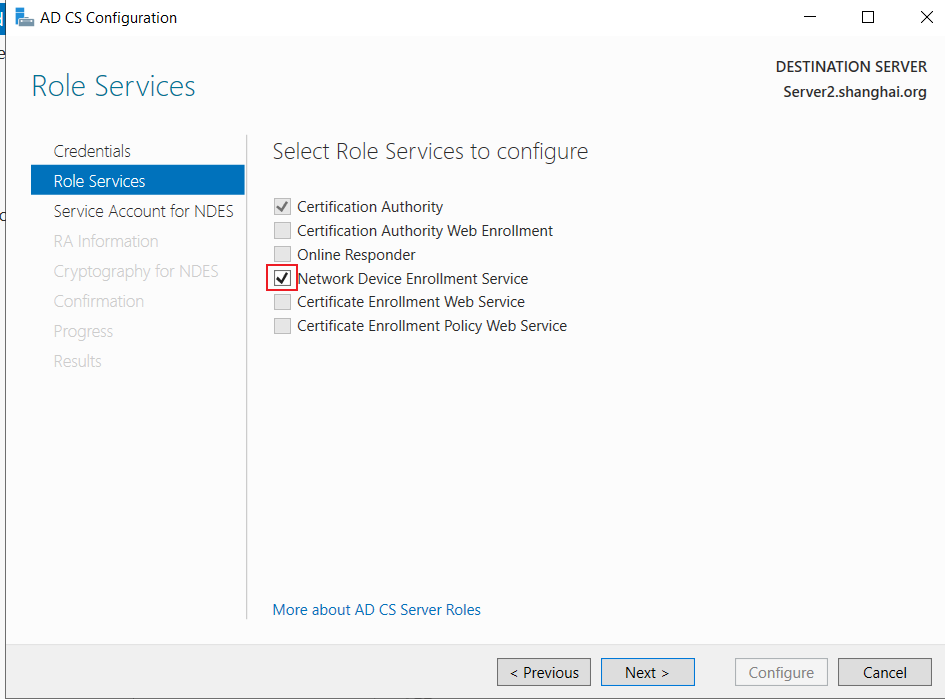
指定一个账户(该账户需要添加进 IIS_IUSRS组):
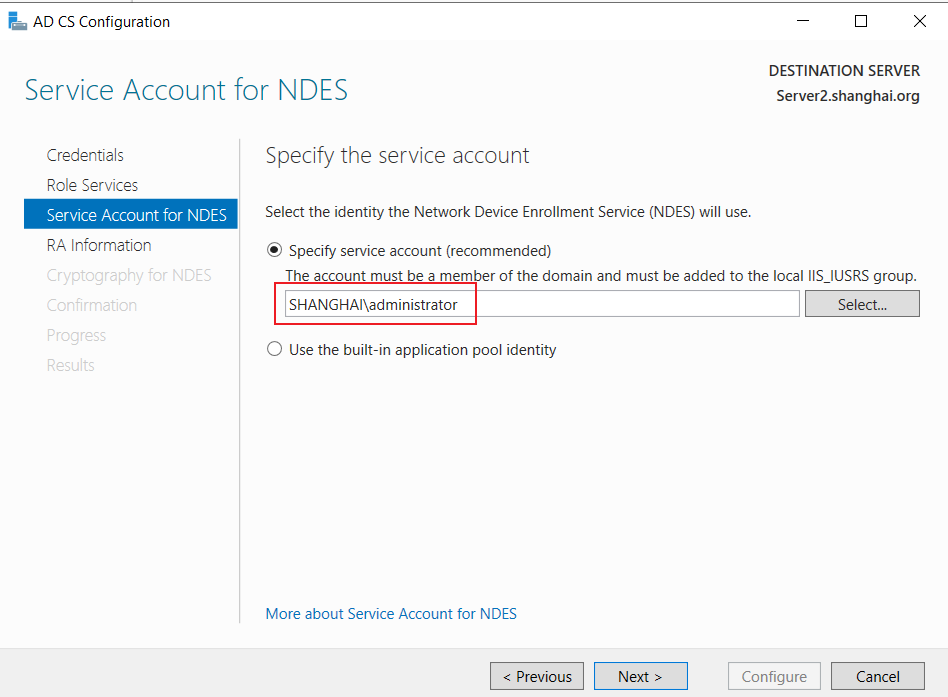
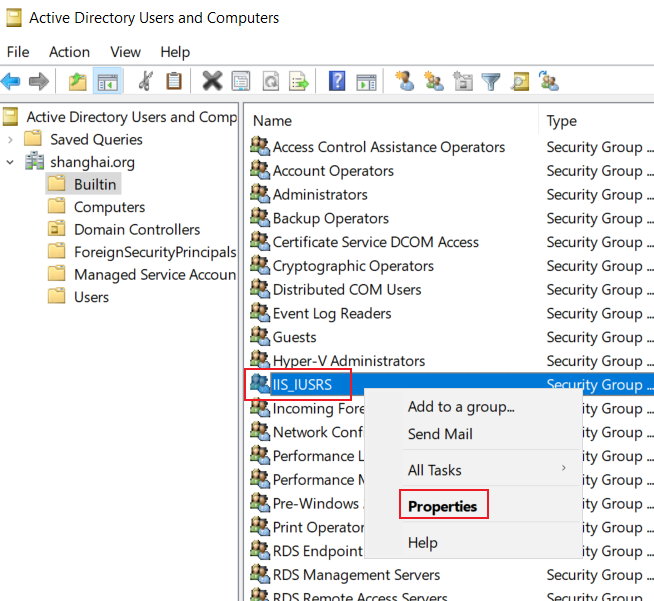
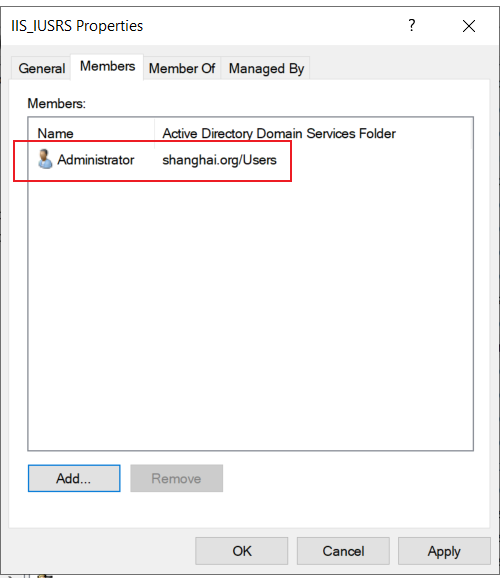
NDES的属性不用管,点击下一步:
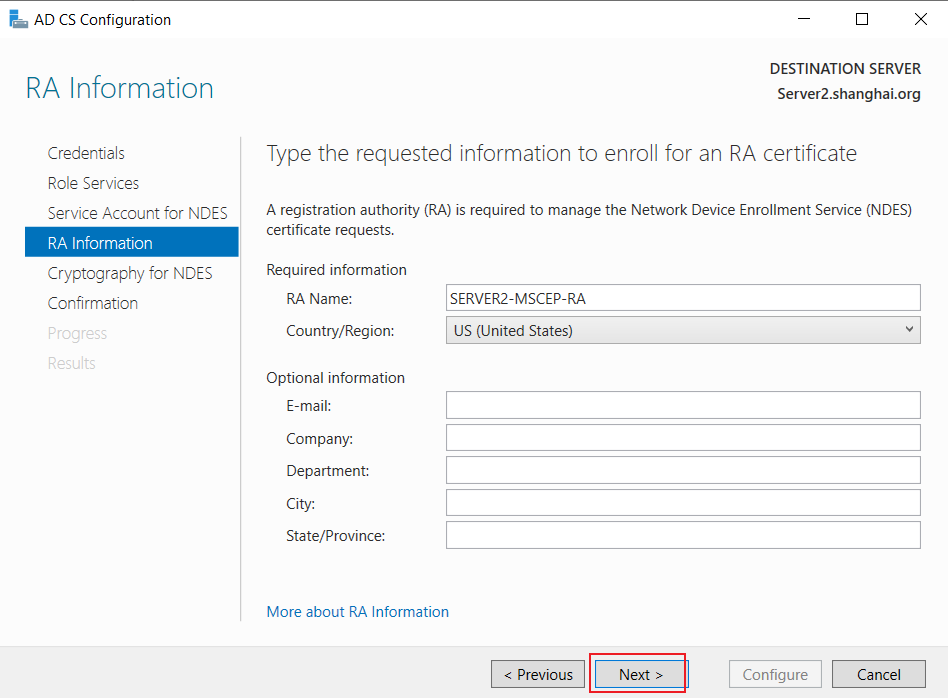
加密方式使用默认的:
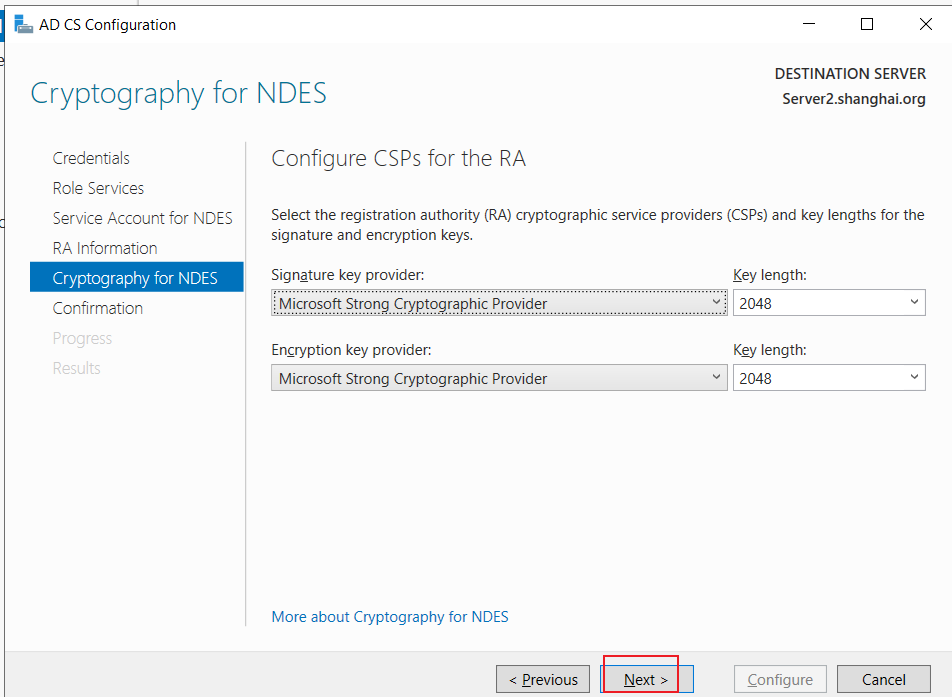
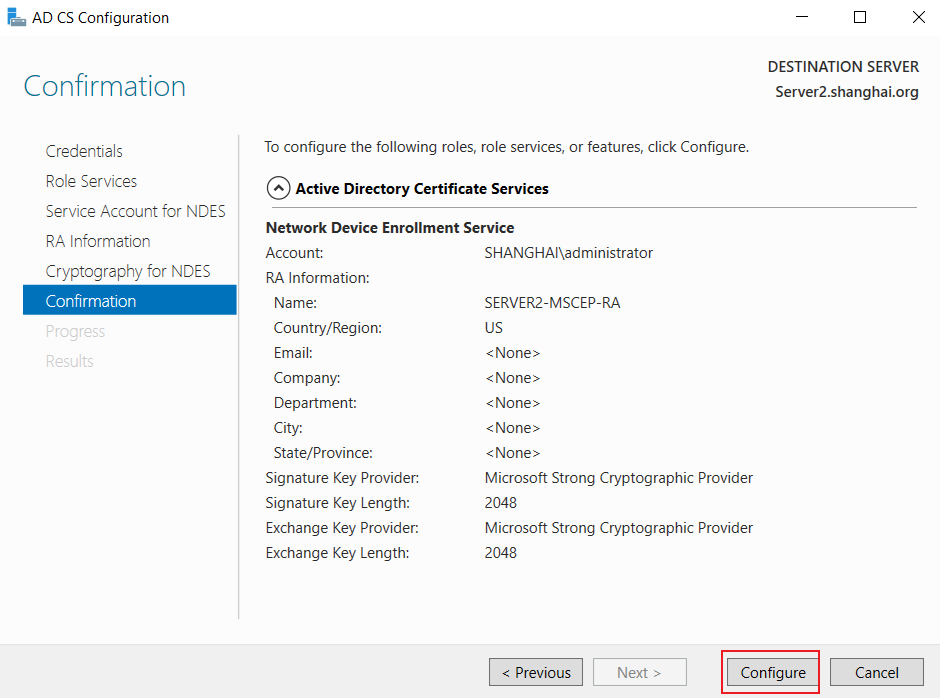
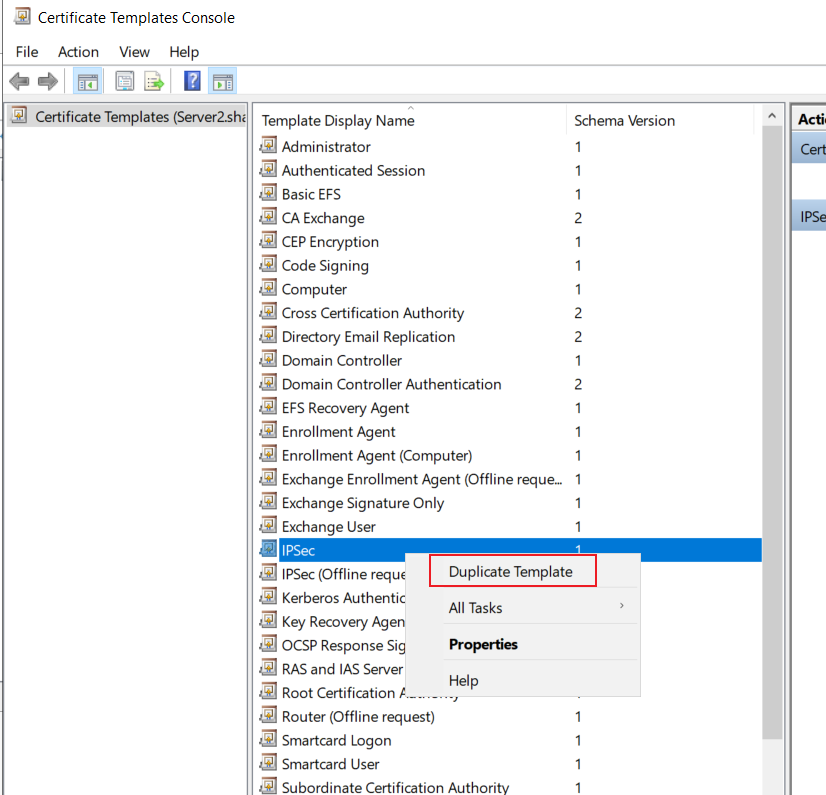
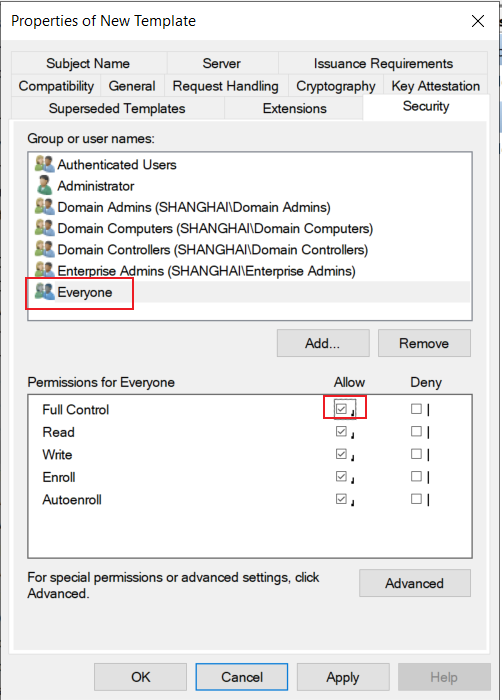
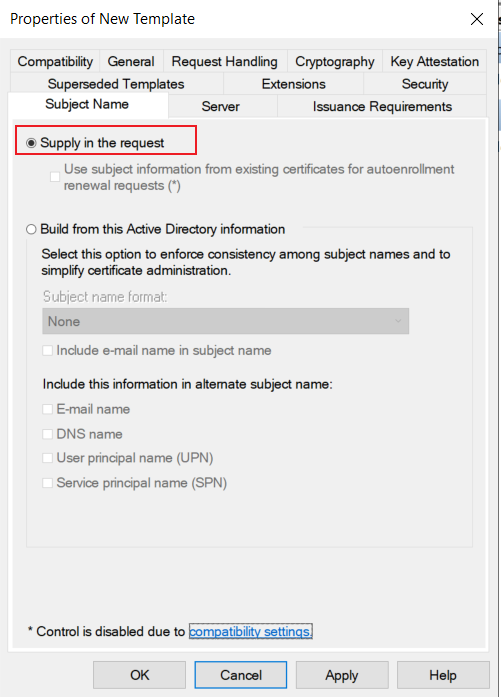
·复制IPSec证书模板:
certsrv.msc
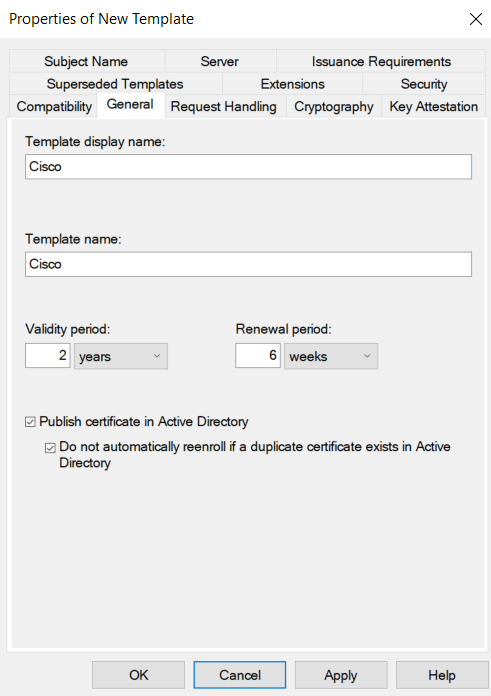
在 Security 中添加 Everyone,并给予全部权限:
(2)Cisco ASA申请证书:
先在 Windows上获取临时密钥:
访问:http://localhost/certsrv/mscep_admin
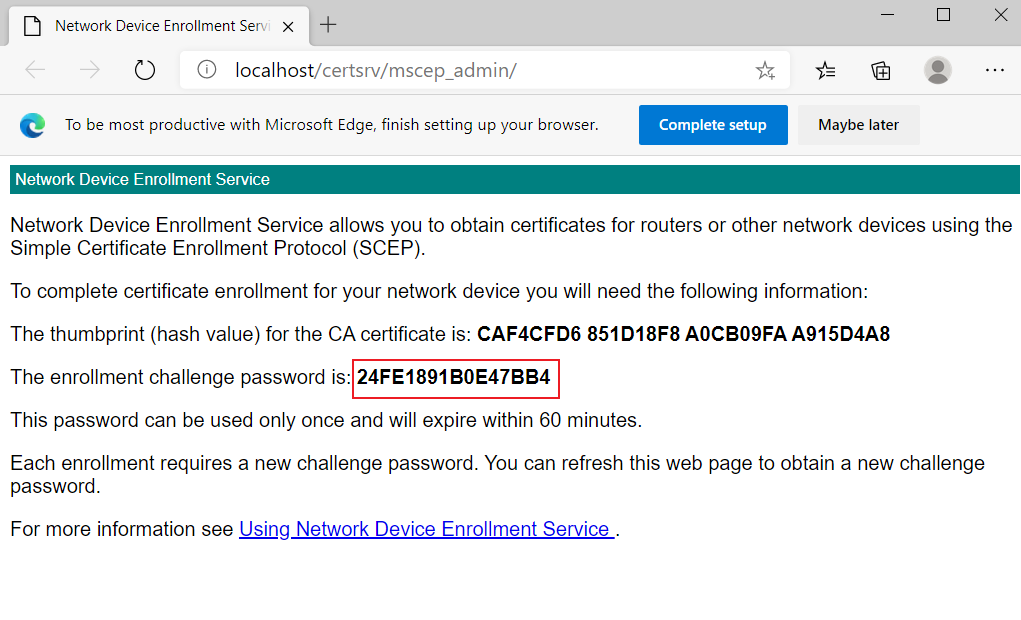
将其复制
Windows上要开启NTP服务
# 与Windows同步时间:
## 设置时区为 UTC +8(如果时间不一致就算同步了时间也不行)
clock timezone UTC 8
ntp server 192.168.10.2 source Inside

### 两边之间的时间误差不能够超过10秒

# 本地生成私钥:
crypto key generate rsa label key modulus 2048

# 申请证书:
crypto ca trustpoint CA
 enrollment protocol scep url http://192.168.10.2:80/certsrv/mscep/mscep.dll
 subject-name cn=vpn.shanghai.org
 ip-address 200.200.200.100
 keypair key
 fqdn none
 revocation-check none    //这个不用敲,是默认值
 password 24FE1891B0E47BB4    //输入刚刚在Windows上看到的临时密钥
 exit

crypto ca authenticate CA
crypto ca enroll ca
y
n
y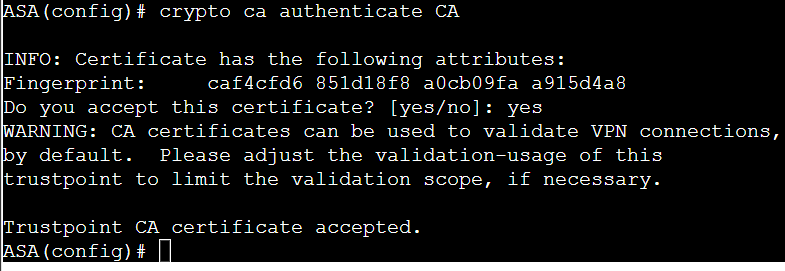
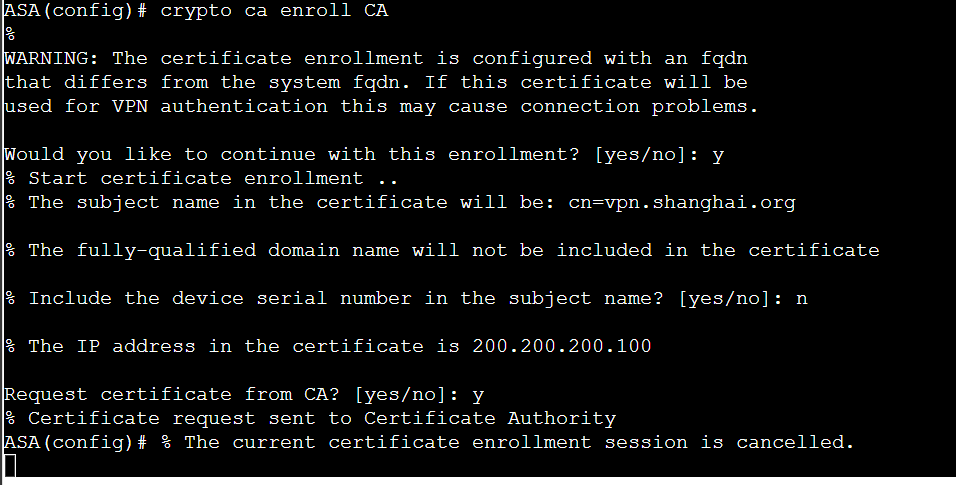
·如果申请证书报错:(这里是因为ASA时间早于 Windows时间,我们手动修改时间即可)
两边之间的时间误差不能够超过10秒
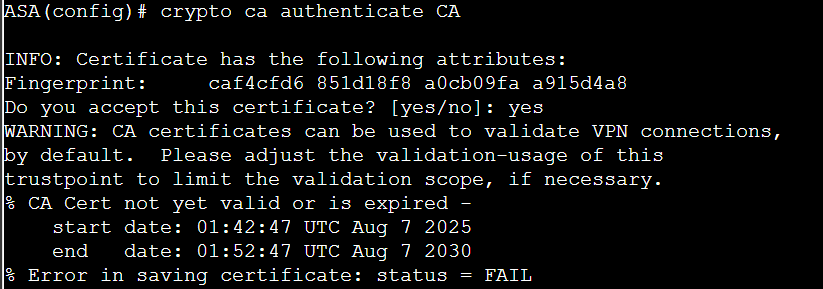
将 start date 的时间复制:
clock set [刚刚复制的时间]
clock set 01:42:47 Aug 7 2025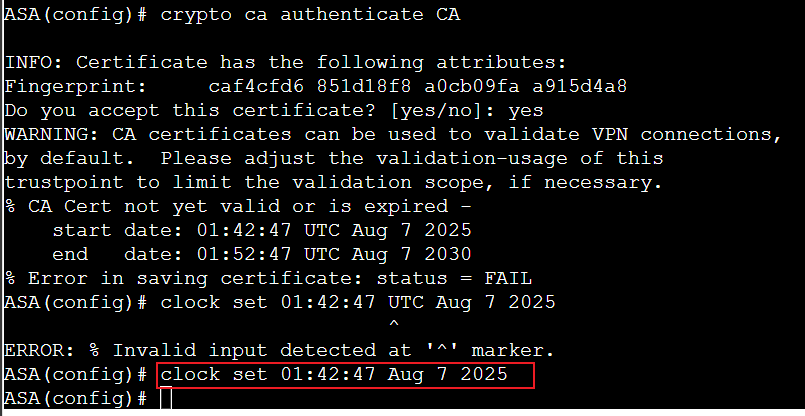
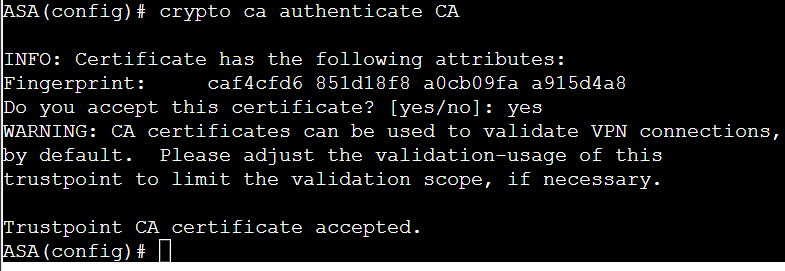
再次执行,信任成功:
2、配置 Radius、LDAP:
(1)freeradius:
apt install -y freeradiusvim /etc/freeradius/3.0/clients.conf
# 在末尾添加: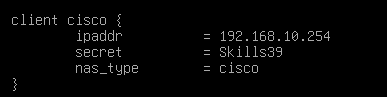
vim /etc/freeradius/3.0/users
# 在末尾添加:
3、配置 anyconnect VPN(IKEv2 加密):
(1)创建一个 xml文件,然后传给ASA:
在客户端上创建,内容:
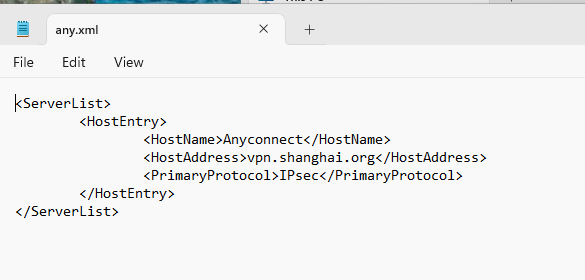
(2)配置 IKEv2:
crypto ikev2 enable Outside client-services port 443
crypto ikev2 remote-access trustpoint CA    //IKEv2 信任证书

crypto ikev2 policy 10
 encryption aes-256
 integrity sha256
 group 14
 prf sha256

crypto ipsec ikev2 ipsec-proposal IPSEC
 protocol esp encryption aes
 protocol esp integrity sha-256

crypto dynamic-map DMAP 10 set ikev2 ipsec-proposal IPSEC
crypto map MAP 10 ipsec-isakmp dynamic DMAP
crypto map MAP interface Outsid
(3)连接 radius:
aaa-server radius protocol radius

aaa-server radius (inside) host 192.168.10.1

 key Skills39

 authentication-port 1812

 accounting-port 1813
(4)配置 anyconnect:
username vpnuser password Skills39
ip local pool POOL 192.168.255.240-192.168.255.252 mask 255.255.255.0

ssl trust-point CA