C模块.note
1、failover:
(1)ASA:
# FW1:
failover lan unit primary
failover lan interface folink GigabitEthernet0/3
failover link statelink GigabitEthernet0/4
failover interface ip folink 172.31.255.0 255.255.255.254 standby 172.31.255.1
failover interface ip statelink 172.31.255.2 255.255.255.254 standby 172.31.255.3
failover replication http
failover polltime interface 1 holdtime 5
failover interface-policy 50%
failover
failover ipsec pre-shared-key cisco-123

no monitor-interface Inside


# FW2:
failover lan unit secondary
failover lan interface folink GigabitEthernet0/3
failover link statelink GigabitEthernet0/4
failover interface ip folink 172.31.255.0 255.255.255.254 standby 172.31.255.1
failover interface ip statelink 172.31.255.2 255.255.255.254 standby 172.31.255.3
failover replication http
failover polltime interface 1 holdtime 5
failover interface-policy 50%
failover
failover ipsec pre-shared-key cisco-123

no monitor-interface Insidefailover polltime interface 1 holdtime 5
failover interface-policy 50%
这两条不是必要的,是用于failover切换
(2)Router:
# HQ1:
ip sla 1
 icmp-echo 8.8.8.8 source-interface GigabitEthernet0/1
  frequency 5
ip sla schedule 1 life forever start-time now
track 1 ip sla 1 reachability
ip access-list extended NAT_ACL
 permit ip 192.168.0.0 0.0.255.255 any
ip nat pool NAT_POOL 193.168.255.1 193.168.255.2 netmask 255.255.255.252
ip nat inside source list NAT_ACL pool NAT_POOL redundancy 1 mapping-id 100 overload

redundancy
 application redundancy
  group 1
   name nat
   preempt
   priority 200 failover threshold 150
   control GigabitEthernet0/3 protocol 1
   data GigabitEthernet0/3
   asymmetric-routing interface GigabitEthernet0/2
   asymmetric-routing always-divert enable
   track 1 decrement 150
   no shutdown    //如果未生效就保存重启机器

# HQ2:
redundancy
 application redundancy
  group 1
   name nat
   preempt
   priority 150 failover threshold 150
   control GigabitEthernet0/3 protocol 1
   data GigabitEthernet0/3
   asymmetric-routing interface GigabitEthernet0/2
   asymmetric-routing always-divert enable
2、负载均衡:
(1)HQ1:
使用 sla 检查,如果对端不可达,则该路由将被取消,重分发默认路由度量值为10是为了让流量优先经过 HQ1
ip sla 1

 icmp-echo 8.8.8.8 source-interface GigabitEthernet0/1

 frequency 5

ip sla schedule 1 life forever start-time now
track 1 ip sla 1 reachability

ip route 0.0.0.0 0.0.0.0 193.168.1.2 track 1
ip route 193.168.255.0 255.255.255.252 Null0 track 1

router ospf 1

 network 192.168.11.0 0.0.0.7 area 0

 network 192.168.21.0 0.0.0.7 area 0

 default-information originate metric 10
(2)HQ2:
ip route 0.0.0.0 0.0.0.0 193.168.2.2
ip route 193.168.255.0 255.255.255.252 Null0

router ospf 1

 network 192.168.12.0 0.0.0.7 area 0

 network 192.168.22.0 0.0.0.7 area 0

 default-information originate metric 20
(3)DSW1:
让回来的路由也通过这个路径,10网段优先走 DSW1,20网段优先走 DSW2
access-list 10 permit 192.168.10.0 0.0.0.255

access-list 20 permit 192.168.20.0 0.0.0.255

route-map SVI permit 10

 match ip address 10

 set metric 10

route-map SVI permit 20

 match ip address 20

router ospf 1

 redistribute connected subnets route-map SVI

 network 192.168.11.0 0.0.0.7 area 0

 network 192.168.12.0 0.0.0.7 area 0
(4)DSW2:
让回来的路由也通过这个路径,10网段优先走 DSW1,20网段优先走 DSW2
access-list 10 permit 192.168.10.0 0.0.0.255

access-list 20 permit 192.168.20.0 0.0.0.255

route-map SVI permit 10

 match ip address 20

 set metric 10

route-map SVI permit 20

 match ip address 10

router ospf 1

 redistribute connected subnets route-map SVI

 network 192.168.21.0 0.0.0.7 area 0

 network 192.168.22.0 0.0.0.7 area 0
3、CA颁发机构、SSL VPN:
(1)CA根证书颁发机构:
# HQ1:
ip http server
crypto key generate rsa modulus 4096 label ROOTCA exportable
crypto pki server ROOTCA
 issuer-name cn=wsc2023.gd
 grant auto
 hash sha256
 no shutdown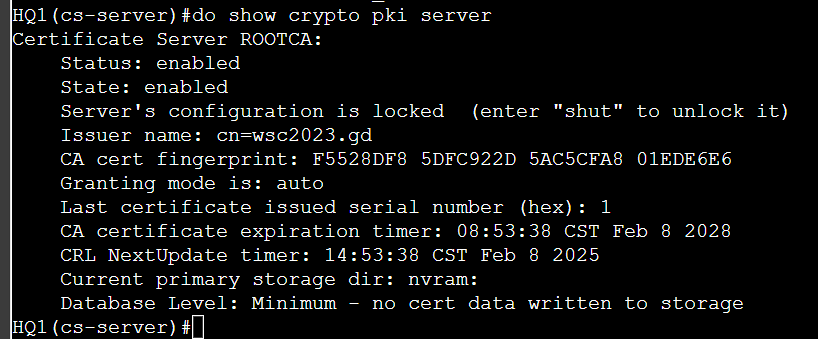
(2)导出CA根证书给客户端信任:
# HQ1:
crypto pki export ROOTCA pem terminal
# 将输出的文本复制,然后粘贴到本地的记事本中,保存文件命名为:ca.cer,然后将文件拖给客户端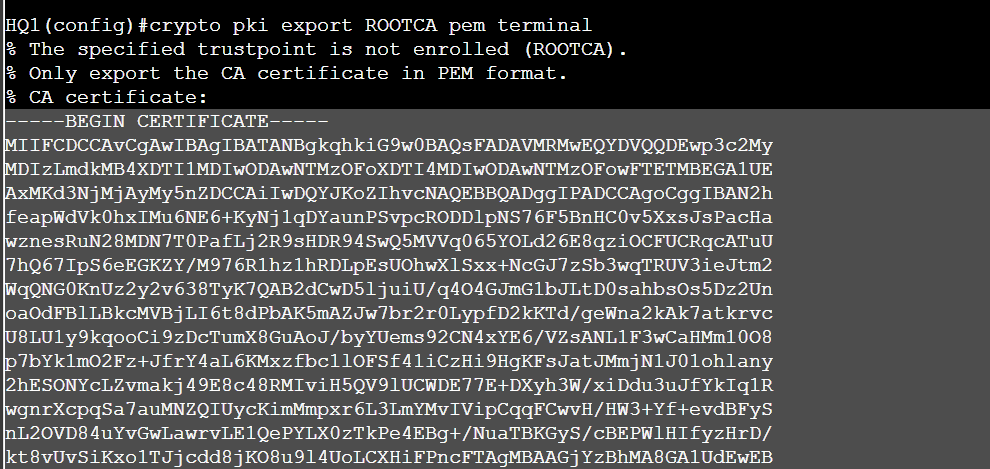
客户端信任证书:
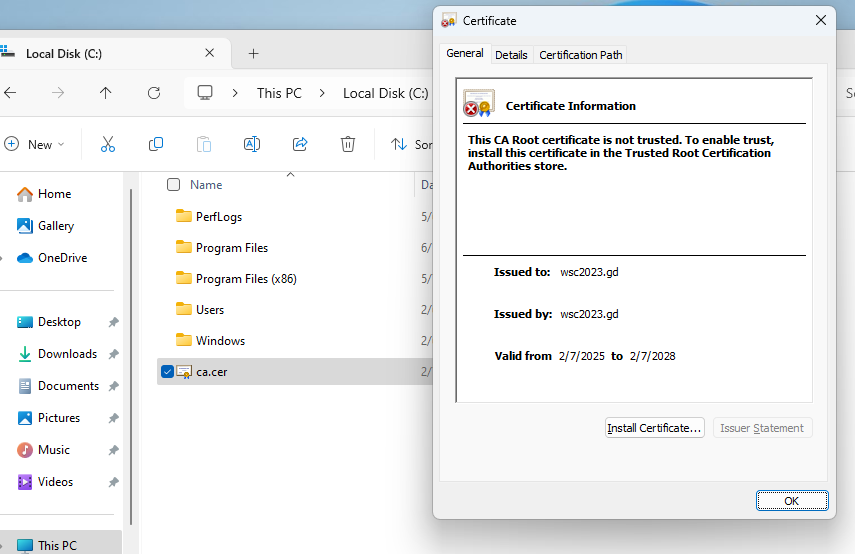
正常信任证书即可
(3)DCFW 申请证书:
注意要书写 SSL VPN 的连接域名
注意本机器与CA证书颁发机构的时间差距不要超过5分钟,否则证书无效
# DCFW:
crypto key generate rsa label sslvpn modulus 2048
crypto ca trustpoint sslvpn
 enrollment protocol scep url http://1.1.1.1
 subject-name cn=webvpn.wsc2023.gd
 keypair sslvpn
 fqdn none    //如果不加这个,连接时证书会报错

crypto ca authenticate sslvpn
crypto ca enroll sslvpn
# yes
# Skill39!
# Skill39!
# no
# yes
(4)配置 客户端、BR1,让DCFW能够访问到客户端获取附件:
# BR1(DNAT):
int g0/1
 ip nat inside
int g0/0
 ip nat outside

ip nat inside source static udp 172.16.1.1 69 interface g0/0 69
ip nat inside source static udp [内网地址] [内网端口] interface [公网接口] [公网端口]注意,tftpd 使用的协议是 udp 69,而不是 21
BR-CLT(关闭防火墙):
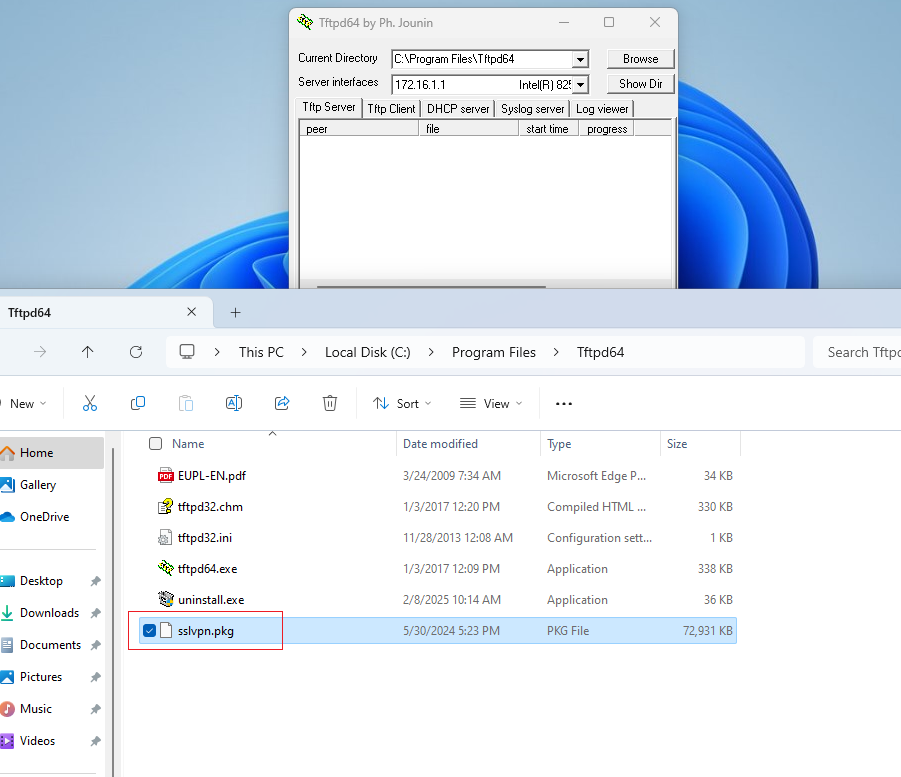
安装 ftpd
将附件拷贝到 ftpd根目录下,并命名为 sslvpn.pkg
(5)配置 sslvpn:
# DCFW:
## 从客户端获取 sslvpn 附件:
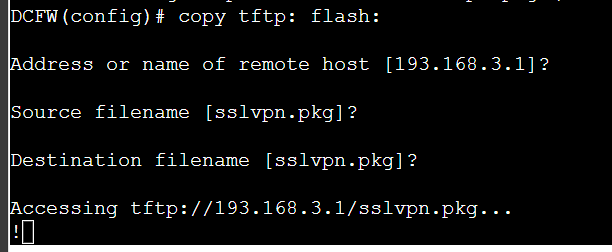
copy tftp: flash:
    193.168.3.1
    sslvpn.pkg
注意需要在客户端打开 tftpd服务器
webvpn
  enable Outside_CTCC
  anyconnect image flash:/sslvpn.pkg
  anyconnect enable

ip local pool sslvpn 10.255.255.1-10.255.255.30 mask 255.255.255.224
access-list SSLVPN_SPLIT_LIST standard permit 172.16.0.0 255.255.255.0

#定义连接到VPN时的策略和参数,配置隧道分离(用于限制连接成功后仅能访问172.16.0.0网段)
group-policy SSLVPN_POLICY internal
group-policy SSLVPN_POLICY attributes
 vpn-tunnel-protocol ssl-client
 split-tunnel-policy tunnelspecified    //隧道分离
 split-tunnel-network-list value SSLVPN_SPLIT_LIST    //调用前面定义的ACL
 address-pools value sslvpn
# 在ASA默认的组里面有 webvpn默认组,把策略关联进去使用即可
tunnel-group DefaultWEBVPNGroup general-attributes
 default-group-policy SSLVPN_POLICY
username vpnuser password Skill39!
username vpnuser attributes
 service-type remote-access

ssl trust-point sslvpn //如果不配置该命令,客户端将会报证书不信任的错误username vpnuser attributes
service-type remote-access
这两条命令不是必须的,用于设置用户的属性
·客户端连接 SSLVPN 后,会有一个问题,无法ping通 SSLVPN 内网网段:
因为 DCFW上有nat,客户端的回复流量,会被nat转换源地址
#二次NAT(VPN) 将从内网到VPN网络的流量匹配出来,然后将其经过一次NAT转换,以使流量的源和目的地址保持不变,但是经过一次NAT处理后,地址不再匹配任何其他的NAT策略,这样就能够让流量正常地从内部网络走向VPN

object network INSIDE
 subnet 172.16.0.0 255.255.255.0
object network SSLVPN
 subnet 10.255.255.0 255.255.255.224
nat (Inside,Outside_CTCC) source static INSIDE INSIDE destination static SSLVPN SSLVPN
nat (Inside,Outside_CUCC) source static INSIDE INSIDE destination static SSLVPN SSLVPN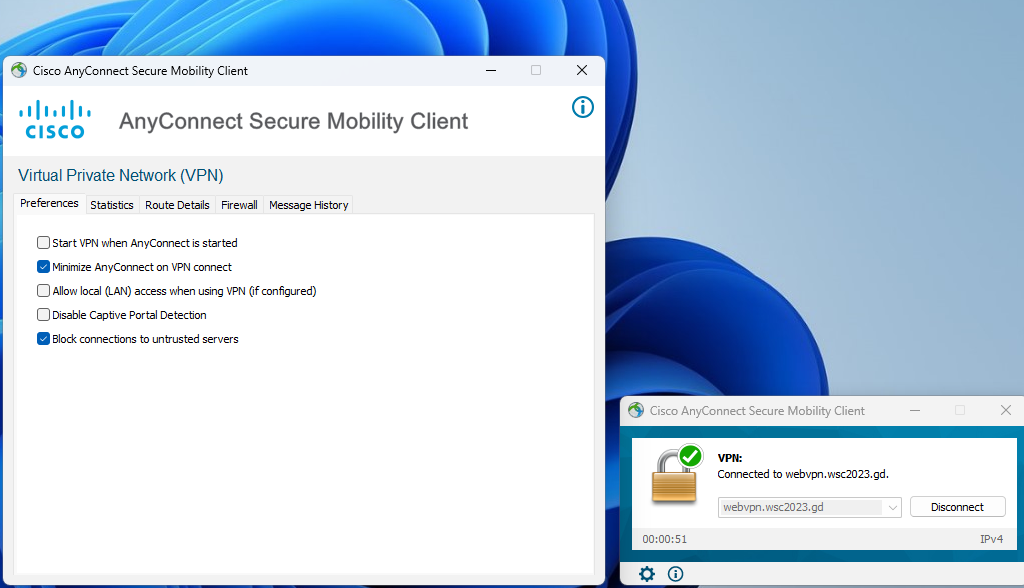
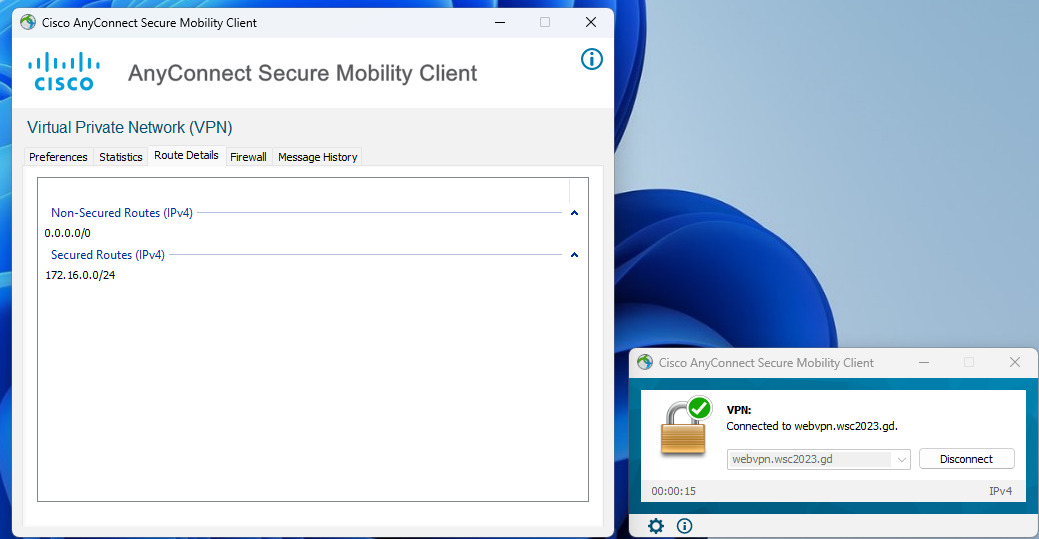
隧道分离效果:
只能够ping通指定的网段