题目.note
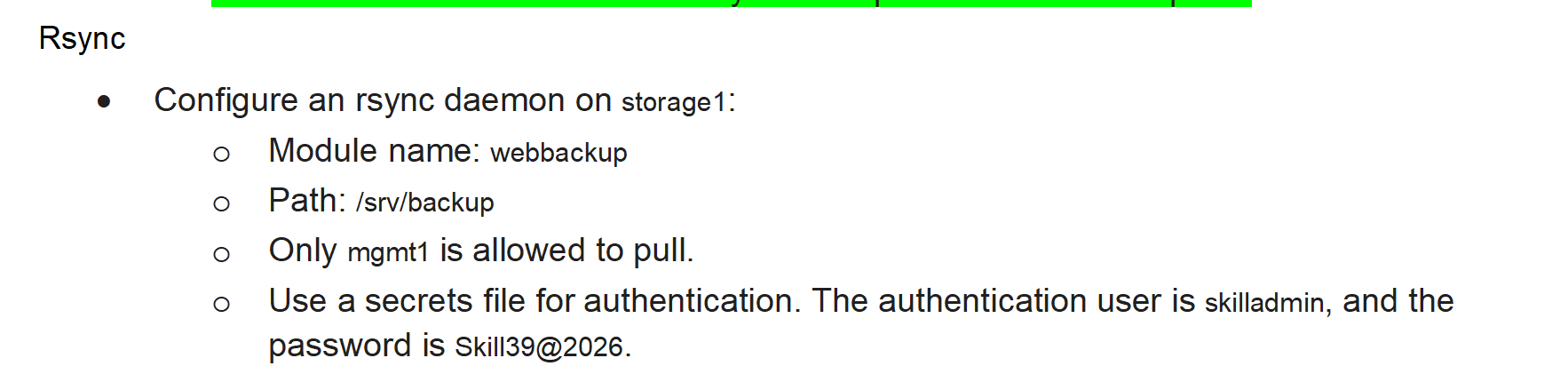
1、storage1上配置 rsync:
apt install -y rsync
cp /usr/share/doc/rsync/examples/rsyncd.conf /etc/
vim /etc/rsyncd.conf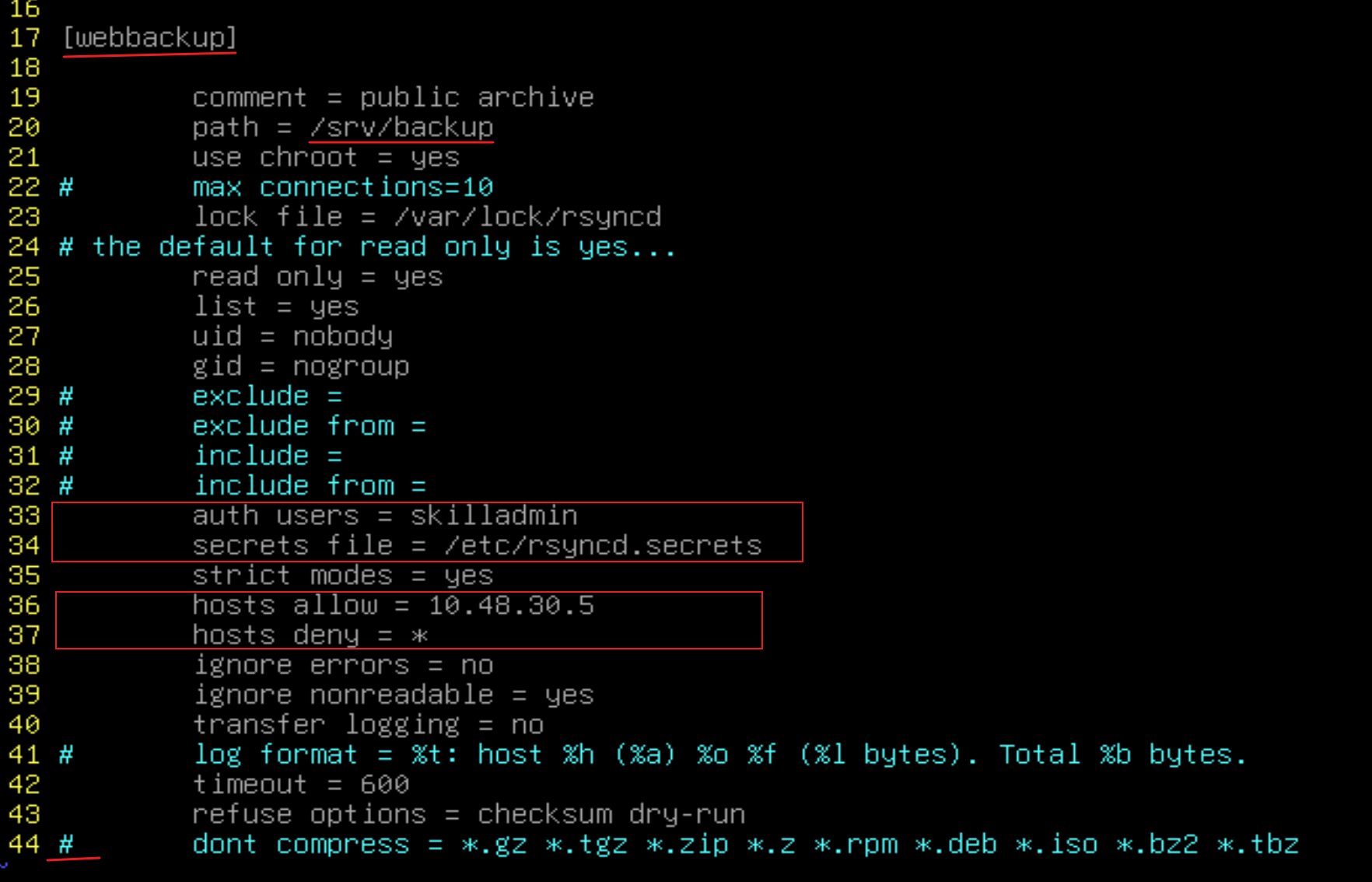
# 配置密码文件:
echo -n skilladmin:Skill39@2026 > /etc/rsyncd.secrets
chmod 600 /etc/rsyncd.secrest    //权限必须是600,否则认证会失败
# 启动 rsync:
systemctl enable rsync --now2、在 mgmt1 上进行拉取:
apt install -y rsync


# 创建密码文件:
echo -n Skill39@2026 > /root/pass
chmod 600 /root/pass    //权限必须是600,否则认证会失败(无法访问)

# 查看(可选):
rsync --password-file=/root/rsync.pass rsync://skilladmin@storage1.wsc48.lan/

# 测试拉取:
mkdir /test
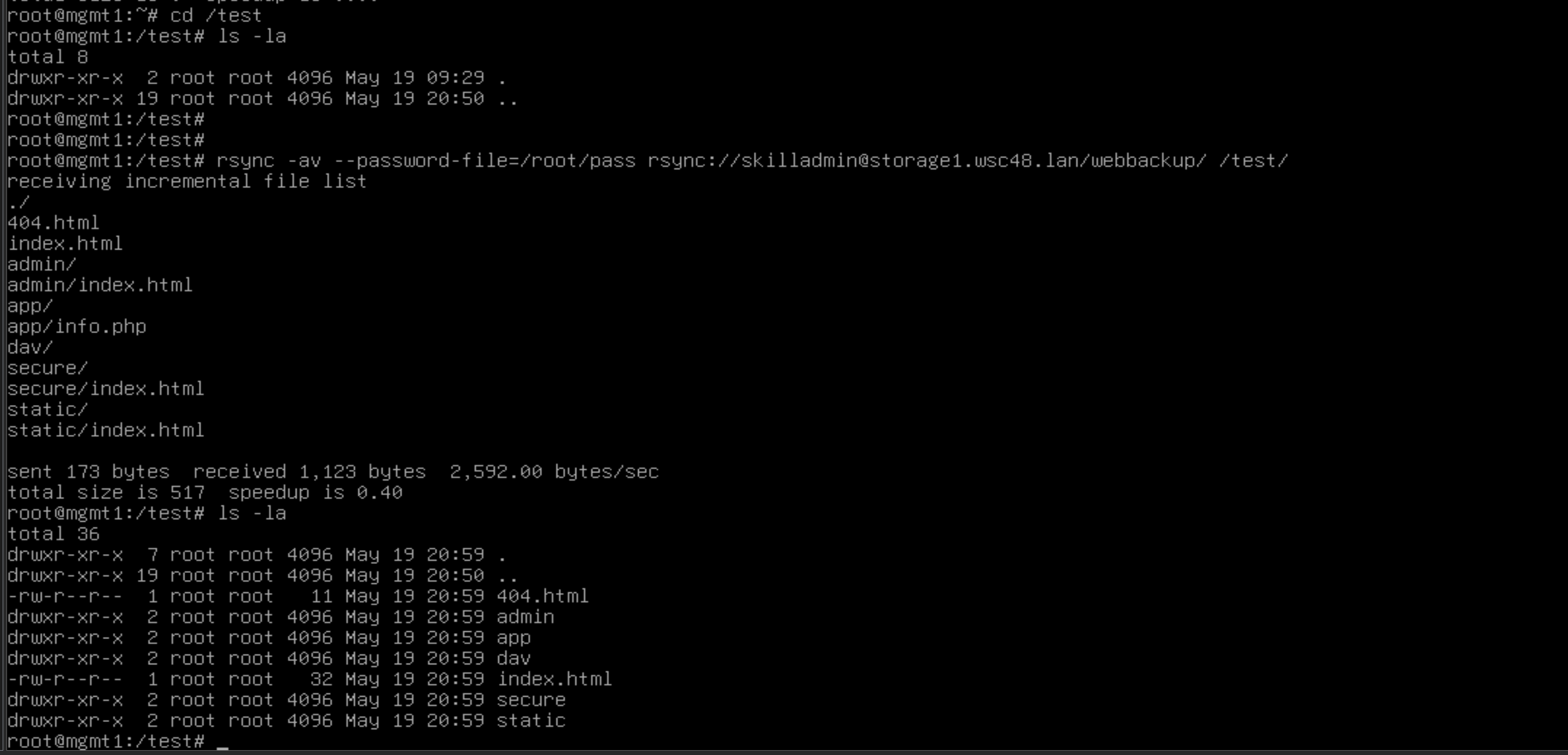
rsync -av --password-file=/root/pass rsync://skilladmin@storage1.wsc48.lan/webbackup /test
查看: