配置 目录浏览.note
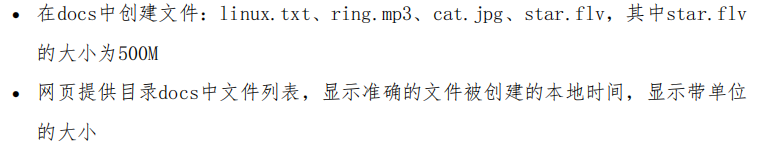
题目:
· 前提:
目录下不能有 index.html,或 index.php 因为网页会默认将其打开一、开启目录浏览:
方式一:在 配置文件中设置
vim /etc/apache2/sites-available/001-cisco.conf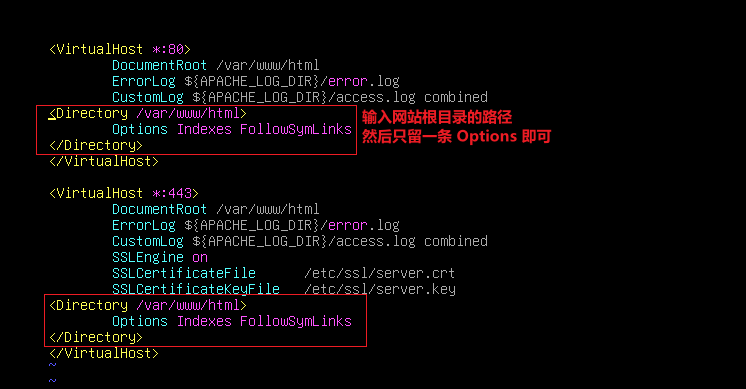
可以在 /etc/apache2/apache2.conf 中照抄:
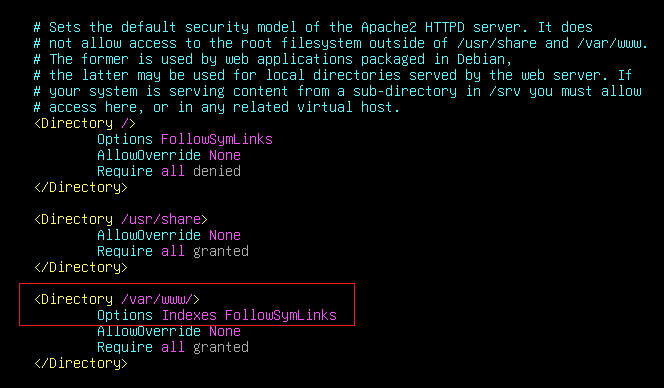
修改 根目录,让根目录没有 index.html 或 index.php 等 index 文件:
cd /var/www/html
mv index.html test.html
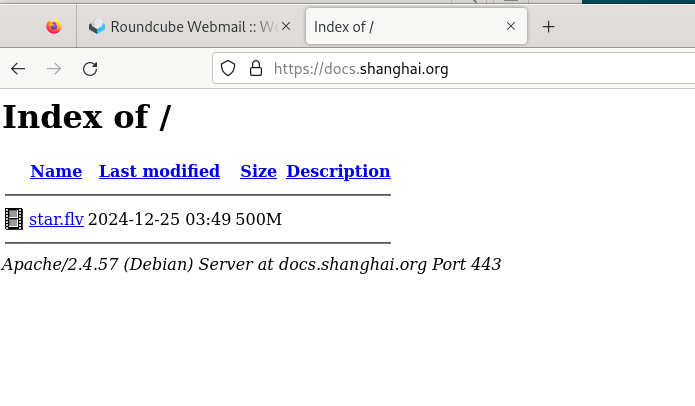
·客户端上查看:
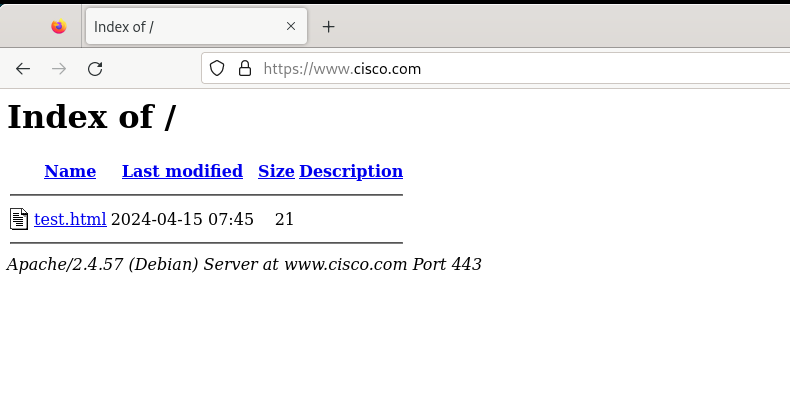
方式二:
直接修改 apache2.conf文件:
vim /etc/apache2/apache2.conf
# 将原本的/var/www 改为 /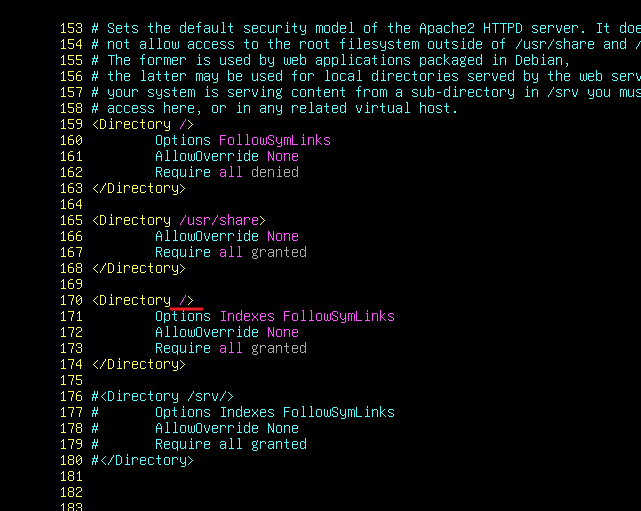
修改 根目录,让根目录没有 index.html 或 index.php 等 index 文件
·客户端查看:
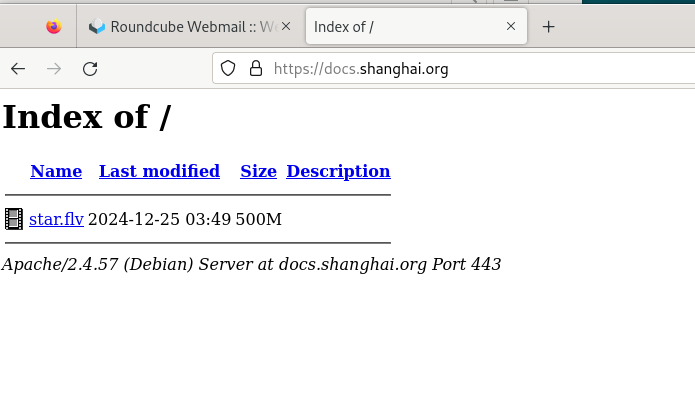
二、显示文件创建时间:
修改 apache2.conf 文件后默认开启
vim /etc/apache2/apache2.conf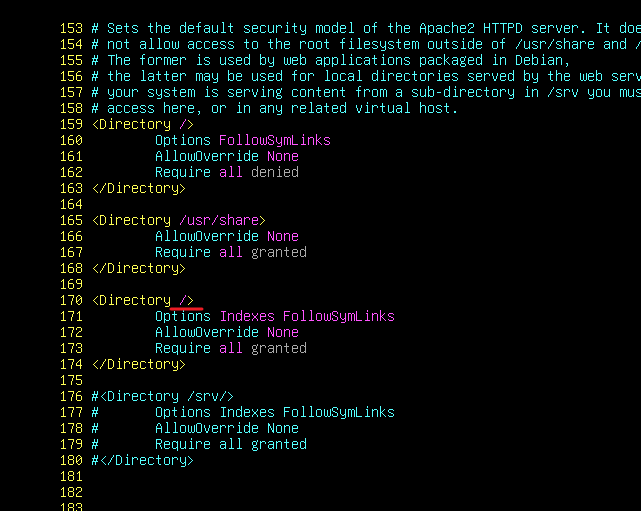
·客户端查看:
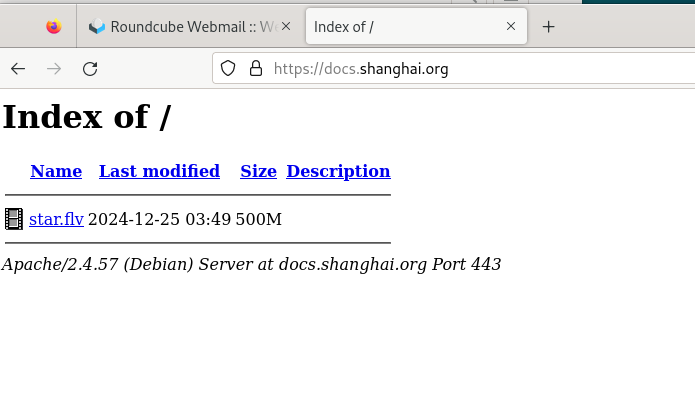
三、显示带单位的大小:
# 先创建一个 500M的文件进行测试:
dd if=/dev/zero of=star.flv bs=500M count=1修改 apache2.conf 文件后默认开启
vim /etc/apache2/apache2.conf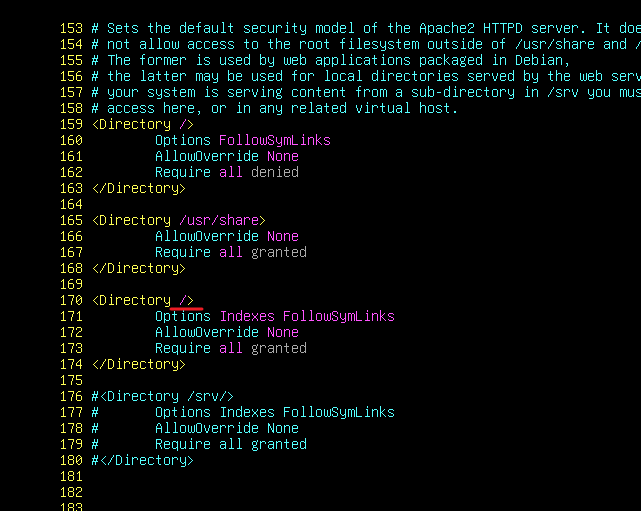
·客户端查看: