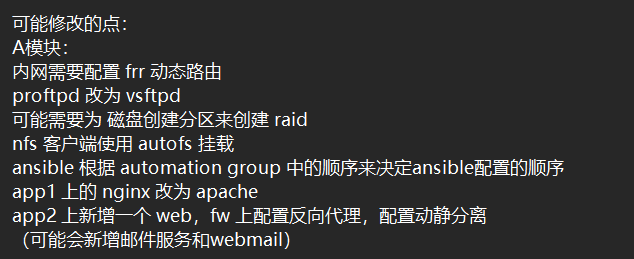
A模块预测30%.note
预测:
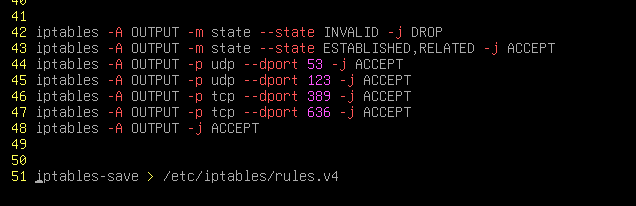
·iptables:
apt install -y iptables iptables-persistentrouter:
router 上不大可能改成 iptables,因为它需要改表名、链名,iptables 不容易更改
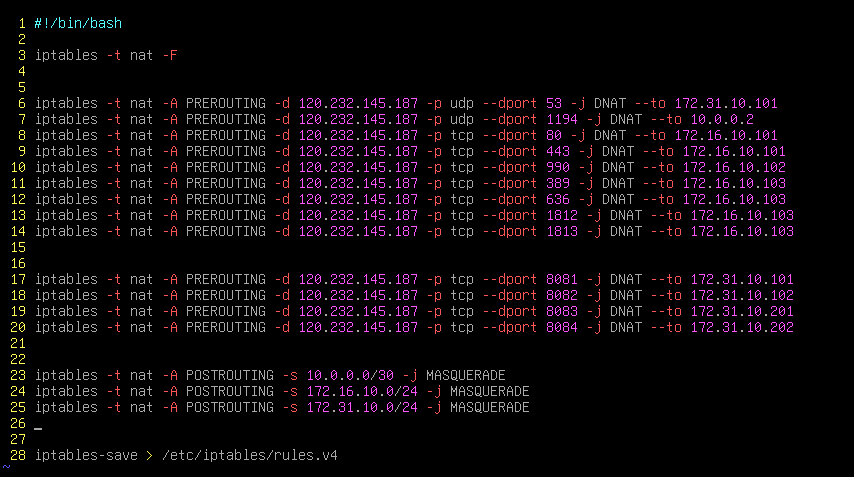
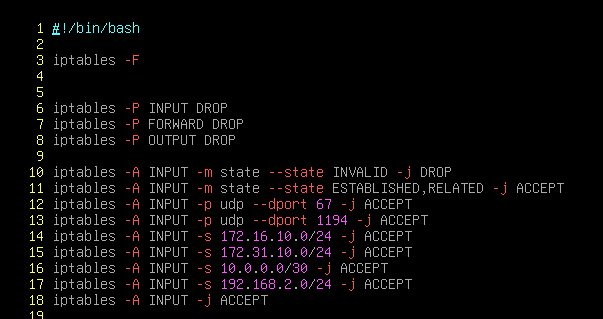
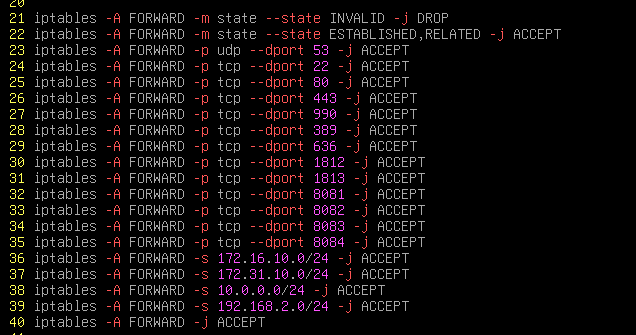
fw:
这个大概率改为 iptables
一、内网frr动态路由:
# 这样的拓扑:
内网所有机器没有网关,配置动态路由,在 fw 上配置默认路由指向外网,然后重分发进动态路由中
vim /etc/frr/daemons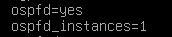
# fw正常通告 ospf,然后重分发默认路由(代码和 cisco一样):
vtysh
conf t
router ospf 1
ip route 0.0.0.0 0.0.0.0 10.0.0.1
router ospf 1
default-information orginate
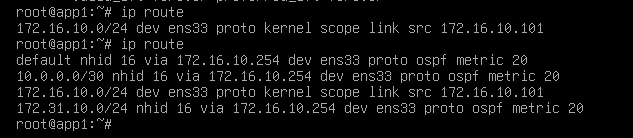
其它机器能够直接同步默认路由:
二、proftpd 改为 vsftpd(app2):
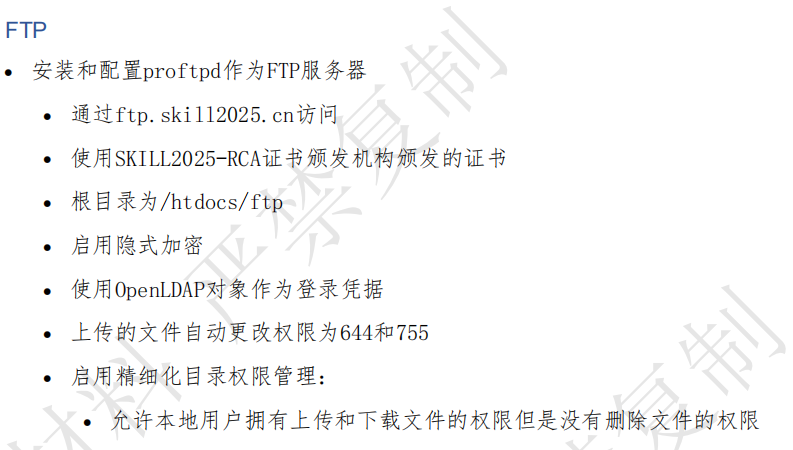
apt install -y vsftpd

# 安装 nslcd 之后自动就能够调用 ldap的用户了
vim /etc/vsftpd.conf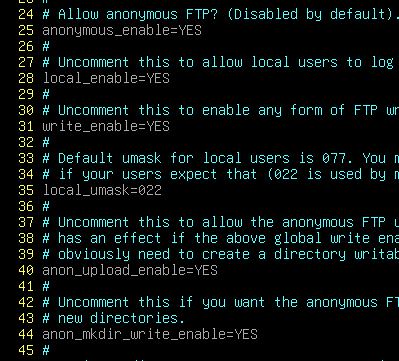
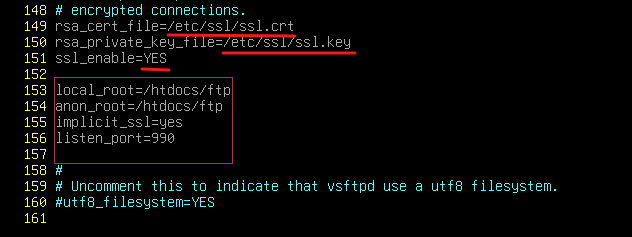
三、nfs 客户端使用 autofs 挂载:
# 客户端:
apt install -y autofs
vim /etc/auto.master
# 写要将nfs挂载的的根目录(这里写 htdocs)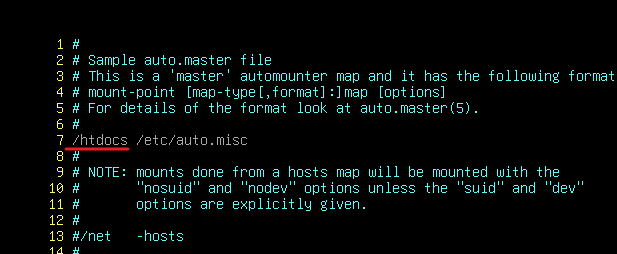
vim /etc/auto.misc
# 写要将nfs挂载的的子目录(这里写 html 或者 ftp)
旧:
# 创建被挂载的目录(先创后创都没关系):
mkdir -p /htdocs/html
mkdir -p /htdocs/ftp
# 重启服务:
systemctl restart autofs
四、nginx 改为 apache:
apt install -y apache2 php8.2-fpma2enconf php8.2-fpm
vim /etc/apache2/apache2.conf
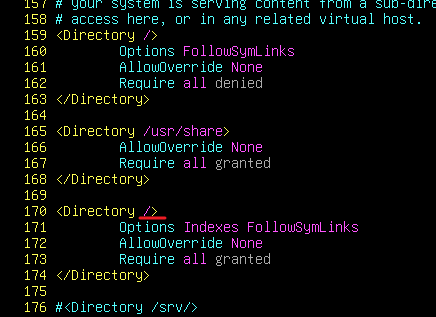
vim /etc/apache2/sites-enabled/000-default.conf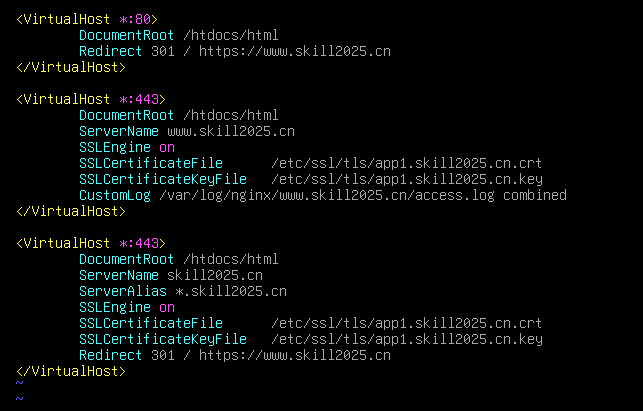
·如果apache2访问php失败:
a2enmod proxy_fcgi五、新增反向代理:
1、HAProxy:
(1)反向代理http:
(2)反向代理https:
2、Squid:
(1)反向代理http:
(2)反向代理https:
3、Nginx:
(1)反向代理http:
(2)反向代理https: