配置 Web powershell.note
一、(域环境)配置 Web powershell:
1、安装服务:
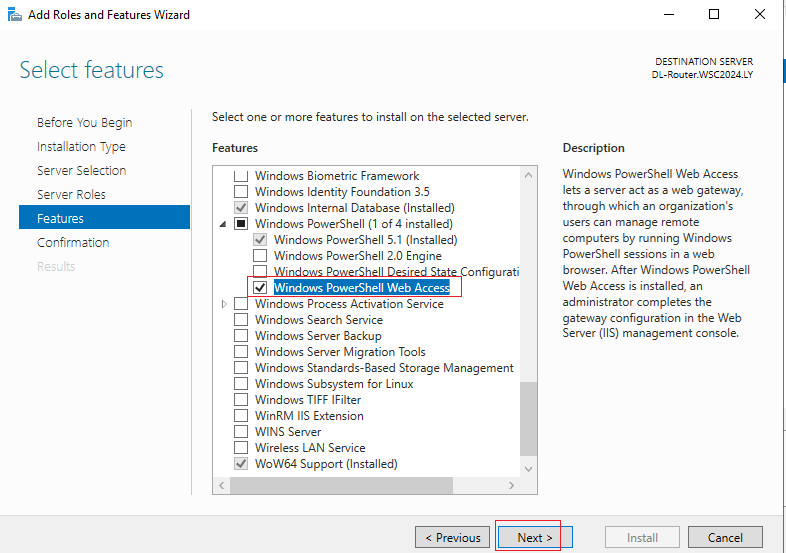
2、安装 pswa:
# powershell
Install-PswaWebApplication    //安装在默认站点
Install-PswaWebApplication -WebSiteName PSWA_SITE    //安装在其它指定站点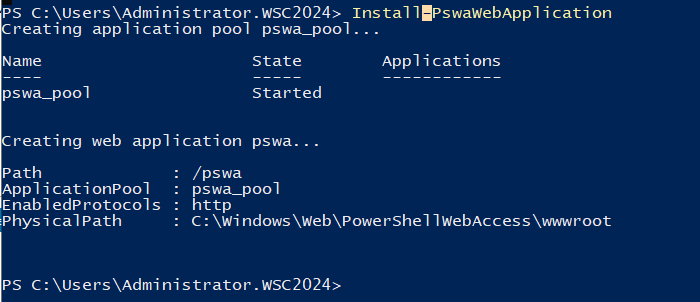
3、添加身份认证:
类似 samba,不添加就无法登陆(且该用户最好需要是 管理员用户,拥有访问 powershell 的权限)
Add-PswaAuthorizationRule -ComputerName RN-Router.AH2024.WSC -UserName AH2024.WSC\Administrator -ConfigurationName Microsoft.powershell    // Microsoft.powershell 是一定要写的参数
# 计算机名称使用 计算机+域名后缀
4、直接访问:
Web powershell 只有 https 页面能够登陆(虽然http页面也能够访问,但是不能进行登陆)
# 在访问连接后面加上 URI:/pswa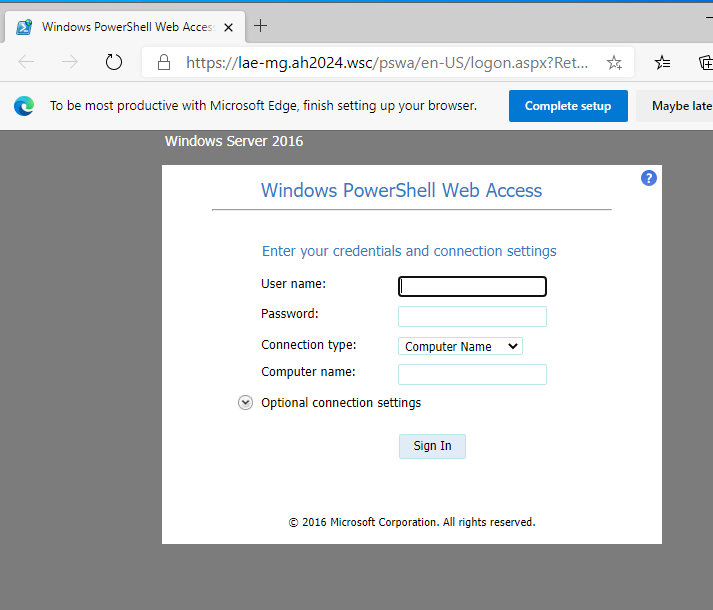
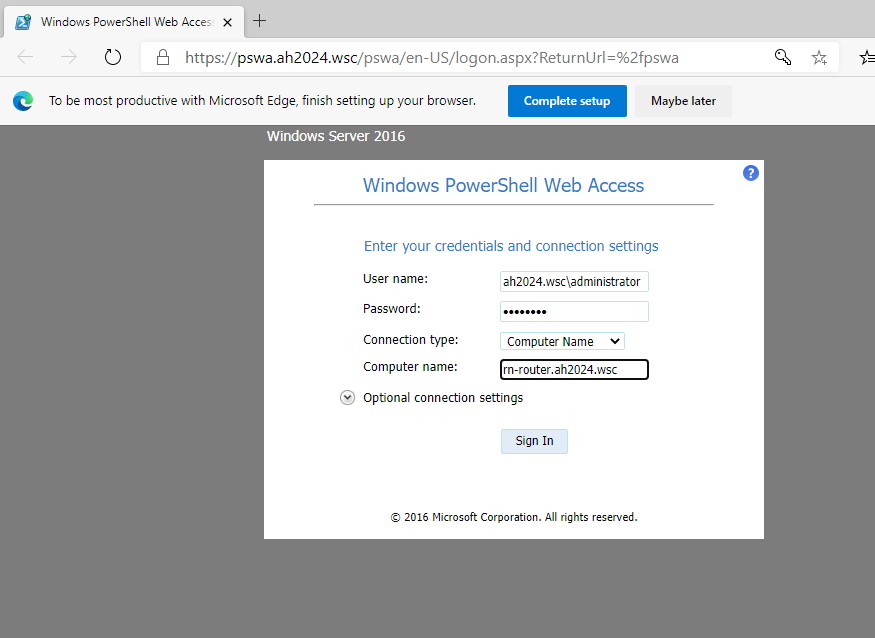
·登陆:
输入刚刚创建的用户
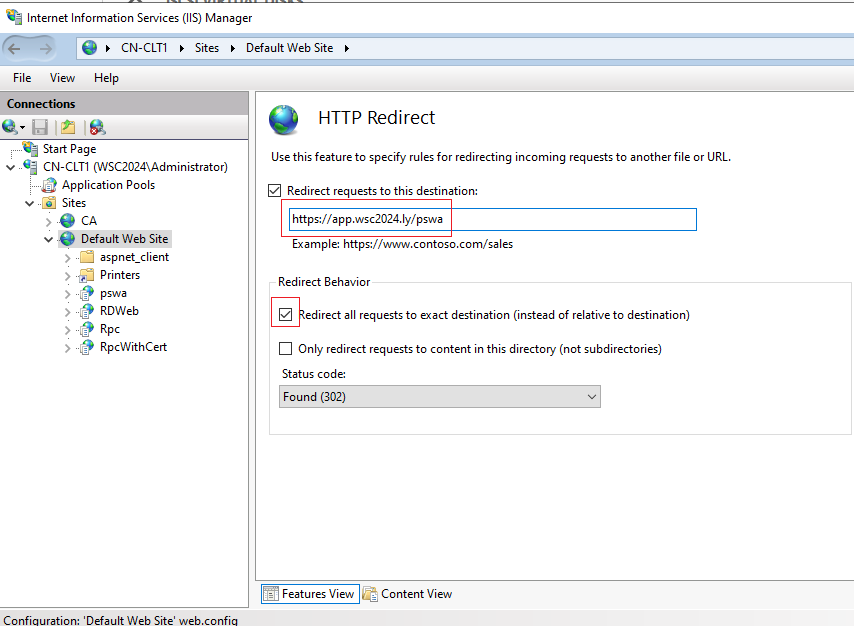
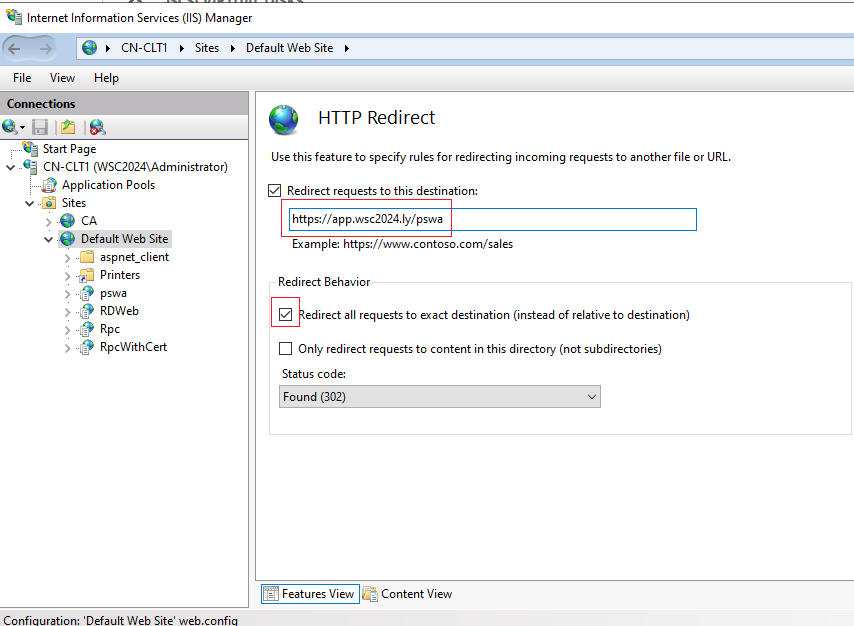
5、配置 http 页面重定向到 https:
二、(非 域环境)配置 Web powershell:
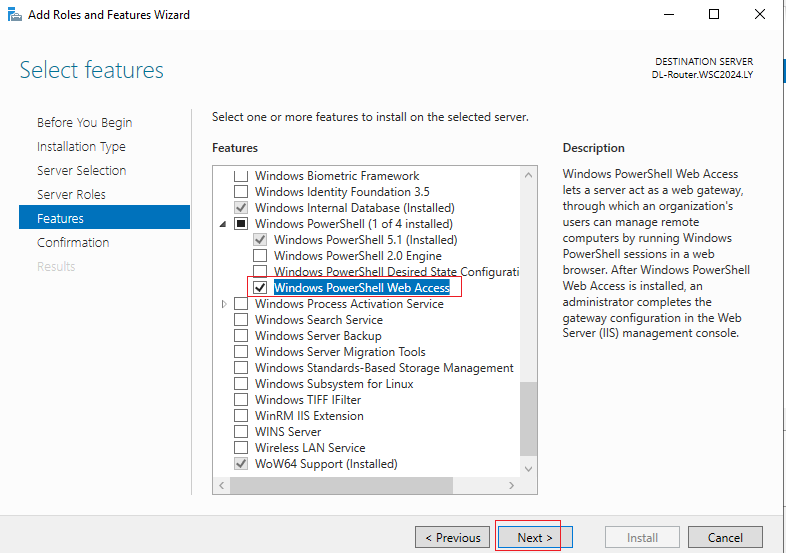
1、安装服务:
2、安装 pswa:
# powershell
Install-PswaWebApplication    //安装在默认站点
Install-PswaWebApplication -WebSiteName PSWA_SITE    //安装在其它指定站点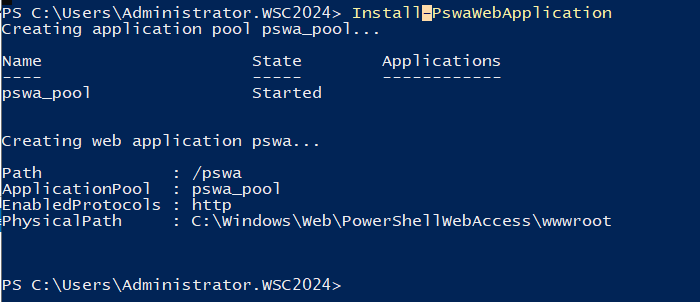
3、添加身份认证:
类似 samba,不添加就无法登陆(且该用户最好需要是 管理员用户,拥有访问 powershell 的权限)
Add-PswaAuthorizationRule -ComputerName LAE-Server -UserName LAE-Server\administrator -ConfigurationName Microsoft.powershell // Microsoft.powershell 是一定要写的参数4、直接访问:
Web powershell 只有 https 页面能够登陆(虽然http页面也能够访问,但是不能进行登陆)
# 在访问连接后面加上 URI:/pswa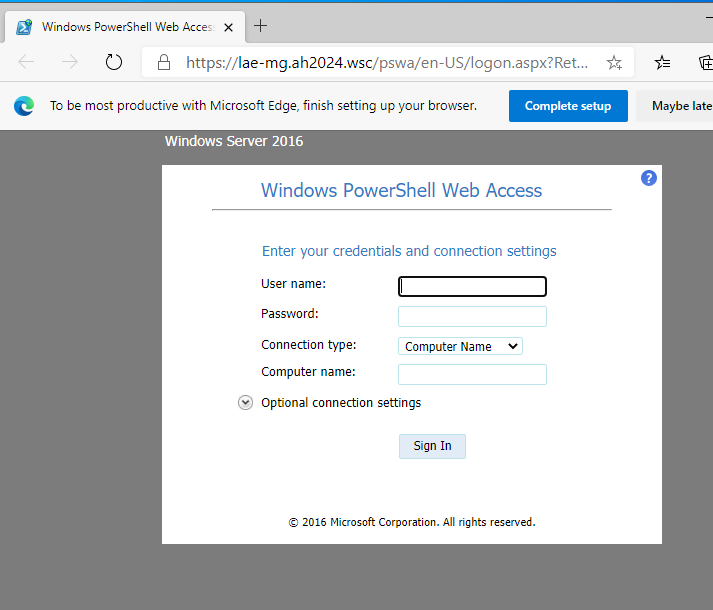
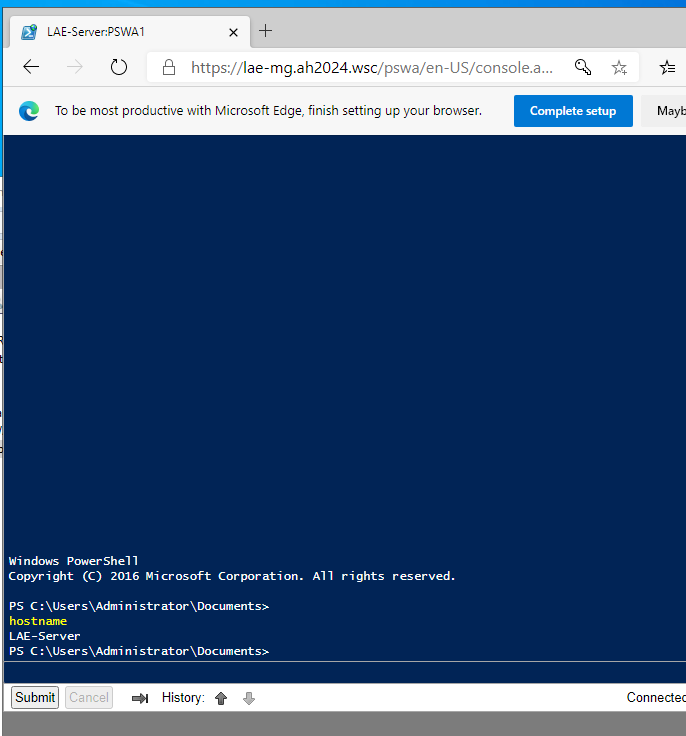
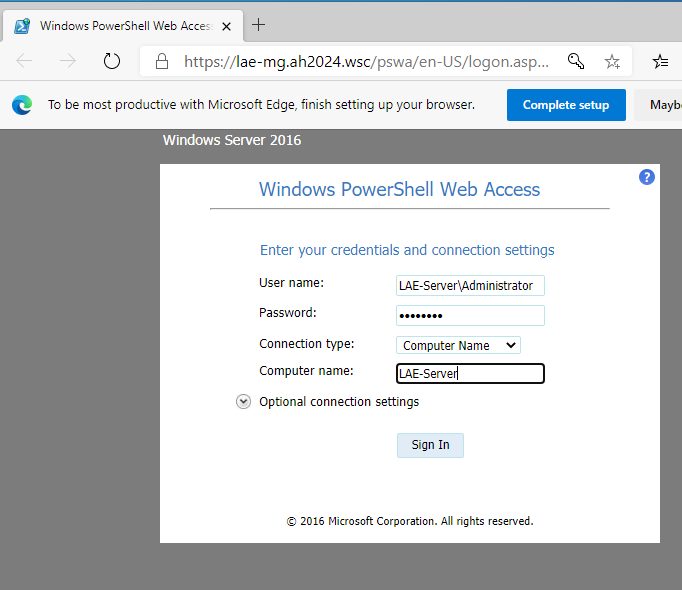
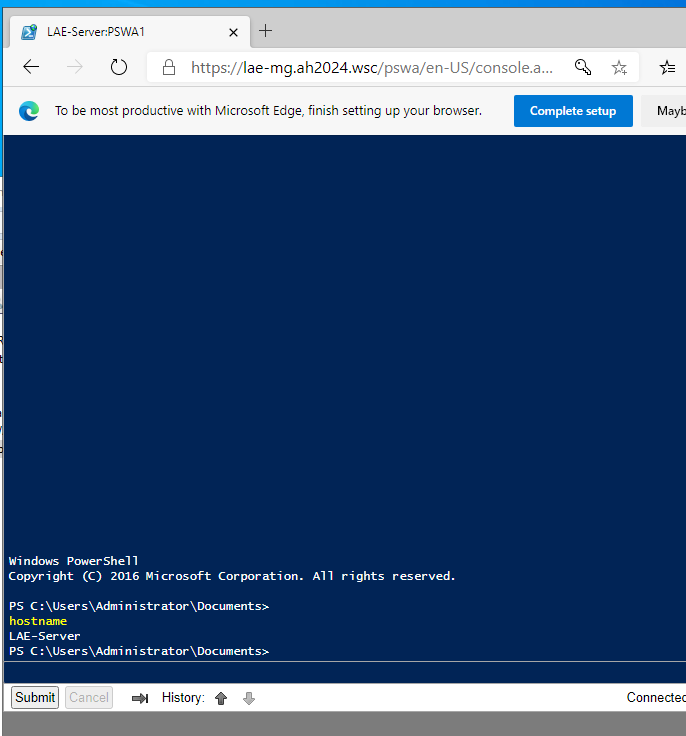
·登陆:
输入刚刚创建的用户
5、配置 http 页面重定向到 https: