当运行可执行文件时,记录日志.note
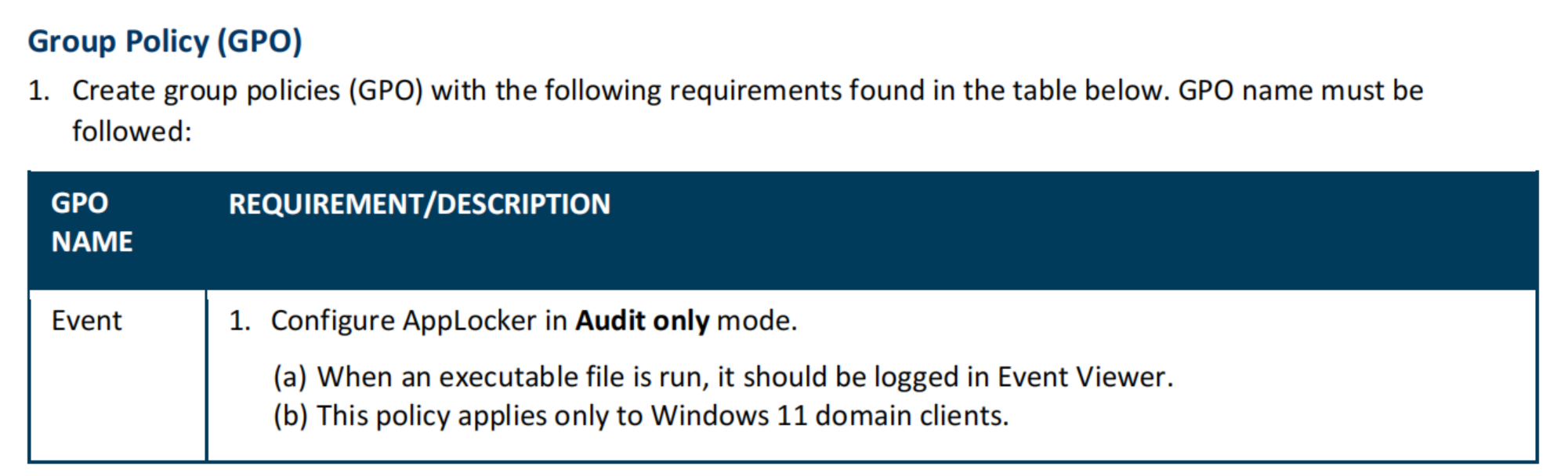
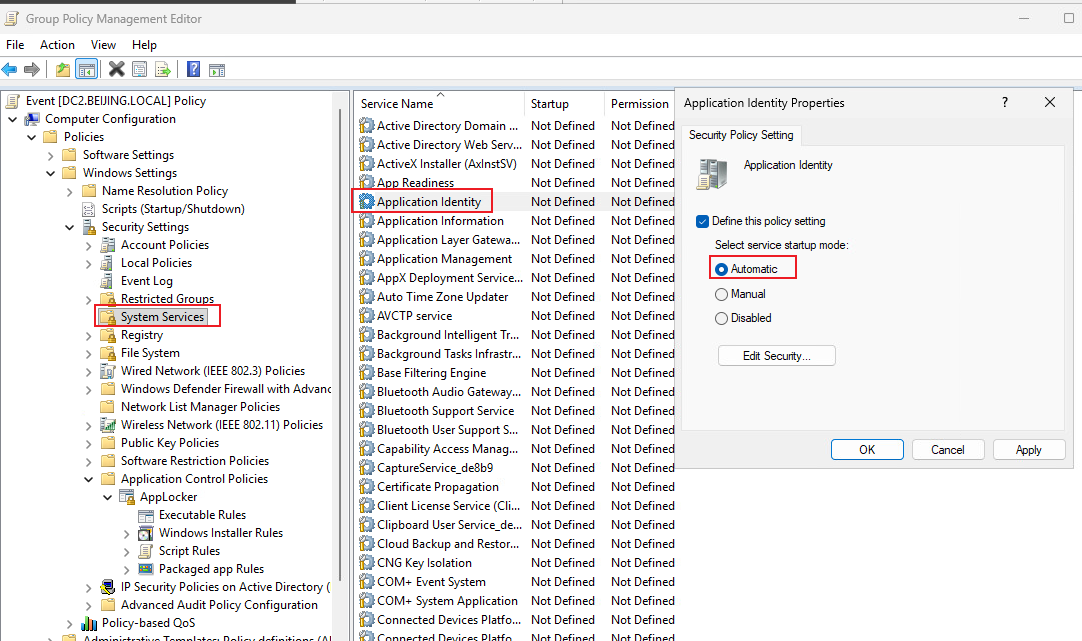
1、配置 组策略:
Computer Configuration - Policies - Windows Settings - Security Settings - Application Control Policies - AppLocker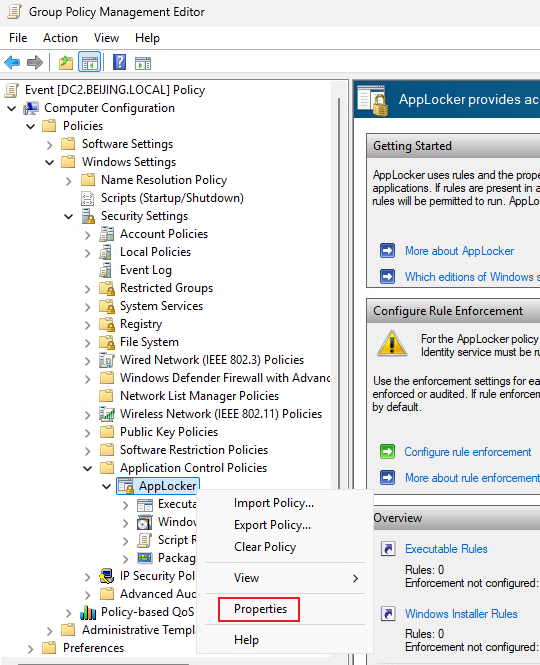
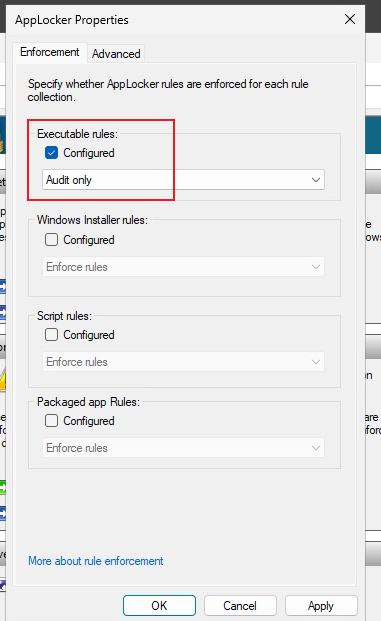
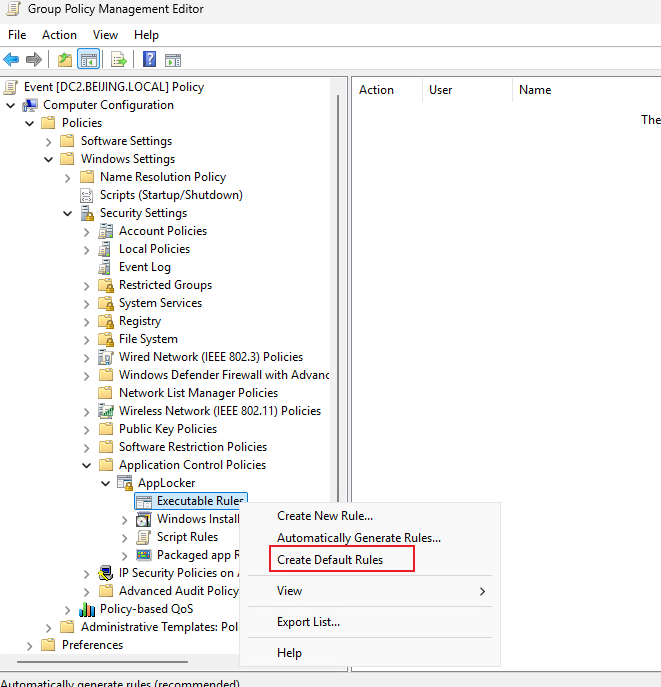
并启动相应服务:
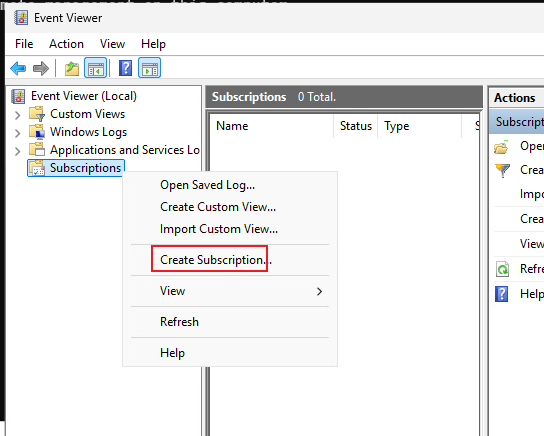
·创建 Event:
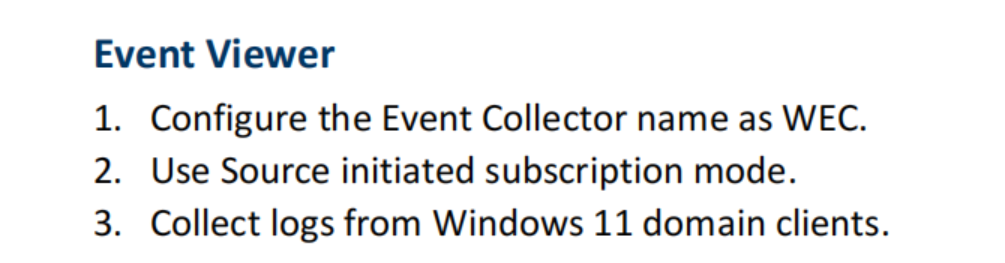
wecutil qc /qWin + X 按 v
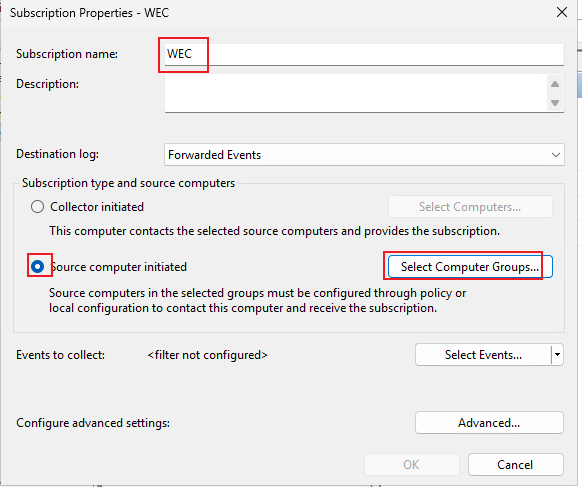
添加计算机:
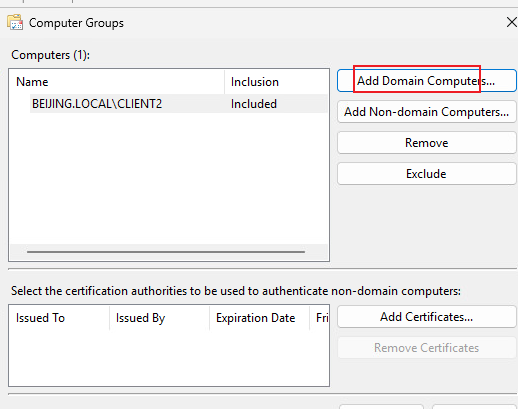
选择要收集的日志:
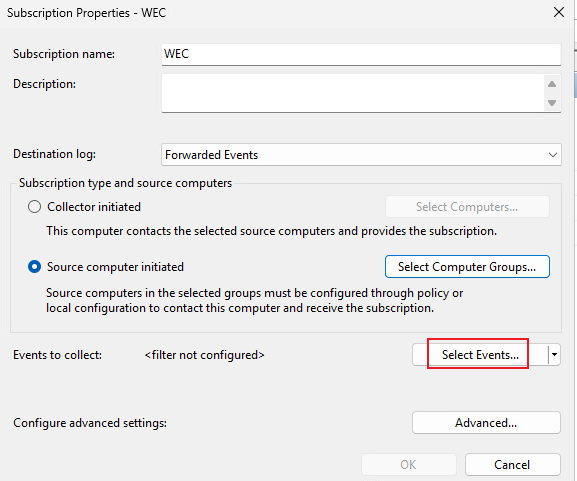
By log
→ Applications and Services Logs
→ Microsoft
→ Windows
→ AppLocker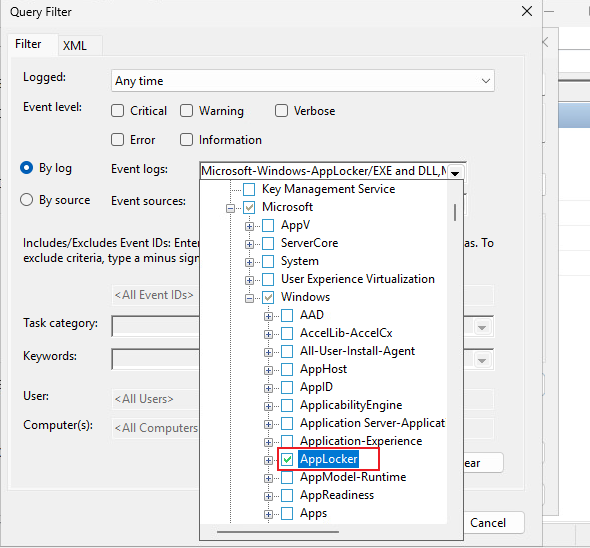
Application 和 SYSTEM 也可以勾选:
然后勾选日志级别
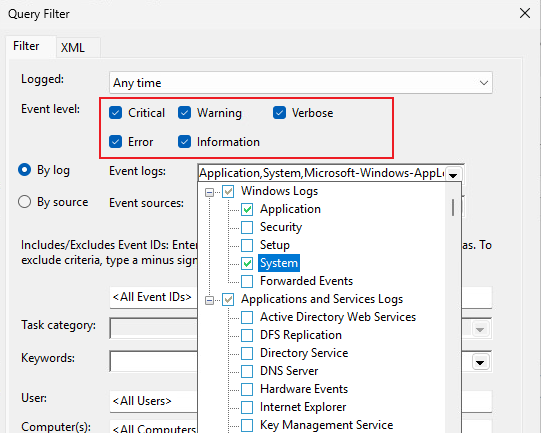
点击 OK
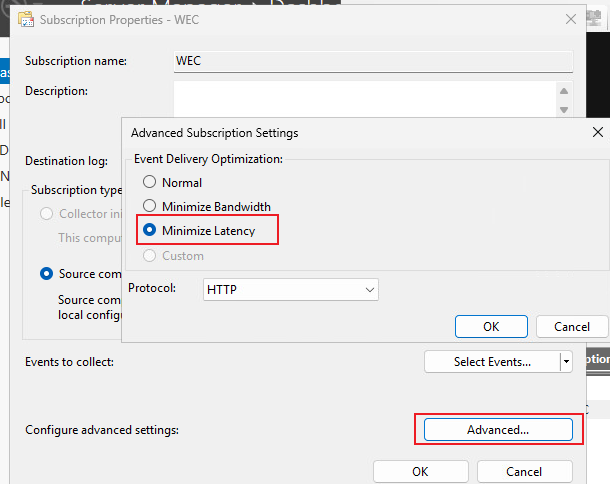
(可选)选择 Minimize Latency 日志可以传的快一点
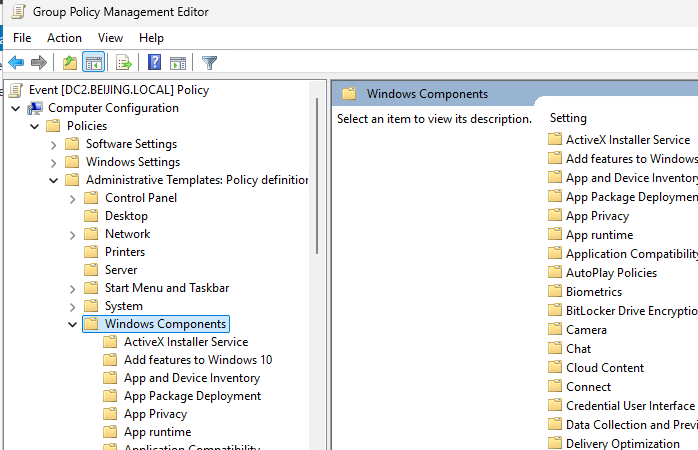
配置组策略:
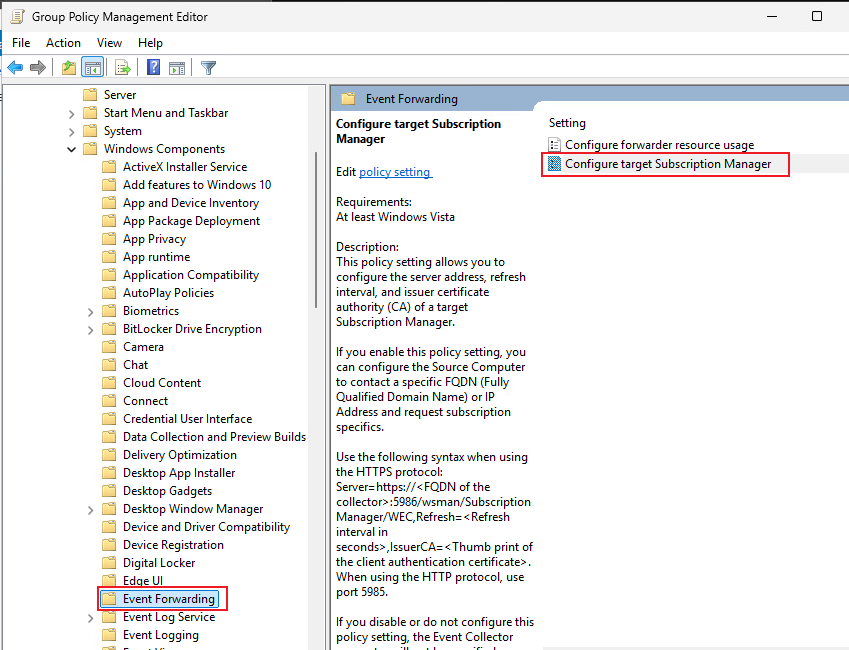
复制模板:
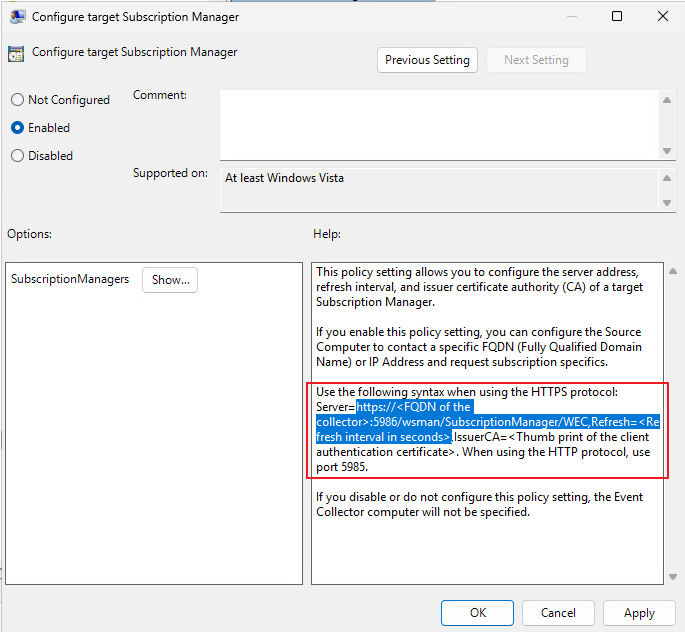
将 https 改为 http,将 5986改为 5985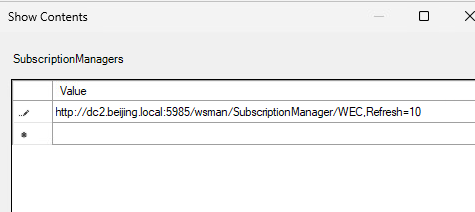
然后在客户端上开启winrm,将 client的TrustedHost 设置为 * 即可