03 - 高可用配置.note
一、路由器 高可用配置:
·题目:
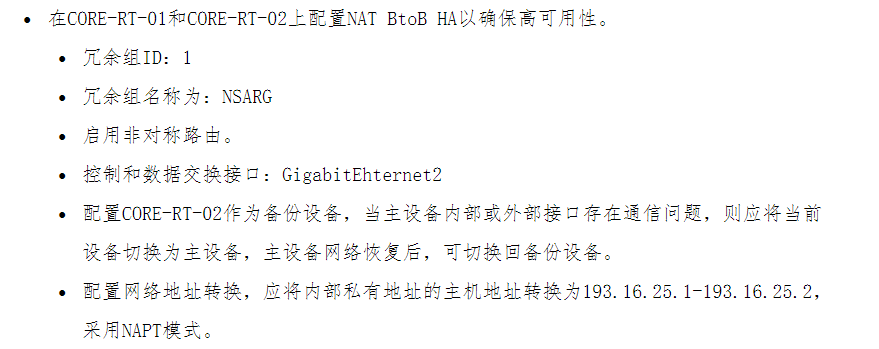
类似的拓扑:
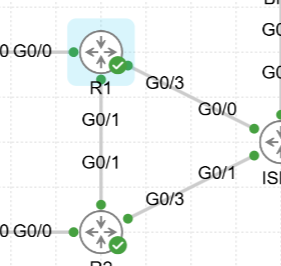
需要有一个数据接口
nat地址池转换的公网地址需要是相同的(否则流量无法走回来)
1、CORE-RT-01:
# 配置 sla 链路监测(用于进行主备切换)
CORE-RT-01(config)#ip sla 1
CORE-RT-01(config-ip-sla)#icmp echo 1.1.1.9 source-interface GigabitEthernet 0/4
CORE-RT-01(config-ip-sla-echo)#frequency 5    //设置 sla 的检测间隔为 5秒
CORE-RT-01(config-ip-sla-echo)#exit
CORE-RT-01(config)#ip sla schedule 1 life forever start-time now    //启用 sla(生效时间为永远,启用时间为现在)
CORE-RT-01(config)#track 1 ip sla 1 reachability     //配置 track 跟踪(如果 ip sla 1 状态为 OK,则 track 为 up,如果 ip sla 1 结果为 fail,则 track 为 down)

# 设置冗余组ID,启用非对称路由
CORE-RT-01(config)#interface g0/4
CORE-RT-01(config-if)#ip nat outside
CORE-RT-01(config-if)#redundancy rii 1    //设置冗余组id 为 1
CORE-RT-01(config-if)#redundancy asymmetric-routing enable     //启用非对称路由
CORE-RT-01(config-if)#exit

# 设置 内网接口
CORE-RT-01(config)#int g0/2
CORE-RT-01(config-if)#ip nat inside
CORE-RT-01(config-if)#exit

# 配置 ACL 和 NAPT(这里只能用地址池,不能用接口)
CORE-RT-01(config)#ip nat pool POOL 193.16.25.1 193.16.25.2 netmask 255.255.255.252    //配置 NAT 地址池
CORE-RT-01(config)#ip access-list extended NAT
CORE-RT-01(config-ext-nacl)#permit ip 192.168.0.0 0.0.255.255 any
CORE-RT-01(config-ext-nacl)#exit
CORE-RT-01(config)#ip nat inside source list NAT pool POOL redundancy 1 mapping-id 1 overload

# 配置 HA 高可用
CORE-RT-01(config)#redundancy
CORE-RT-01(config-red)#application redundancy
CORE-RT-01(config-red-app)#group 1
CORE-RT-01(config-red-app-grp)#name NSARG    //设置冗余组名称为:NSARG
CORE-RT-01(config-red-app-grp)#preempt     //开启抢占
CORE-RT-01(config-red-app-grp)#priority 200 failover threshold 150
CORE-RT-01(config-red-app-grp)#control gigabitEthernet 0/2 protocol 1
CORE-RT-01(config-red-app-grp)#data gigabitEthernet 0/2
CORE-RT-01(config-red-app-grp)#asymmetric-routing interface GigabitEthernet 0/2
CORE-RT-01(config-red-app-grp)#asymmetric-routing always-divert enable
CORE-RT-01(config-red-app-grp)#track 1 decrement 150    //配置 当 track 1 状态为  down 时,减少 150 优先级
CORE-RT-01(config-red-app-grp)#no shutdown     //启用 高可用
2、CORE-RT-02:(CORE-RT-02 是备份设备,无需配置 sla 链路监测)
# 设置冗余组ID,启用非对称路由
CORE-RT-02(config)#interface g0/4
CORE-RT-02(config-if)#ip nat outside
CORE-RT-02(config-if)#redundancy rii 1
CORE-RT-02(config-if)#redundancy asymmetric-routing enable
CORE-RT-02(config-if)#exit

# 设置内网接口
CORE-RT-02(config)#interface g0/2
CORE-RT-02(config-if)#ip nat inside
CORE-RT-02(config-if)#exit

# 配置 ACL 和 NAPT
CORE-RT-02(config)#ip nat pool POOL 193.16.25.1 193.16.25.2 netmask 255.255.255.252
CORE-RT-02(config)#ip access-list extended NAT
CORE-RT-02(config-ext-nacl)#permit ip 192.168.0.0 0.0.255.255 any
CORE-RT-02(config-ext-nacl)#exit
CORE-RT-02(config)#ip nat inside source list NAT pool POOL redundancy 1 mapping-id 1

# 配置 HA 高可用
CORE-RT-02(config)#redundancy
CORE-RT-02(config-red)#application redundancy
CORE-RT-02(config-red-app)#group 1
CORE-RT-02(config-red-app-grp)#name NSARG
CORE-RT-02(config-red-app-grp)#preempt
CORE-RT-02(config-red-app-grp)#priority 150 failover threshold 150
CORE-RT-02(config-red-app-grp)#control GigabitEthernet 0/2 protocol 1
CORE-RT-02(config-red-app-grp)#data gigabitEthernet 0/2
CORE-RT-02(config-red-app-grp)#asymmetric-routing interface GigabitEthernet 0/2
CORE-RT-02(config-red-app-grp)#asymmetric-routing always-divert enable
CORE-RT-02(config-red-app-grp)#no shutdown
3、查看 高可用状态:
配置完成后不会立即生效,建议等待1到2分钟
(1)CORE-RT-01:
do show redundancy application group 1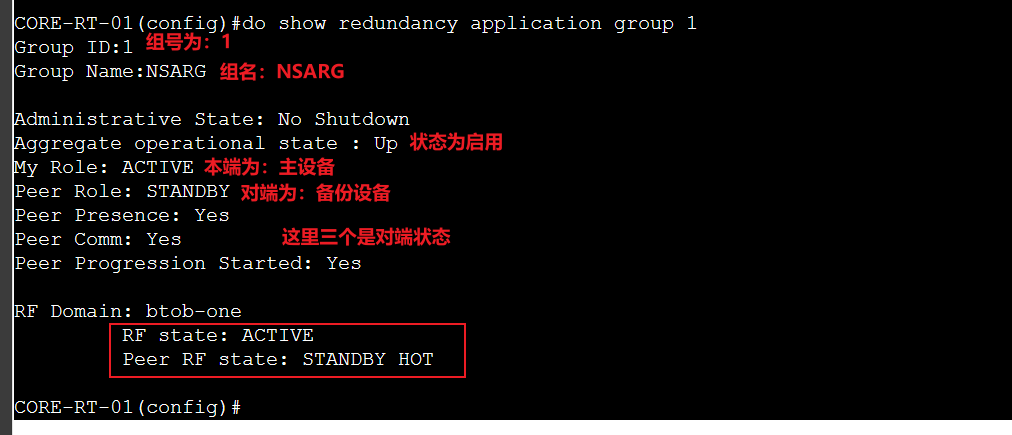
(2)CORE-RT-02:
do show redundancy application group 1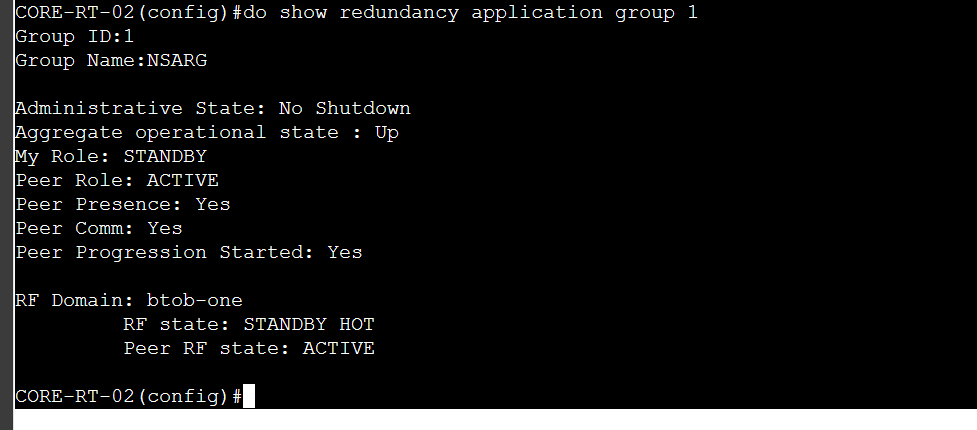
二、ASA防火墙 高可用配置:
配置前,两台设备都不要有任何配置(Gig0/1 接口也不要配置 IP地址)
1、EDGE-FW-01:
# 配置 ASA防火墙高可用的 故障转移接口
inserthostname-here(config)# failover lan unit primary     //设置当前设备为 主设备
inserthostname-here(config)# failover lan interface folink Gigabitethernet0/1
inserthostname-here(config)# failover link folink G0/1
inserthostname-here(config)# failover interface ip folink 172.168.255.0 255.255.254 standby 172.168.255.1

# 启用接口
inserthostname-here(config)# int g0/1
inserthostname-here(config-if)# no sh
inserthostname-here(config-if)# exit

# 启用 ASA防火墙高可用
inserthostname-here(config)# failover replication http
inserthostname-here(config)# failover ipsec pre-shared-key Skills39!
inserthostname-here(config)# failover

# 给接口配置 故障转移
## 先给接口 配置 nameif
monitor-interface g0/1
2、EDGE-FW-02:
inserthostname-here(config)# failover lan unit secondary
inserthostname-here(config)# failover lan interface folink gigabitethernet0/1
inserthostname-here(config)# failover link folink g0/1
inserthostname-here(config)# failover interface ip folink 172.168.255.0 255.255.254 standby 172.168.255.1
inserthostname-here(config)# interface g0/1

inserthostname-here(config-if)# no sh

inserthostname-here(config-if)# exit
inserthostname-here(config)# failover replication http
inserthostname-here(config)# failover ipsec pre-shared-key Skills39!
inserthostname-here(config)# failover
monitor-interface g0/1
3、查看 高可用配置:
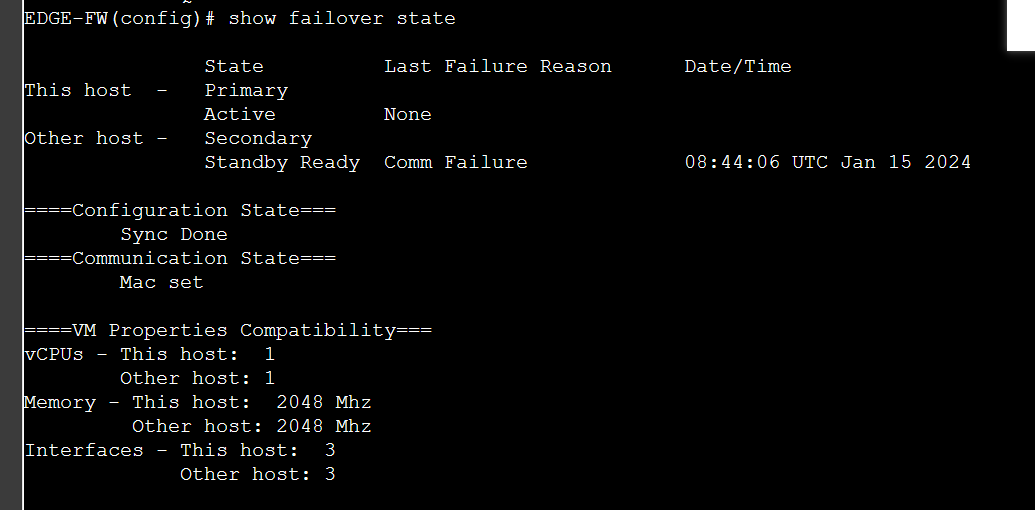
(1)EDGE-FW-01:
show failover
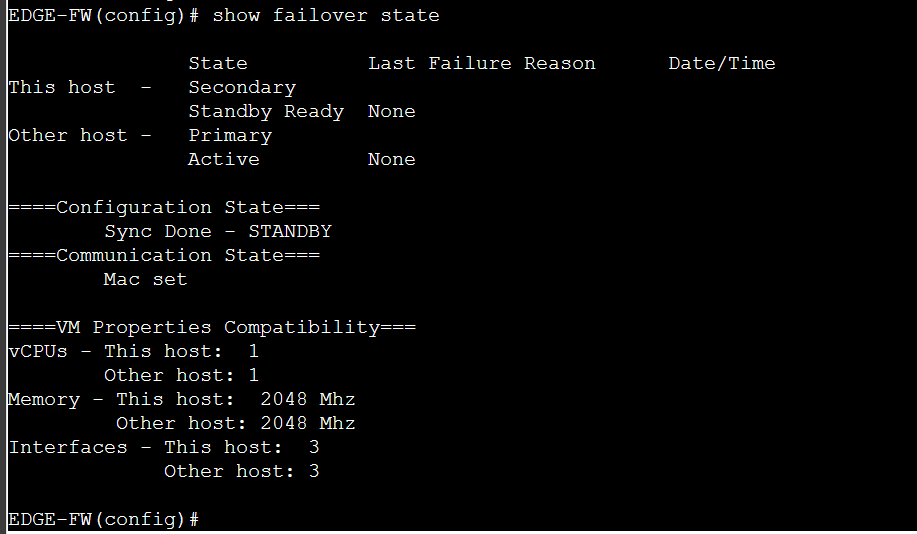
show failover state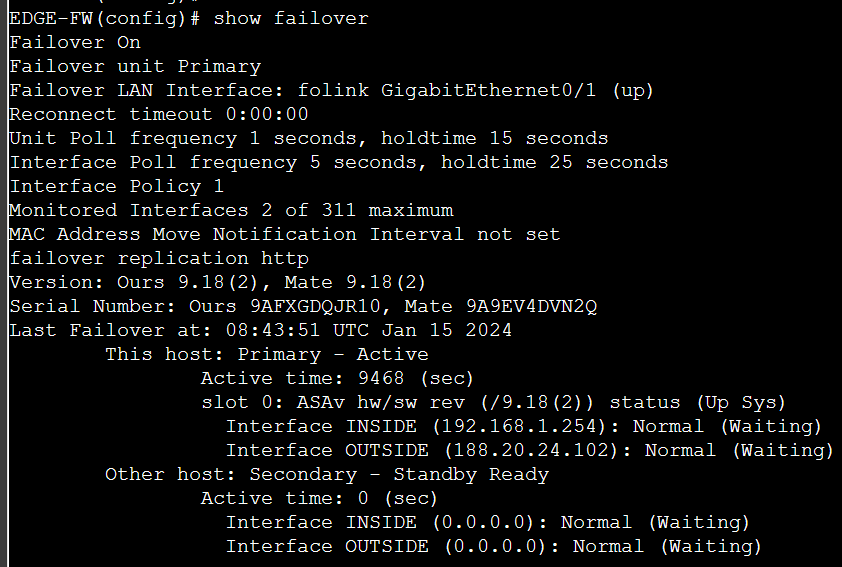
(2)EDGE-FW-02:
show failover
show failover state