使用 Vscode 连接 github 或 gitee.note
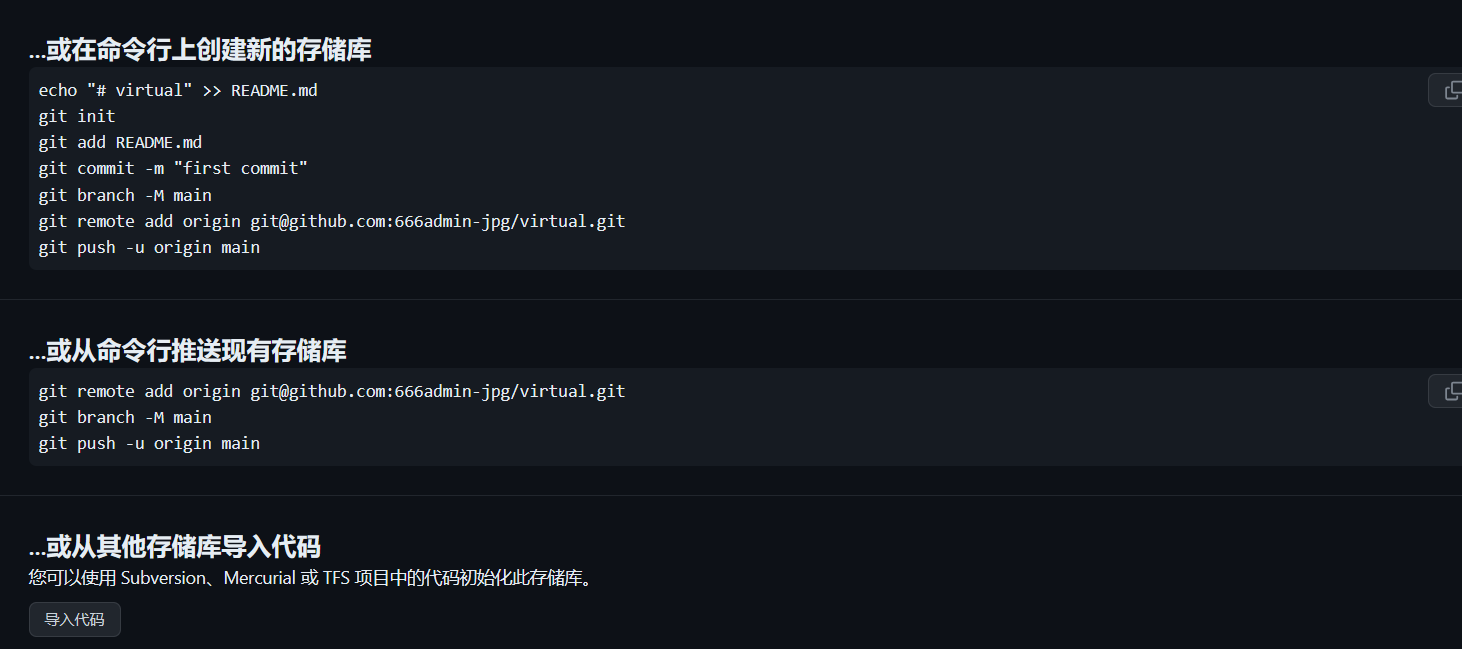
1、设置账号
git config --global user.name "Xia-Guojin" // - 可以代表空格2、设置邮箱
git config --global user.email "3024405740@qq.com"3、生成秘钥对
ssh-keygen4、查看公钥,并将其复制
cat ~/.ssh/id_rsa.pub5、复制公钥到git上
6、测试是否通
ssh -T git@gitee.com
Are you sure you want to continue connecting (yes/no)?   输入yes
然后得到 welcome to gitee.com ,xxx!说明成功
7、下载代码
git clone [从github网站上复制的ssh方式网址]8、遇到每次git pull都要输入账号密码的问题
在git 项目目录执行,执行一下
git config --global credential.helper store- Linux 打开Python:输入“ python3 ”
1.
- Windows打开Python:Win + R 打开 cmd 输入 “ python ”
1.
print 命令:
网页搜索 git
git是用来给 github 提供代码的
1、安装 git 软件到Windows
2、再本地创建 git 账户

打开 git bash 输入 github 上的名称和邮箱
github 需要使用 ed25519 加密方式
git bash 使用方式与 Linux 类似
ssh-keygen -t ed25519 -C "3024405740@qq.com" //生成密钥对,以ed25519方式加密
eval "$(ssh-agent -s)" //开启 ssh私钥代理
ssh-add ~/.ssh/id_ed25519 //将私钥添加进代理
code ~/.ssh/config //编辑 ssh 配置文件
输入: //编辑 ssh 配置文件,指定参数
host github
hostname github.com
port 22
user Xia Guojin
IdentityFile C:\users\admin/.ssh/id_ed25519
clip < ~/.ssh/id_ed25519.pub //复制公钥内容至剪切板
登陆网址,点击设置,将公钥复制进去
尝试登陆:
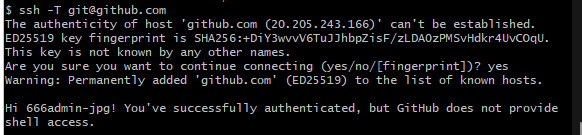
登陆成功
登陆github:
登陆gitee:
ssh -T git@gitee.com
上传本地代码至github
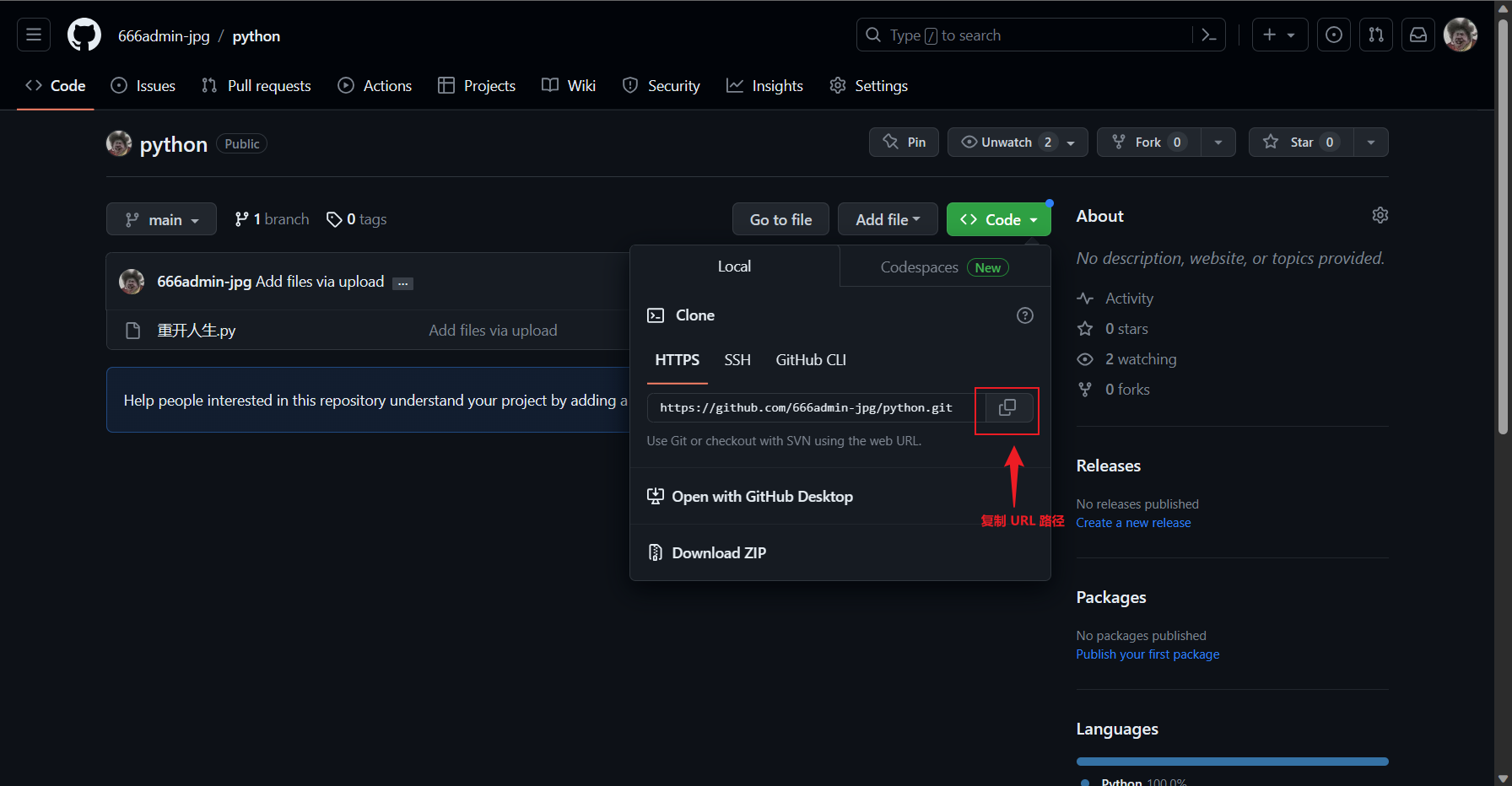
下载gitee的文件:
右击点击 git bash here
输入 git clone 粘贴路径
上传至gitee:
命令行上传:
git add .
git commit -m "create number.py"
git push
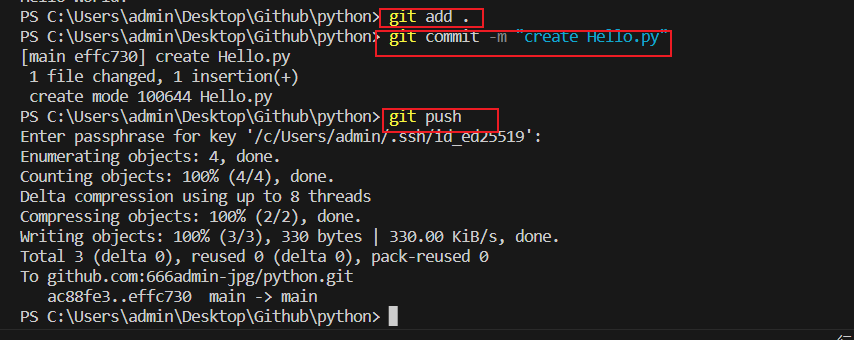
图形化上传:
编辑完成后,点击暂存
输入编辑消息:create Hello.py
点击提交
点击同步
输入两次密码
提交完成