ansible 连接(看这个).note
一、配置 Ansible
1、cisco 设备配置:
en
conf t
no ip domain lo
lin con 0
logg s
exec-t 0 0
login local
exit
enable secret QT!6@6Urd
username admin secret sM@N3XfqWE
lin vty 0 15
transport input ssh
login local
exit
crypto key generate rsa modulus 2048 lab ssh.key
ip ssh v 2
2、编辑 Linux Ansible主控端:
(1)安装软件包:
apt install -y ansible python3-paramiko(2)编辑 ssh 配置文件:
vim /etc/ssh/ssh_config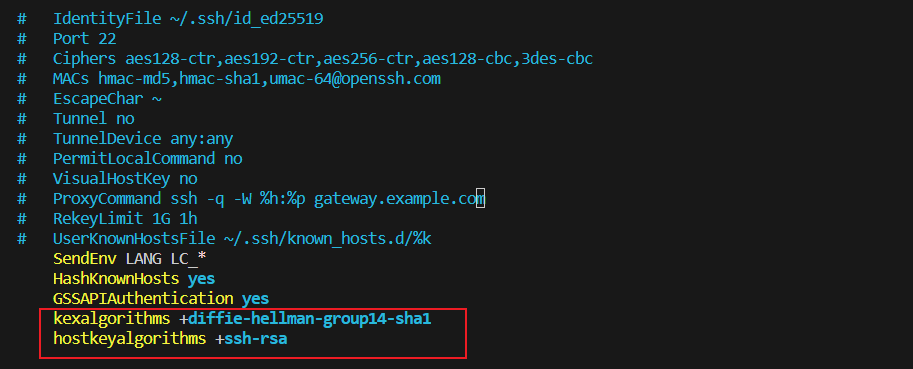
·第一行 和 第二行都能抄
sshd -T | grep ke //使用 sshd -T 列出可用参数,再通过 grep 过滤(Kexalgorithms 在 CML2.6.1 版本中可以省略不敲)
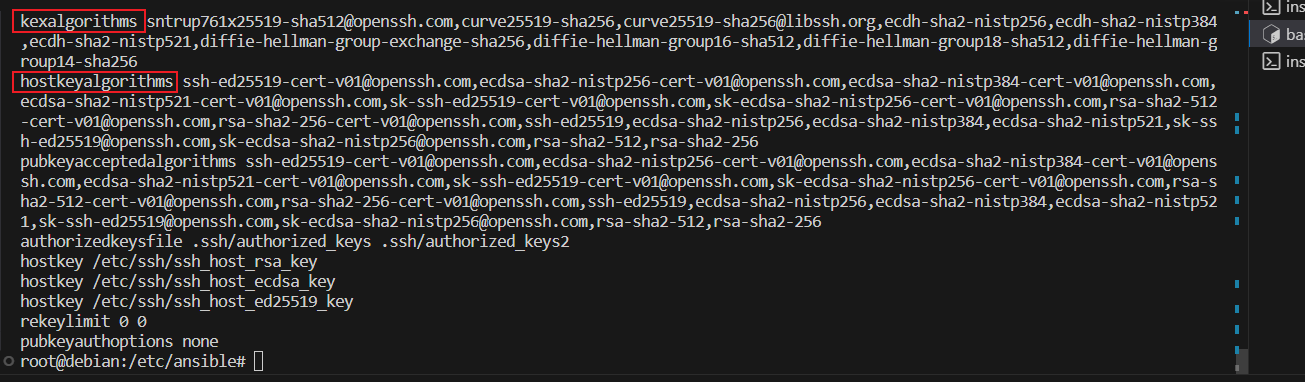
·抄算法:
ssh admin@10.255.255.9 //这是会弹出算法不同,复制最后的算法即可
最终只需要背的是,
第一行的加号: “ + ”
第二行的算法: “ +ssh-rsa ”
(3)编辑 ansible 提权配置文件:
·抄模板:
在 zeal 中 搜索:ansible: platform
点击 IOS Platform Options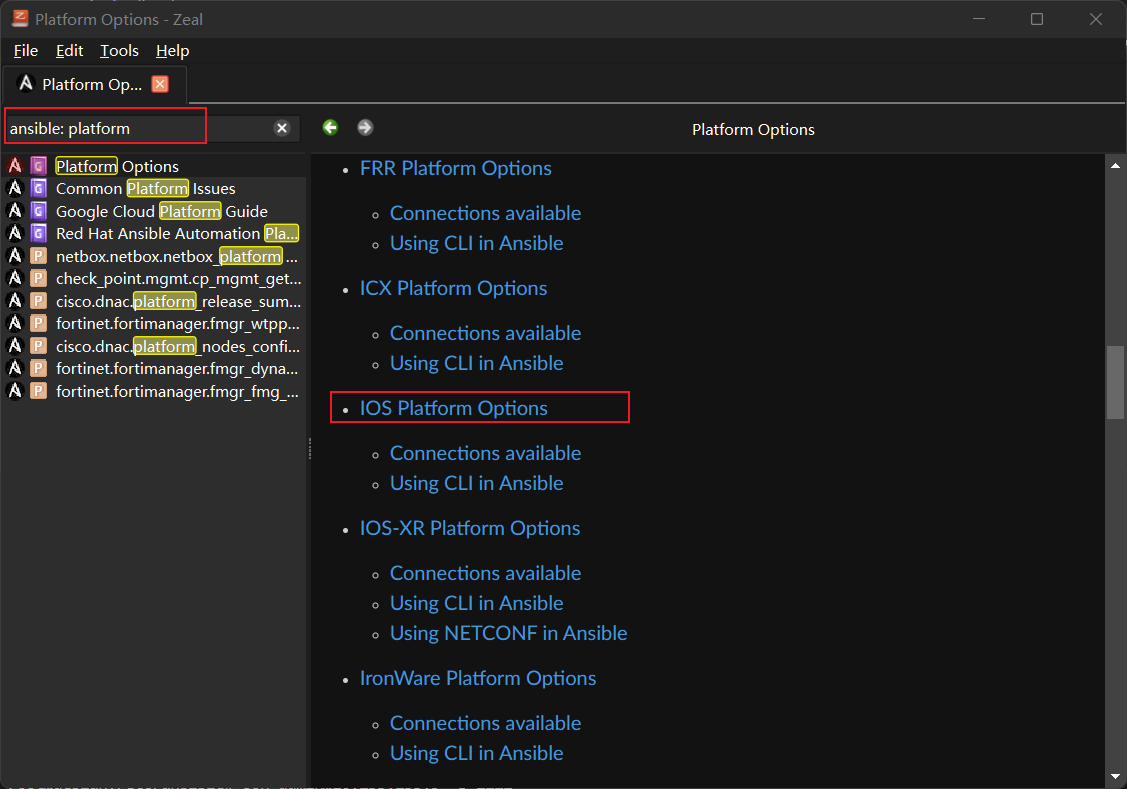
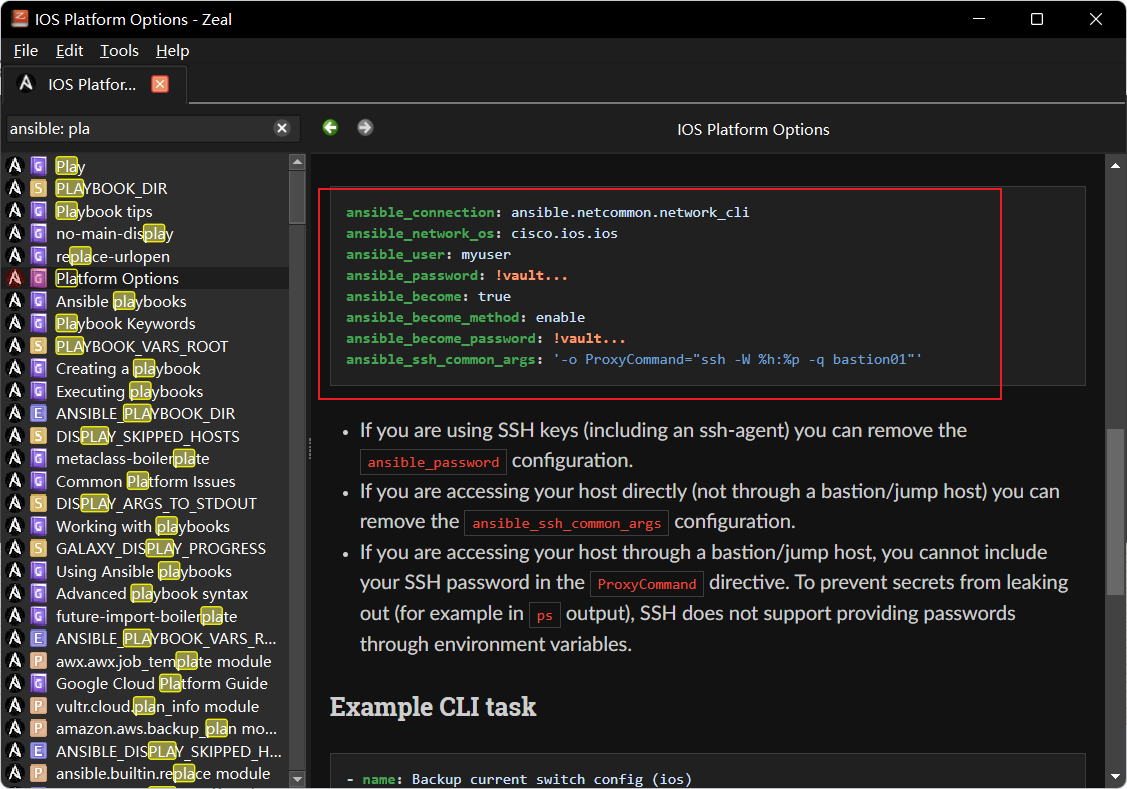
·编辑 ansible提权配置文件:
group_vars 必须要配置在与 inventory文件同一目录下
mkdir /etc/ansible/gourp_vars
vim /etc/ansible/group_vars/all.yml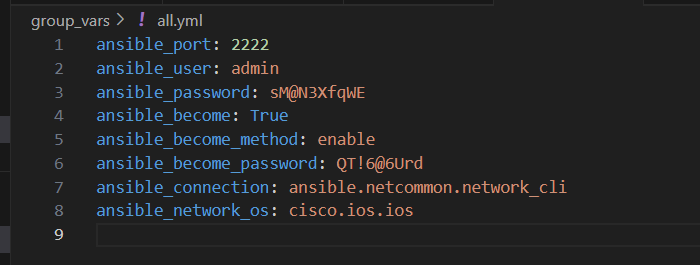
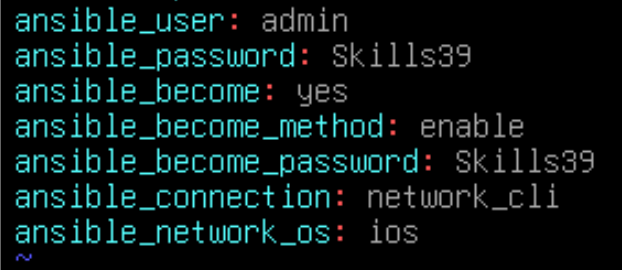
ansible.netcommon.network_cli 和 cisco.ios.ios 可以进行简写:
(4)编辑 ansible.cfg 主配置文件:
ansible-config init > ansible.cfg.bak
cat ansible.cfg.bak    //查看配置文件参考
vim /etc/ansible/ansible.cfg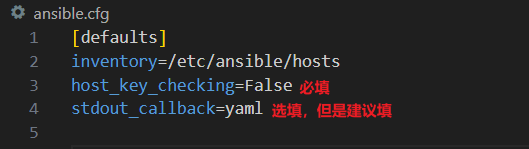
(5)编写 hosts(inventory主机清单)
·抄写 inventory 示例:
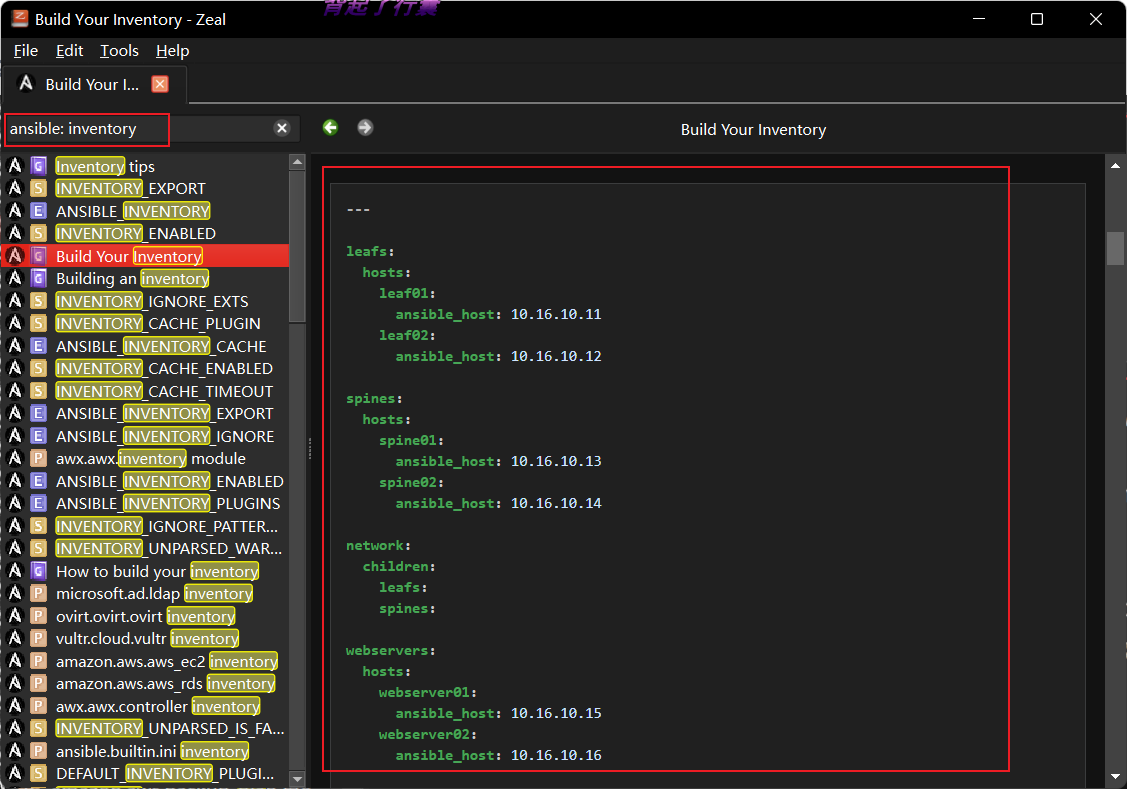
·inventory 主机清单:
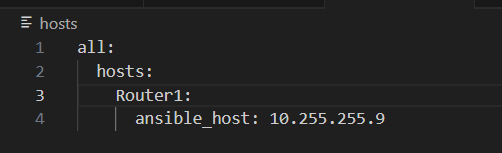
·检查 inventory 主机清单:

(6)ping 测试:
ansible all -m ping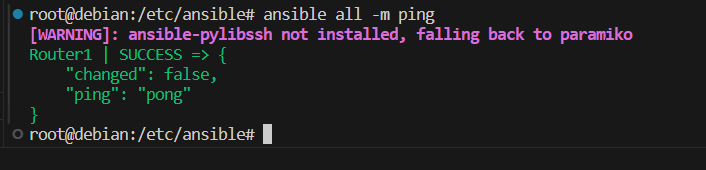
二、编写 ansbile 剧本:
1、剧本一:读取 提供的 IP地址,inventory文件
---
- name: read
  # hosts: LEAF-SW-03,LEAF-SW-04,SPINE-SW-01
  hosts: all:!LEAF-SW-01:!LEAF-SW-02
  # hosts为“all”,但是排除“LEAF-SW-01” 和 “LEAF-SW-02”
  gather_facts: False

  tasks:
    - name:
      include_vars:
        file: /etc/ansible/data/interfaces_info.yml
        name: yaml

    - name: Set fact
      # 先使用 with_dict 遍历字典,再使用set_fact注册变量,将结果保存至“fact”中
      ## 这里使用的 set_fact 是关键
      set_fact:
        fact: "{{ item.value }}"
      with_dict: "{{ yaml }}"
      when: item.key == inventory_hostname


    - name: Enable Switch Interface
      ios_config:
        lines:
          - no shutdown
          - no switchport
        parents: "interface {{ item.name }}"
      when:
      # 使用 when 排除“Loopback”接口 and “inventory_hostname”必须等同于指定的交换机
        - item.name != "Loopback0"
        - inventory_hostname == "LEAF-SW-03" or inventory_hostname == "LEAF-SW-04" or inventory_hostname == "SPINE-SW-01" or inventory_hostname == "SPINE-SW-02"
      with_items:
      # 使用 with_items 遍历列表,然后进行操作
        - "{{ fact.interface }}"

    - name: Config other Interfaces
      # 再配置IP地址
      ios_config:
        lines:
          - no shutdown
          - "description {{ item.description }}"
          - "ip address {{ item.ipv4.address }} {{ item.ipv4.subnet_mask }}"
        parents: "interface {{ item.name }}"
      when: '"ipv4" in item'
      # 当遍历的变量中存在"IPv4"时,才运行该剧本
      with_items:
        - "{{ fact.interface }}"

    - name: Config SPINE Vlan
      # 进行创建 vlan
      ios_config:
        lines:
          - no shutdown
          - "description {{ item.description }}"
          - switchport mode access
          - "switchport access vlan {{ item.vlan }}"
        parents: "interface {{ item.name }}"
        before:
        # 在 所有操作之前,先将接口恢复至默认,并且创建 vlan
          - "default interface {{ item.name }}"
          - "vlan {{ item.vlan }}"
      when: "'vlan' in item"
      # 当遍历的变量中存在"vlan"时,才运行该剧本
      with_items:
        - "{{ fact.interface }}"