(包过滤防火墙)课堂笔记-10.9.note
- iptables:
1.
基于规则
规则能够匹配数据包是基于数据包的 源地址、目的地址、协议、包的类型、包的长度、包的标签、TTL值等
作用:
· 提供防火墙的过滤
· 网络地址转换(转发)【NAT】
iptables 是一个软件、一个命令
实现包管理功能的是 内核中的一个组块,也叫 iptables
iptables 有两个含义:
iptables 软件包提供的 iptables 命令
iptables 是内核中 防火墙的一个组件、框架
从 debian 10 开始,默认 nf_tables 成为了 iptables 的后端,无论使用 iptables 还是 nftables ,后端都是 nf_tables
可以进行切换:
- nftables:
1.
nftables 是 iptables 的替代版本,替代了 iptables
提供了内核中一个新的框架,基于网络虚拟层的新的框架
提供了一个 nft 的命令行工具
语法与 iptables 不同,但在 后端能够兼容- firewalld:
1.
提供了 防火墙动态管理的功能
属于 前端的 工具- 总结:
1.
以前防火墙的 框架:
ip_tables
通过 iptables 命令行工具 操作 ip_tables框架

现在:
ip_tables 被 nf_tables 替代
通过 nftables 命令行工具 操作 nf_tables框架

在 debian 系统中,仍然存在 iptables 工具,但是iptables 工具,操作的还是 nf_tables

在 debian 系统中,还有一个 firewalld 工具,用来生成 iptables 的规则 或者 nftables 的规则- 配置:
1.
apt install search table
# arptables    //管理 arp 的防火墙
# ebtables    //网桥
# iptables-persistent    //用于保存防火墙规则
# nftables    //默认已经安装,但是没有启用

apt install iptables  -y
dpkg -L iptables | less

which iptables
ls -l /usr/sbin/iptables
ls -l /etc/alternatives/iptables
# 执行 iptables 相当于执行了iptables-nft
which nft

apt install iptables-persistent -y
y    //是否保存ipv4规则
n    //是否保存ipv6规则

iptables -L -n -v    //查看当前规则
iptables 规则解析:
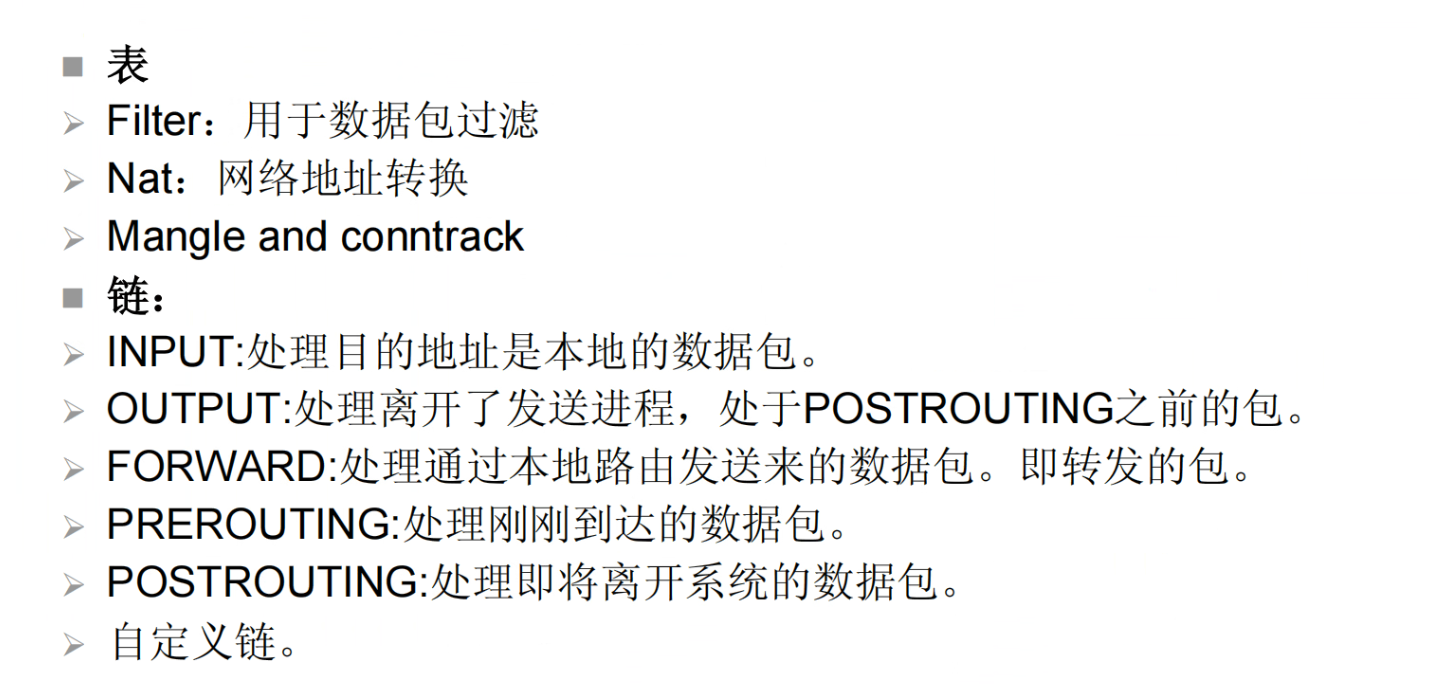
两个概念:
1、过滤点:
2、表:

filter表:
· INPUT:处理进入防火墙的数据包
· FORWARD:处理转发的数据包
· OUTPUT:处理离开防火墙的数据包


NAT表:
过滤点:
· INPUT:处理进入防火墙的数据包
· FORWARD:处理转发的数据包
· OUTPUT:处理离开防火墙的数据包
· POSTROUTING

当一个数据包到达内核后,首先进行 PREROUTING检查,看是到达本地,还是转发给别人,如果是经过,则需要交过FORWARD链,软后再交过 POSTROUTING;
- 写防火墙规则时要注意它的特点:
1.
1、按顺序排列规则
2、按顺序匹配
3、匹配后退出
4、规则可以指定多个匹配条件
5、必须满足规则说明的每个条件才算是匹配 //类似于 python 中 的 if ... and ... and ... 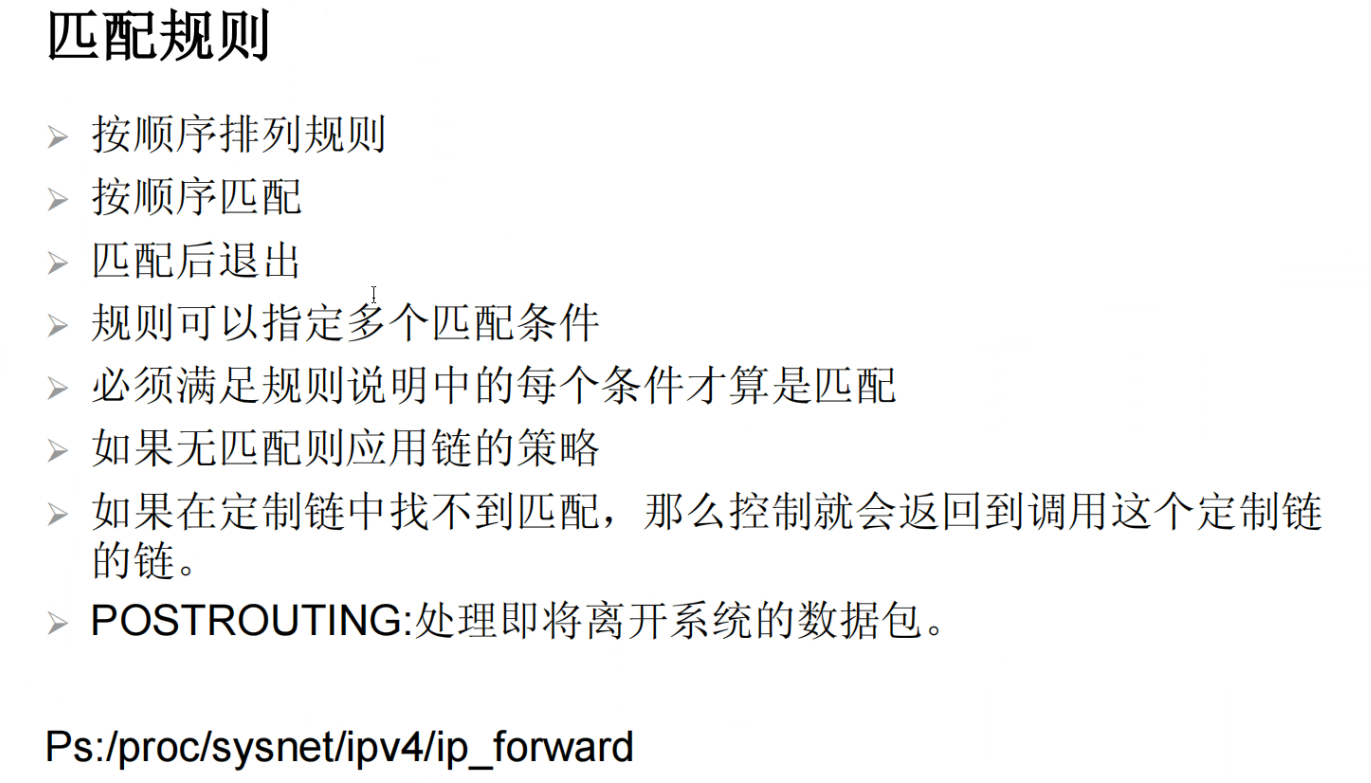
- 配置:
1.
iptables -A INPUT -s 192.168.10.135 -p tcp --dport 443 -j DROP    //丢弃 源ip地址为192.168.10.135 的 tcp 443 端口的入站数据包

-A    //添加一条规则
-s    //源地址
-p    //端口协议
--dport    //目的端口
-j    //动作

iptables -h  | less
man iptables
- 配置(2):
1.
iptables -F    //清空规则
iptables -nL    //查看规则

iptables -A INPUT -m state --state INVALID -j DROP    //丢弃 无效的数据包
iptables -A INPUT -m state --state INVALID -j LOG    //无效的数据库计入日志
iptables -A INPUT -m state --state RELATED,ESTABLISHED -j ACCEPT    //放行 关联、持续的数据包(如 TCP 连接、也可以理解为打电话)
iptables -A INPUT -i lo -j ACCEPT    //放行 环回接口(自己跟自己连接)
# iptables -A INPUT -m multiport -p tcp --dports 80,443 -m state --state NEW -j ACCEPT    //放行 访问80和443端口的第一个包(NEW也可以不写)
iptables -A INPUT -m multiport -p tcp --dports 80,443  -j ACCEPT    //(NEW也可以不写)


iptables -P INPUT DROP    //将默认策略改为 拒绝
iptables -nL
iptables -P INPUT ACCEPT    //将more策略改为 放行

iptables -A INPUT -j DROP    //在最后加一条 拒绝所有的条目(等同于修改默认规则)
iptables -nL --line-number    //查看规则 行号
iptables -D INPUT 5    //删除规则,通过行号

iptables -A INPUT -j REJECT --reject-with icmp-host-prohibited    //设置禁止 主机访问
iptables -A INPUT -p tcp --dport 22 -j ACCEPT
iptables -D INPUT -p tcp --dport 22 -j ACCEPT

iptables -nL --line-number    //查看 行号

iptables -I INPUT 5 -p tcp --dport 22 -j ACCEPT    //插入到 第五行前面
iptables-save > /etc/iptables/rules.v4    //保存防火墙规则

iptables -D INPUT 5    //删掉 iptables -I INPUT 5 -p tcp --dport 22 -j ACCEPT
iptables -D INPUT 5    //【这段没写错】删掉 iptables -A INPUT -j REJECT --reject-with icmp-host-prohibited
iptables -A INPUT -p tcp --dport 22 -m recent --name ssh --set    //把 22号 端口 定义为 ssh
iptables -A INPUT -p tcp --dport 22 -m recent --name ssh --update --seconds 60 -- hitcount 3 -j DROP    //当 60 秒内访问次数 达到三次,就丢弃(实际上只能访问两次)
iptables -A INPUT -p tcp --dport 22 -j ACCEPT    //放行 22
iptables -A INPUT -j DROP    //丢弃 所有条目


# iptables -I INPUT 4 -p tcp --dport 53 -j ACCEPT    //放行 tcp 53 端口(DNS)
# iptables -I INPUT 4 -p udp --dport 53 -j ACCEPT    //放行 udp 53 端口(DNS)


### 当规则多了时,使用规则插入会比较麻烦,规则是保存在一个文件中: /etc/iptables/rules.v4
# 编辑 /etc/iptables/rules.v4 文件即可    //需要先使用 iptables-save 保存
iptables-restore < /etc/iptables/rules.v4


## 能够使用 sh 脚本来写,或者ansible来写:
# sh脚本:(将命令行输入的代码输入进去即可)
vim iptables.sh
#! /bin/bash


iptables -F

iptables -t nat -F


iptables -A INPUT -m state --state RELATED,ESTABLISHED -j ACCEPT

iptables -A INPUT -i lo -j ACCEPT

iptables -A INPUT -p tcp --dport 80 -j ACCEPT

iptables -A INPUT -p tcp --dport 443 -j ACCEPT

iptables -A INPUT -p tcp --dport 53 -j ACCEPT

iptables -A INPUT -p udp --dport 53 -j ACCEPT

iptables -A INPUT -p tcp --dport 22 -j ACCEPT

iptables -A INPUT -j REJECT --reject-with icmp-host-unreachable

iptables-save > /etc/iptables/rules.v4

# 保存退出
source iptables.sh


# DROP 和 REJECT 的区别:
DROP 是丢弃,不回复客户端
REJECT 是拒绝,回复客户端拒绝

# 更改默认策略 和 增加最后一条拒绝条目 的区别:
最后一条规则更灵活,能够改 DROP 或者 REJECT
默认规则只能改 DROP- 特点:
1.
专业术语名称一般都是大写- 老师的防火墙脚本:
1.

