HSRP + VRRP 负载均衡.note
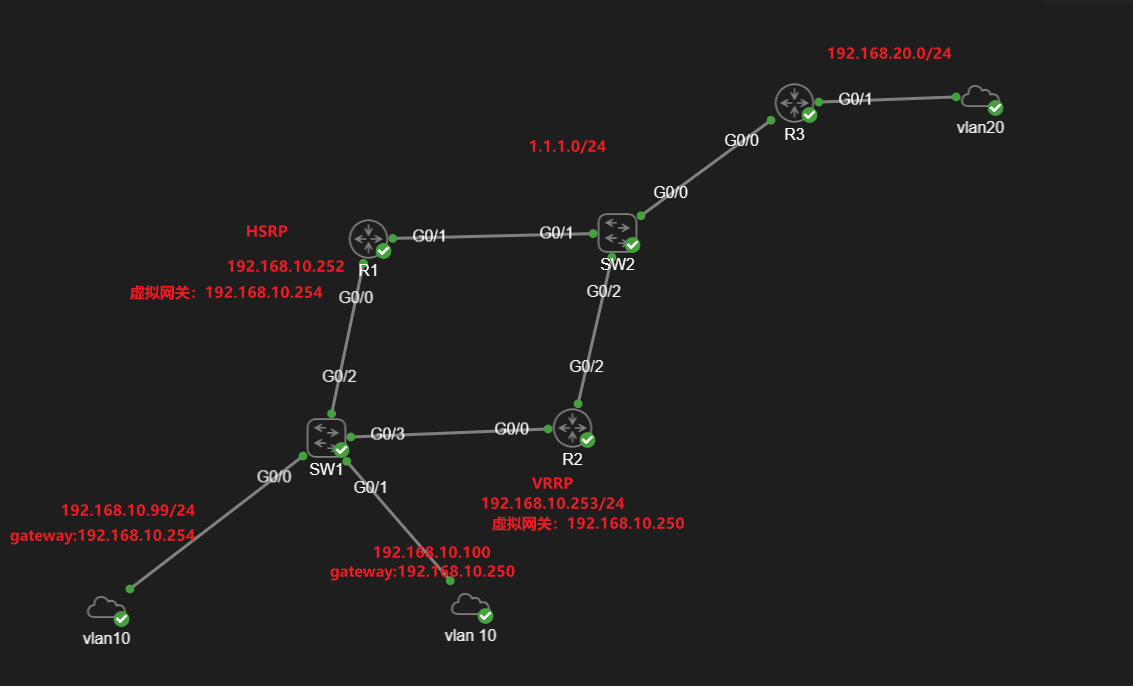
- 拓扑图:
1.
- 要求:
1.
1、全网通
2、要求两者均能够支持 IPv6
3、R1 为 HSRP 主路由器,R2为 HSRP 备份路由器
4、R2 为 VRRP 主路由器,R1为 VRRP 备份路由器
5、当 HSRP 和 VRRP 主路由器,上行链路物理故障时,降低 20 优先级,切换至备份路由器。下行链路故障,降低 100优先级,切换至备份路由器。
6、HSRP 和 VRRP 更新周期均为 1 秒,维持时间 5秒
7、HSRP 手动设置 虚拟MAC地址 为:0000.0007.0011
8、HSRP 开启身份验证,只有一个密钥:system ,全天使用
9、VRRP 开启身份验证,有两个密钥,上午使用 key 1 ,下午使用 key 2 (以12小时划分)
key 1 密码设为:Skills39
key 2 密码设为:cisco- 配置:
1.
保障基础连通性后:
·HSRP:
R1 上配置 HSRP 主路由器:
#全局配置模式下:
track 1 interface g0/1 line-protocol
track 2 interface g0/0 line-protocol

#进入 G0/0网关接口进行配置:
in gig 0/0    //进入 网关接口
standby 1 ip 192.168.10.254    //定义 虚拟网关IP
standby 1 priority 101     //设置 优先级为 101
standby 1 preempt    //开启路由器 抢占功能
standby 1 track 1 decrement 20    //跟踪号为 1 的监控提示故障时,优先级降低 20
standby 1 track 2 decrement 100    //跟踪和为 2 的监控提示故障时,优先级降低 100
standby 1 timers 1 5    //设置 更新周期为 1 秒,维持时间 5 秒
standby 1 authentication md5 key-string system    //配置 固定密钥:system
standby 1 mac-address 0000.0007.0011    //更改 虚拟MAC地址 为 0000.0007.0011
R2 上配置 HSRP 备份路由器:
in gig 0/0    //进入 网关接口
standby 1 ip 192.168.10.254
standby 1 preempt
standby 1 timers 1 5
standby 1 authentication md5 key-string system
standby 1 mac-address 0000.0007.0011    //更改 虚拟MAC地址 为 0000.0007.0011
查看 R1 主路由状态:
show standby brief
查看 R2 备份路由状态:
show standby brief
tracert 跟踪查看:
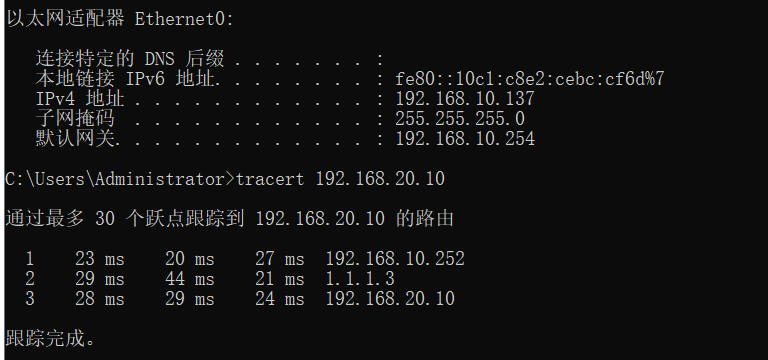
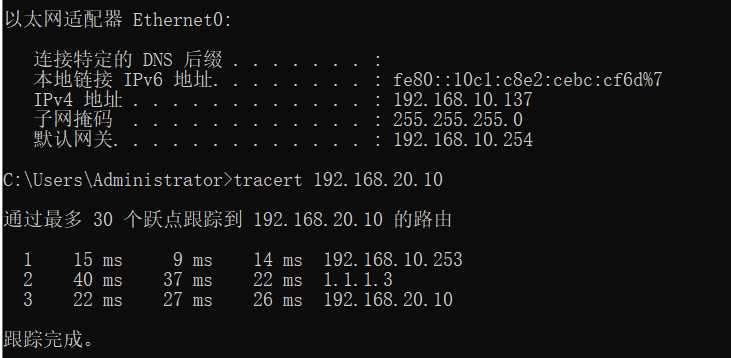
DOWN掉 R1的G0/1接口:
可以看到 已经成功切换至备份链路:

·VRRP:
R2 上配置 VRRP 主路由器:
#全局配置模式下:
track 1 interface gig 0/2 line-protocol
track 2 interface gig 0/0 line-protocol

key chain cisco
key 1
cryptographic-algorithm md5
key-string Skills39
send-lifetime 00:00:00 Jan 1 2023 12:00:00 Jan 1 2023
key 2
cryptographic-algorithm md5
key-string cisco
send-lifetime 12:00:01 Jan 1 2023 23:59:59 Jan 1 2023


#进入 G0/0接口进行配置:
in  gig 0/0
vrrp 1 ip 192.168.10.250
vrrp 1 priority 101
vrrp 1 track 1 decrement 20
vrrp 1 track 2 decrement 100
vrrp 1 timers advertise 1
vrrp 1 authentication md5 key-chain cisco
R1 上配置 VRRP 备份路由器:
#在全局模式下配置:
key chain cisco
key 1
cryptographic-algorithm md5
key-string Skills39
send-lifetime 00:00:00 Jan 1 2023 12:00:00 Jan 1 2023
key 2
cryptographic-algorithm md5
key-string cisco
send-lifetime 12:00:01 Jan 1 2023 23:59:59 Jan 1 2023

#进入 G0/0接口进行配置:
in gig 0/0
vrrp 1 ip 192.168.10.250
vrrp 1 timers advertise 1
vrrp 1 authentication md5 key-chain cisco
查看 R2 主路由状态:
show vrrp brief
查看 R1 备份路由状态:
show vrrp brief
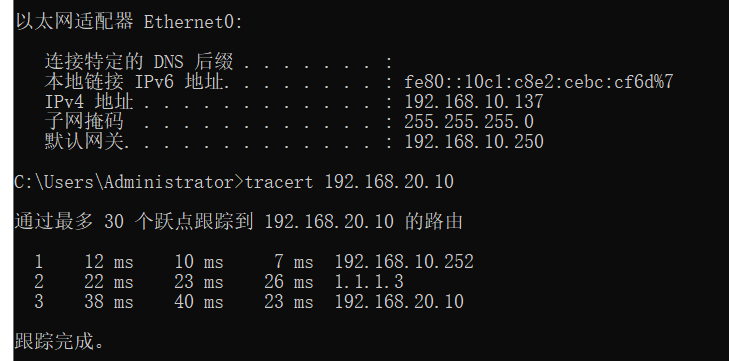
tracert 跟踪验证:
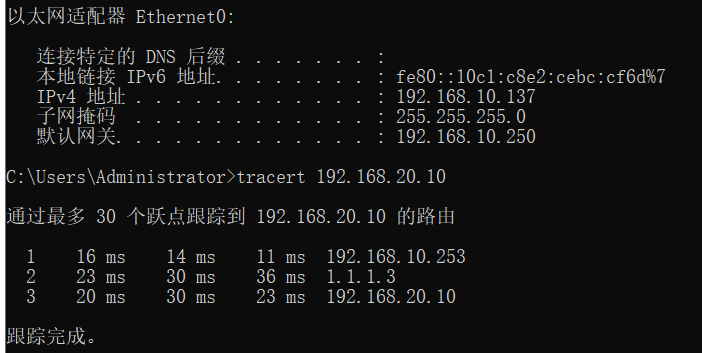
DOWN掉 R2 的 G0/2接口:
R1 切换成 vrrp 的主路由器

配置成功