AD域 基础代码 powershell.note
(都不区分大小写)
- 安装 AD DS 角色和功能:
1.
Install-WindowsFeature -name AD-Domain-Services -IncludeManagementTools- 安装一个林根域:
1.
Install-ADDSForest -DomainName "Skills39.com" //双引号中的是 林根域的域名,可以修改- 将其它 计算机 加入AD域:
1.
add-computer -domainname Skills39.com安装 新林根域 ,使用PowerShell:
Install-ADDSForest [-SkipPreChecks] -DomainName <string> -SafeModeAdministratorPassword <SecureString> [-CreateDNSDelegation] [-DatabasePath <string>] [-DNSDelegationCredential <PS Credential>] [-NoDNSOnNetwork] [-DomainMode <DomainMode> {Win2003 | Win2008 | Win2008R2 | Win2012}] [-DomainNetBIOSName <string>] [-ForestMode <ForestMode> {Win2003 | Win2008 | Win2008R2 | Win2012}] [-InstallDNS] [-LogPath <string>] [-NoRebootOnCompletion] [-SkipAutoConfigureDNS] [-SYSVOLPath] [-Force] [-WhatIf] [-Confirm] [<CommonParameters>]
 备注:
如果要更改根据 DNS 域名前缀自动生成的 15 字符名称或名称超过 15 个字符,则需要 -DomainNetBIOSName 参数
例如:若要安装名为 Skills39.com 的新林并让系统安全提供 DSRM 密码,请键入:
Install-ADDSForest -DomainName "Skills39.com"
备注:
运行 Install-ADDSForest 时,默认情况下会安装 DNS 服务器。
若要安装名为 corp.contoso.com 的新林,在 contoso.com 域中创建 DNS 委派,将域功能级别设置为 Windows Server 2008 R2 并将林功能级别设置为 Windows Server 2008,在 D:\ 驱动器上安装 Active Directory 数据库和 SYSVOL,在 E:\ 驱动器上安装日志文件,以及让系统提示提供目录服务还原模式密码,请键入:
Install-ADDSForest -DomainName corp.contoso.com -CreateDNSDelegation -DomainMode Win2008 -ForestMode Win2008R2 -DatabasePath "d:\NTDS" -SYSVOLPath "d:\SYSVOL" -LogPath "e:\Logs"安装 新子域或树域 ,使用PowerShell:
Install-ADDSDomain [-SkipPreChecks] -NewDomainName <string> -ParentDomainName <string> -SafeModeAdministratorPassword <SecureString> [-ADPrepCredential <PS Credential>] [-AllowDomainReinstall] [-CreateDNSDelegation] [-Credential <PS Credential>] [-DatabasePath <string>] [-DNSDelegationCredential <PS Credential>] [-NoDNSOnNetwork] [-DomainMode <DomainMode> {Win2003 | Win2008 | Win2008R2 | Win2012}] [DomainType <DomainType> {Child Domain | TreeDomain} [-InstallDNS] [-LogPath <string>] [-NoGlobalCatalog] [-NewDomainNetBIOSName <string>] [-NoRebootOnCompletion] [-ReplicationSourceDC <string>] [-SiteName <string>] [-SkipAutoConfigureDNS] [-Systemkey <SecureString>] [-SYSVOLPath] [-Force] [-WhatIf] [-Confirm] [<CommonParameters>]
备注:
仅当当前以 Enterprise Admins 组成员身份登录,才需要 -credential 参数。
如果要更改根据 DNS 域名前缀自动生成的 15 字符名称或名称超过 15 个字符,需要 -NewDomainNetBIOSName 参数。
例如,若要使用 corp\EnterpriseAdmin1 的凭据创建名为 child.corp.contoso.com 的新子域,安装 DNS 服务器,在 corp.contoso.com 域中创建 DNS 委派,将域功能级别设置为 Windows Server 2003,将域控制器设为名为 Houston 的域中的全局目录服务器,将 DC1.corp.contoso.com 用作复制源域控制器,在 D:\ 驱动器上安装 Active Directory 数据库和 SYSVOL,在 E:\ 驱动器上安装日志文件,并让系统提示提供目录服务还原模式密码但不提示确认命令,请键入:
Install-ADDSDomain -SafeModeAdministratorPassword -Credential (get-credential corp\EnterpriseAdmin1) -NewDomainName child -ParentDomainName corp.contoso.com -InstallDNS -CreateDNSDelegation -DomainMode Win2003 -ReplicationSourceDC DC1.corp.contoso.com -SiteName Houston -DatabasePath "d:\NTDS" "SYSVOLPath "d:\SYSVOL" -LogPath "e:\Logs" -Confirm:$False使用 Windows PowerShell 安装附加(副本)域控制器
Install-ADDSDomainController -DomainName <string> [-SkipPreChecks] -SafeModeAdministratorPassword <SecureString> [-ADPrepCredential <PS Credential>] [-AllowDomainControllerReinstall] [-ApplicationPartitionsToReplicate <string[]>] [-CreateDNSDelegation] [-Credential <PS Credential>] [-CriticalReplicationOnly] [-DatabasePath <string>] [-DNSDelegationCredential <PS Credential>] [-NoDNSOnNetwork] [-NoGlobalCatalog] [-InstallationMediaPath <string>] [-InstallDNS] [-LogPath <string>] [-MoveInfrastructureOperationMasterRoleIfNecessary] [-NoRebootOnCompletion] [-ReplicationSourceDC <string>] [-SiteName <string>] [-SkipAutoConfigureDNS] [-SystemKey <SecureString>] [-SYSVOLPath <string>] [-Force] [-WhatIf] [-Confirm] [<CommonParameters>]若要在 corp.contoso.com 域中安装域控制器和 DNS 服务器并让系统提示提供域管理员凭据和 DSRM 密码,请键入:
Install-ADDSDomainController -Credential (Get-Credential CORP\Administrator) -DomainName "corp.contoso.com"如果计算机已加入域且你是 Domain Admins 组的成员,则可以使用:
Install-ADDSDomainController -DomainName "corp.contoso.com"若要让系统提示提供域名,请键入:
Install-ADDSDomainController -Credential (Get-Credential) -DomainName (Read-Host "Domain to promote into")以下命令将使用 Contoso\EnterpriseAdmin1 的凭据在名为 Boston 的站点中安装可写域控制器和全局编录服务器,安装 DNS 服务器,在 contoso.com 域中创建 DNS 委派,从存储在 c:\ADDS IFM 文件夹中的媒体安装,在 D:\ 驱动器上安装 Active Directory 数据库和 SYSVOL,在 E:\ 驱动器上安装日志文件,让服务器在 AD DS 安装完成后自动重新启动,以及让系统提示提供目录服务还原模式密码:
Install-ADDSDomainController -Credential (Get-Credential CONTOSO\EnterpriseAdmin1) -CreateDNSDelegation -DomainName corp.contoso.com -SiteName Boston -InstallationMediaPath "c:\ADDS IFM" -DatabasePath "d:\NTDS" -SYSVOLPath "d:\SYSVOL" -LogPath "e:\Logs"使用 Windows PowerShell 执行 RODC 分步安装:
创建 RODC 帐户的命令语法如下。 可选参数将显示在方括号内:
Add-ADDSReadOnlyDomainControllerAccount [-SkipPreChecks] -DomainControllerAccuntName <string> -DomainName <string> -SiteName <string> [-AllowPasswordReplicationAccountName <string []>] [-NoGlobalCatalog] [-Credential <PS Credential>] [-DelegatedAdministratorAccountName <string>] [-DenyPasswordReplicationAccountName <string []>] [-InstallDNS] [-ReplicationSourceDC <string>] [-Force] [-WhatIf] [-Confirm] [<Common Parameters>]将服务器连接到 RODC 帐户的命令语法如下。 可选参数将显示在方括号内:
Install-ADDSDomainController -DomainName <string> [-SkipPreChecks] -SafeModeAdministratorPassword <SecureString> [-ADPrepCredential <PS Credential>] [-ApplicationPartitionsToReplicate <string[]>] [-Credential <PS Credential>] [-CriticalReplicationOnly] [-DatabasePath <string>] [-NoDNSOnNetwork] [-InstallationMediaPath <string>] [-InstallDNS] [-LogPath <string>] [-MoveInfrastructureOperationMasterRoleIfNecessary] [-NoRebootOnCompletion] [-ReplicationSourceDC <string>] [-SkipAutoConfigureDNS] [-SystemKey <SecureString>] [-SYSVOLPath <string>] [-UseExistingAccount] [-Force] [-WhatIf] [-Confirm] [<CommonParameters>]例如,若要创建名为 RODC1 的 RODC 帐户,请键入:
Add-ADDSReadOnlyDomainControllerAccount -DomainControllerAccountName RODC1 -DomainName corp.contoso.com -SiteName Boston DelegatedAdministratoraccountName AdminUser然后在要连接到 RODC1 帐户的服务器上运行以下命令。 服务器无法加入域。 首先,安装 AD DS 服务器角色和管理工具:
Install-WindowsFeature -Name AD-Domain-Services -IncludeManagementTools然后运行下列命令以创建 RODC:
Install-ADDSDomainController -DomainName corp.contoso.com -SafeModeAdministratorPassword (Read-Host -Prompt "DSRM Password:" -AsSecureString) -Credential (Get-Credential Corp\AdminUser) -UseExistingAccount
按 Y 确认或包含 "confirm 参数阻止确认提示出现。
查看ADDS:
查看 ADDSDeployment 模块中的可用 cmdlet:
Get-Command -Module ADDSDeployment

查看可为 cmdlet 指定的参数及其语法的列表:
Get-Help <cmdlet name>

查看用于创建未占用的只读域控制器 (RODC) 帐户的参数:
Get-Help Add-ADDSReadOnlyDomainControllerAccount
在 Windows PowerShell 中,将 Invoke-Command 与 ADDSDeployment cmdlet 配合使用。 例如,若要在 contoso.com 域中名为 ConDC3 的远程服务器上安装 AD DS,请键入:
Invoke-Command { Install-ADDSDomainController -DomainName contoso.com -Credential (Get-Credential) } -ComputerName ConDC3ADDSSeployment cmdlet cmdlet 参数:
以下表格列出了 Windows PowerShell 中 ADDSDeployment cmdlet 的参数。 以粗体显示的参数为必填的。 如果在 Windows PowerShell 中命名方式不同,dcpromo.exe 的等效参数将列在括号中。
Windows PowerShell 开关接受 $TRUE 或 $FALSE 参数。 默认情况下不需要指定 $TRUE 参数。
若要覆盖默认值,可以使用 $False 值指定参数。 例如,由于未指定时将为新林安装自动运行 -InstallDNS,因此安装新林时阻止 DNS 安装的唯一方法是使用:
-InstallDNS:$False同样,由于在不托管 Windows Server DNS 服务器的环境中安装域控制器时 -InstallDNS 具有默认值 $False,因此需要指定以下参数才能安装 DNS 服务器:
-InstallDNS:$True域服务powershell配置脚本 :
Import-Module ADDSDeployment
Install-ADDSForest -CreateDnsDelegation:$false
-DatabasePath "C:\Windows\NTDS" -DomainMode "WinThreshold"
-DomainName "Skills39.com" -DomainNetbiosName "SKILLS39"
-ForestMode "WinThreshold" -InstallDns:$true
-LogPath "C:\Windows\NTDS" -NoRebootOnCompletion:$false
-SysvolPath "C:\Windows\SYSVOL" `
-Force:$true
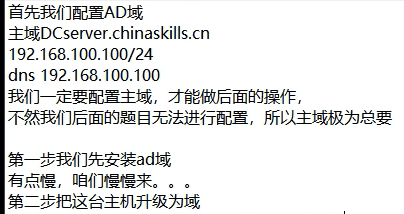
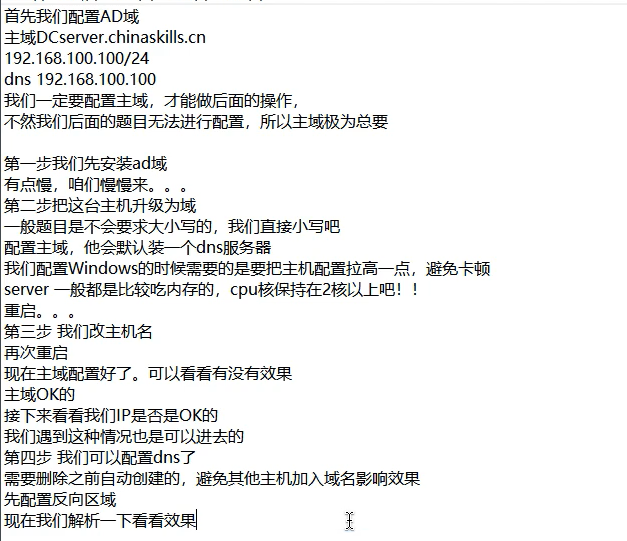
将IP地址设置为静态
只勾选AD域,其他的默认配置
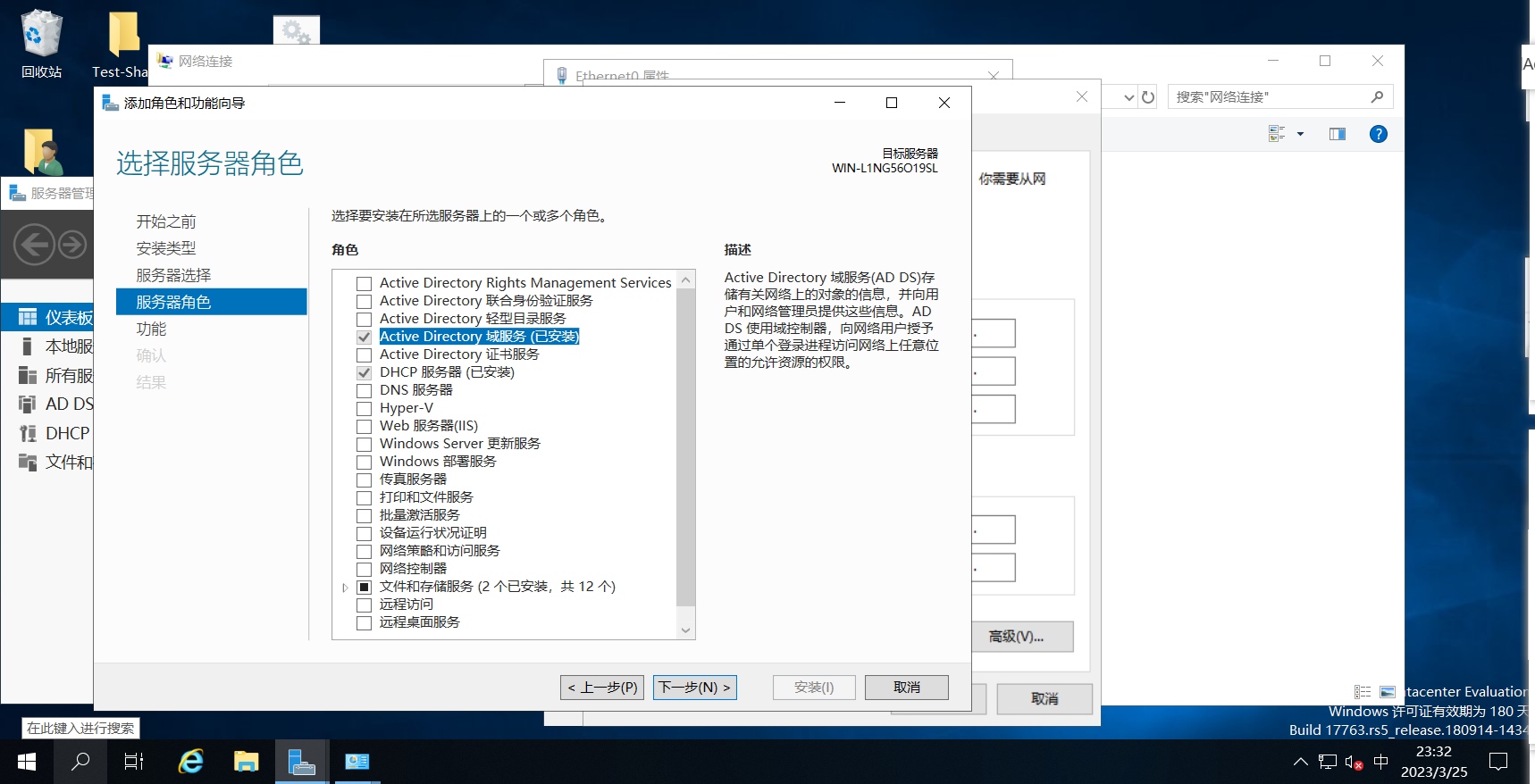
右击此电脑,点击属性,更改计算机名称
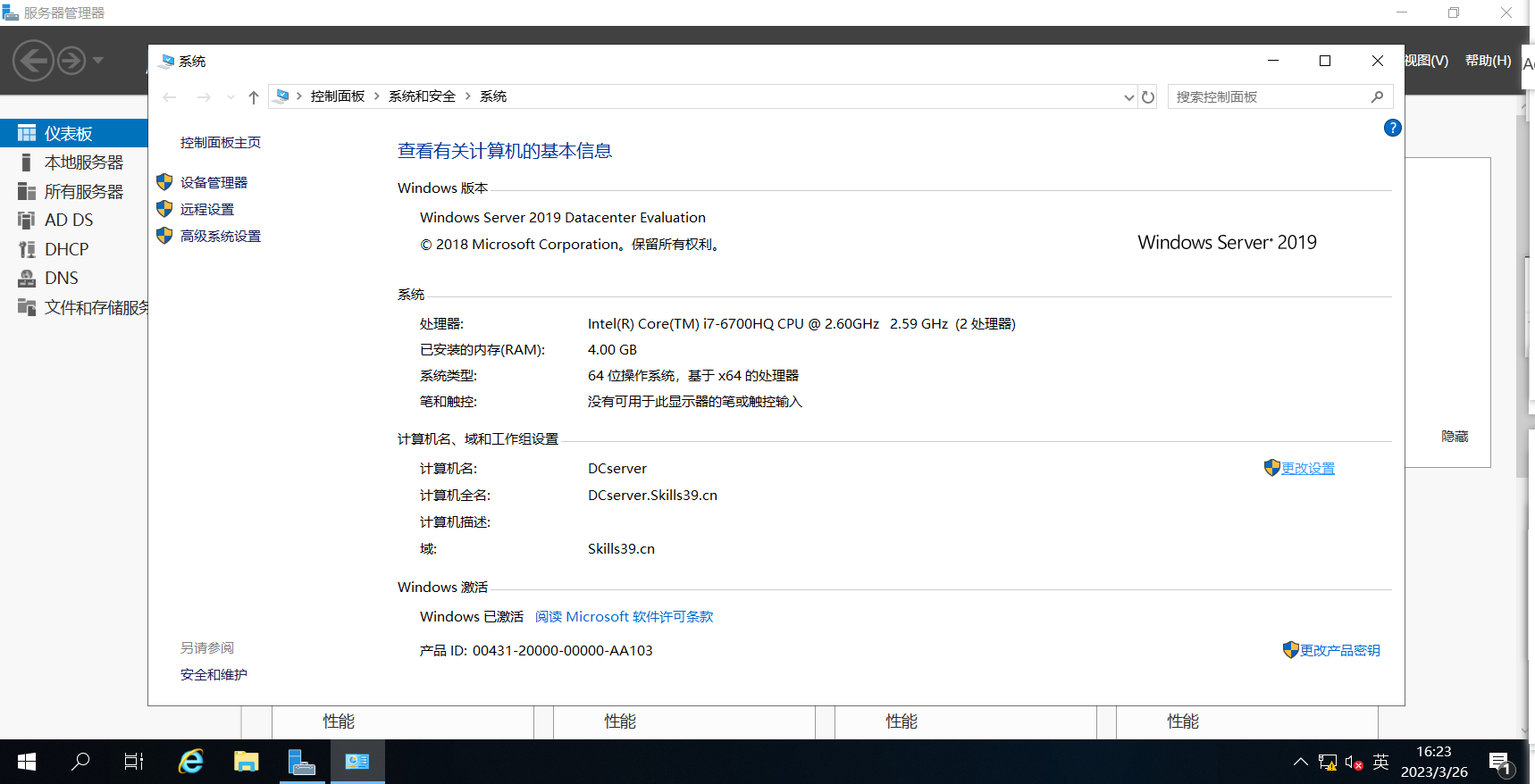
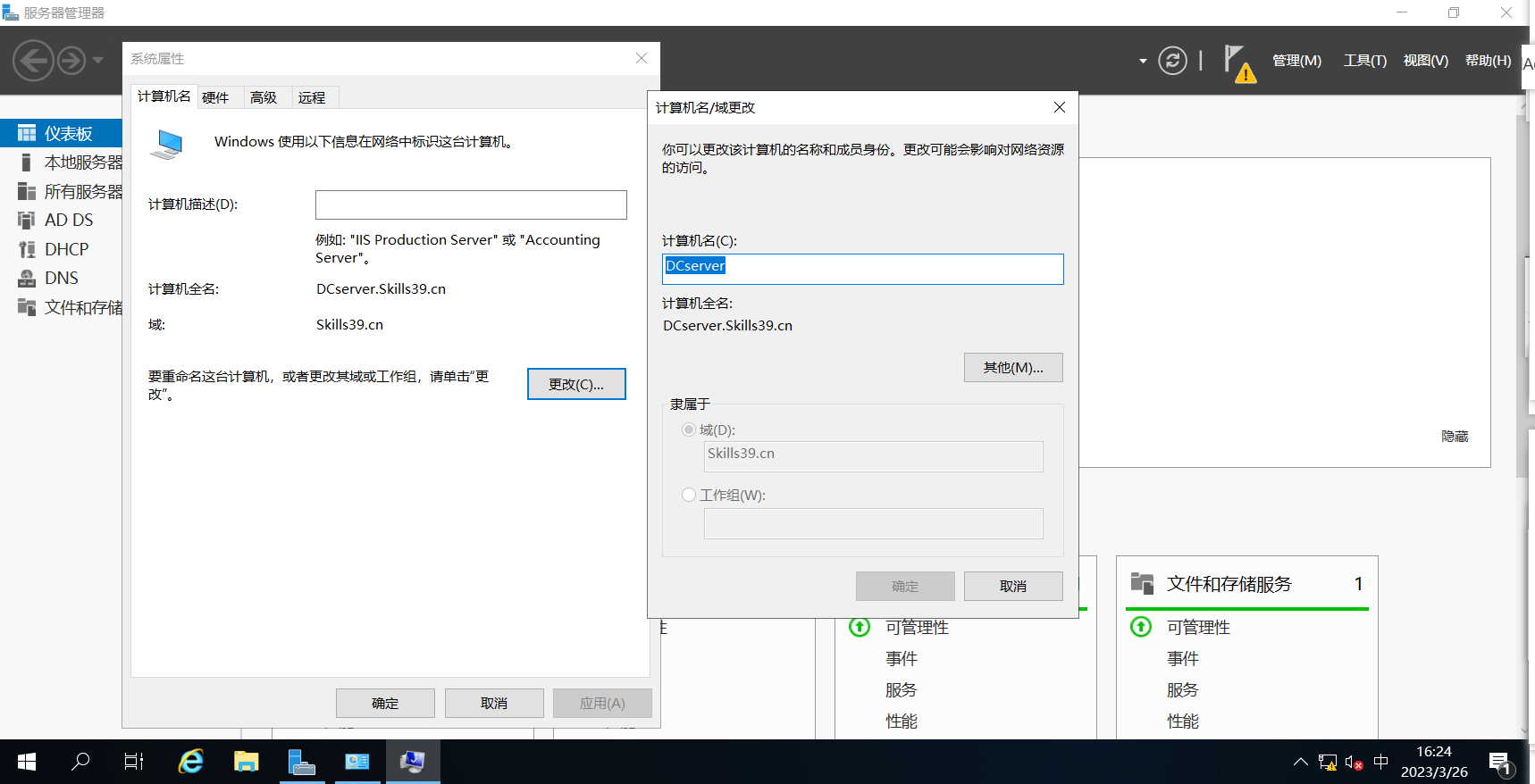
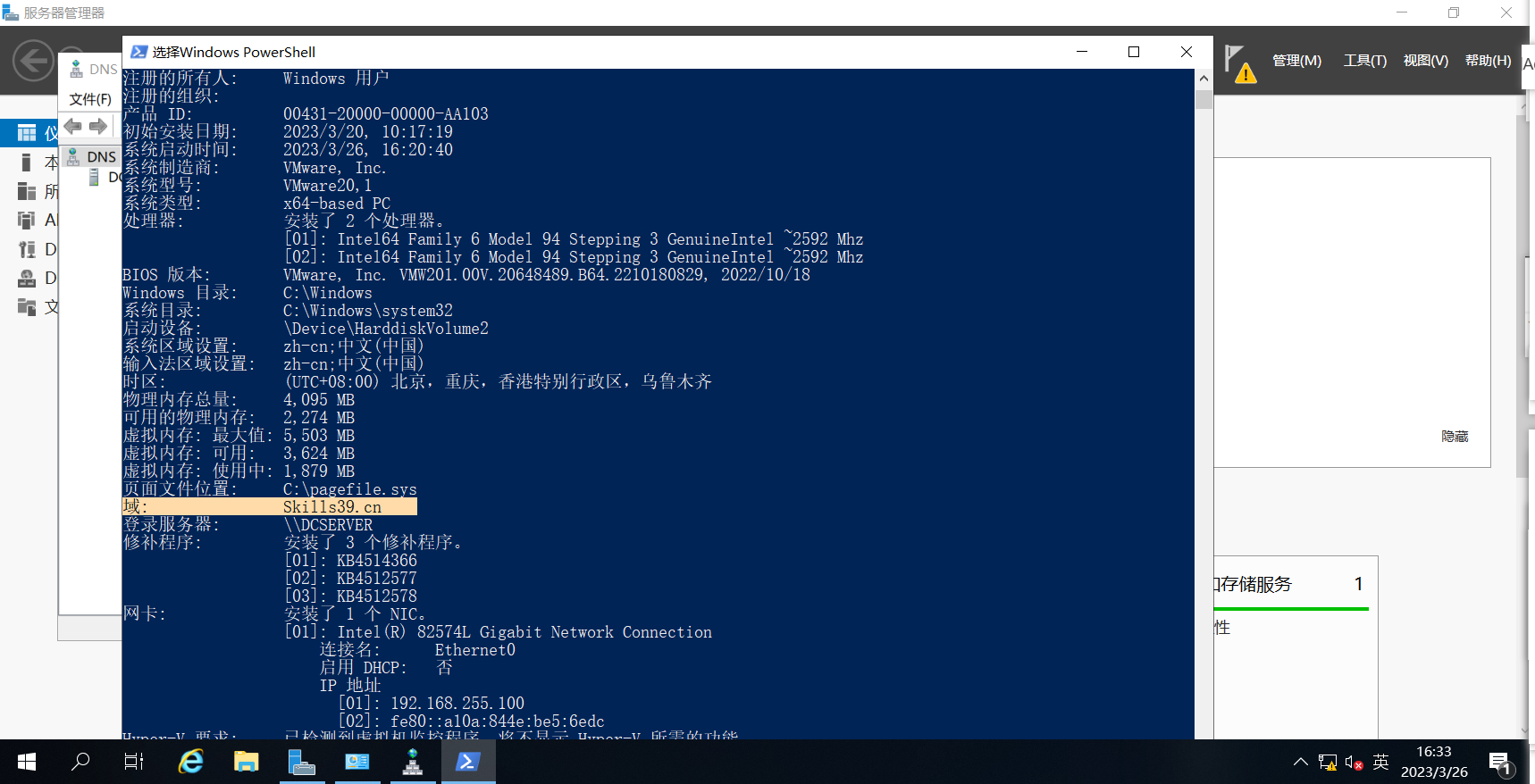
查看主域配置:



在正向查找区域中删除默认添加的静态
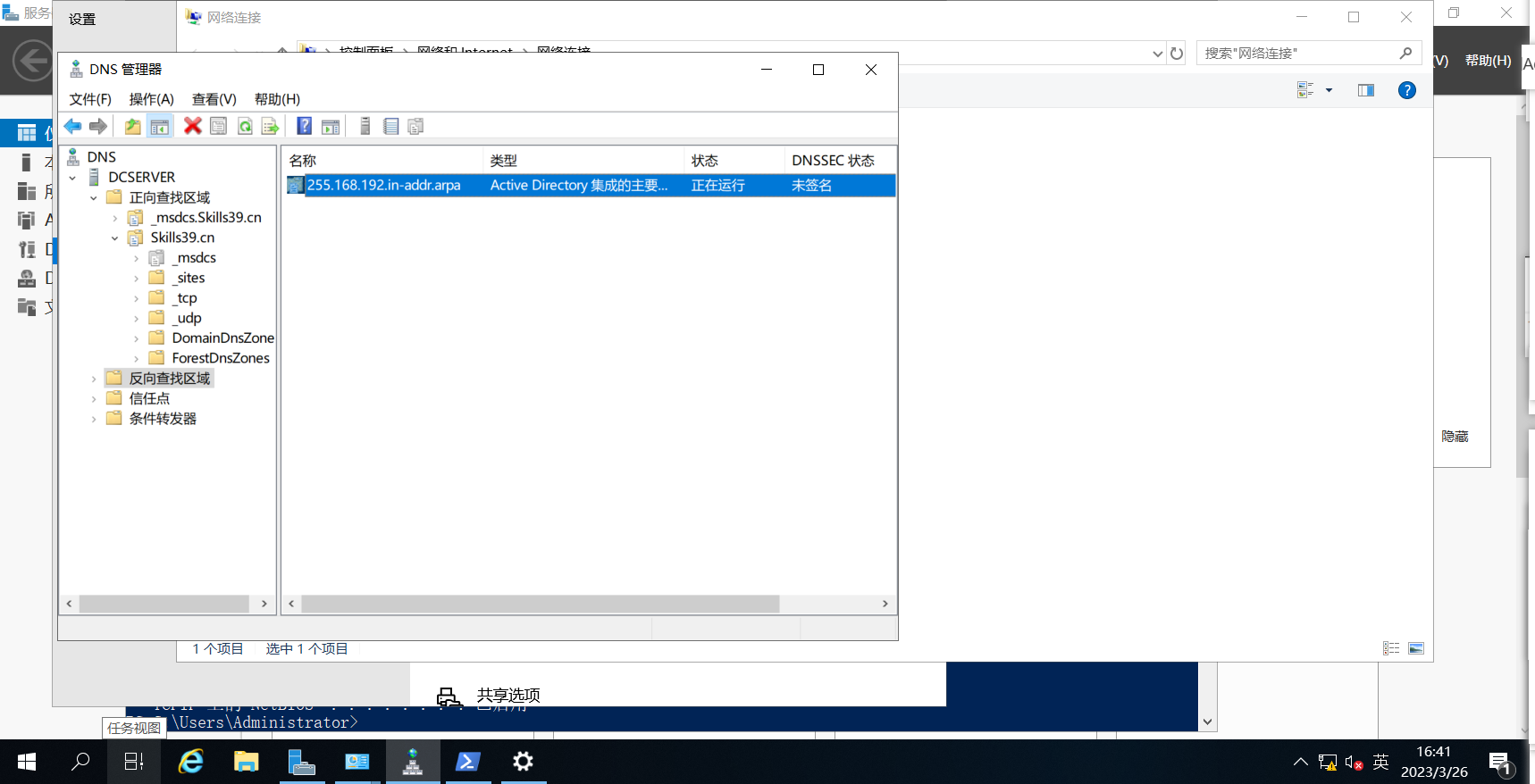
然后添加一个反向查找区域:
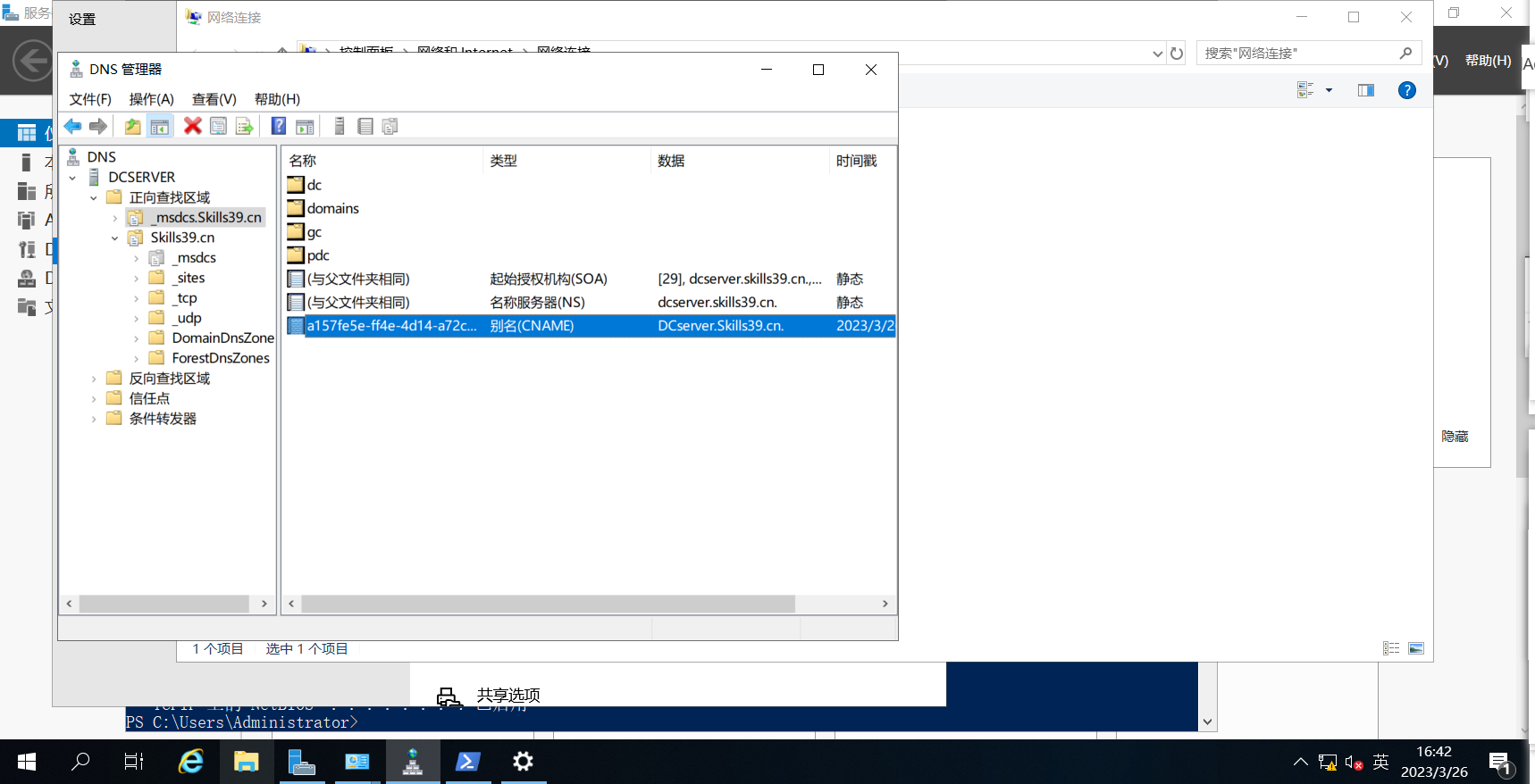
然后添加一个正向查找区域主机:
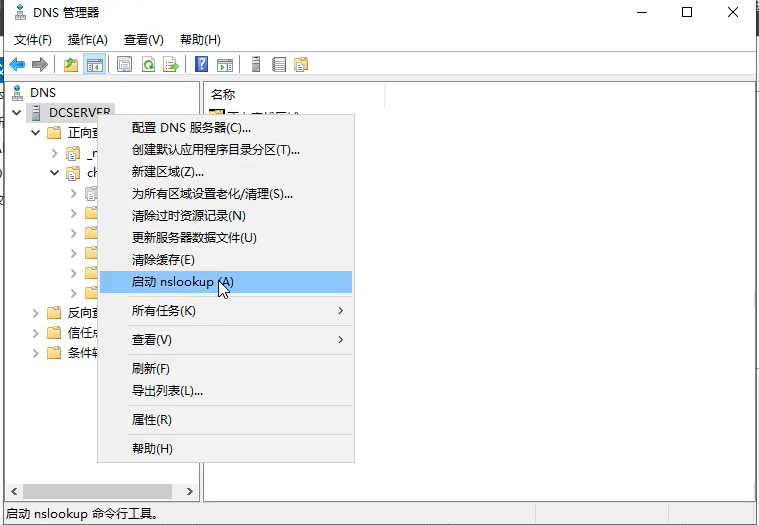
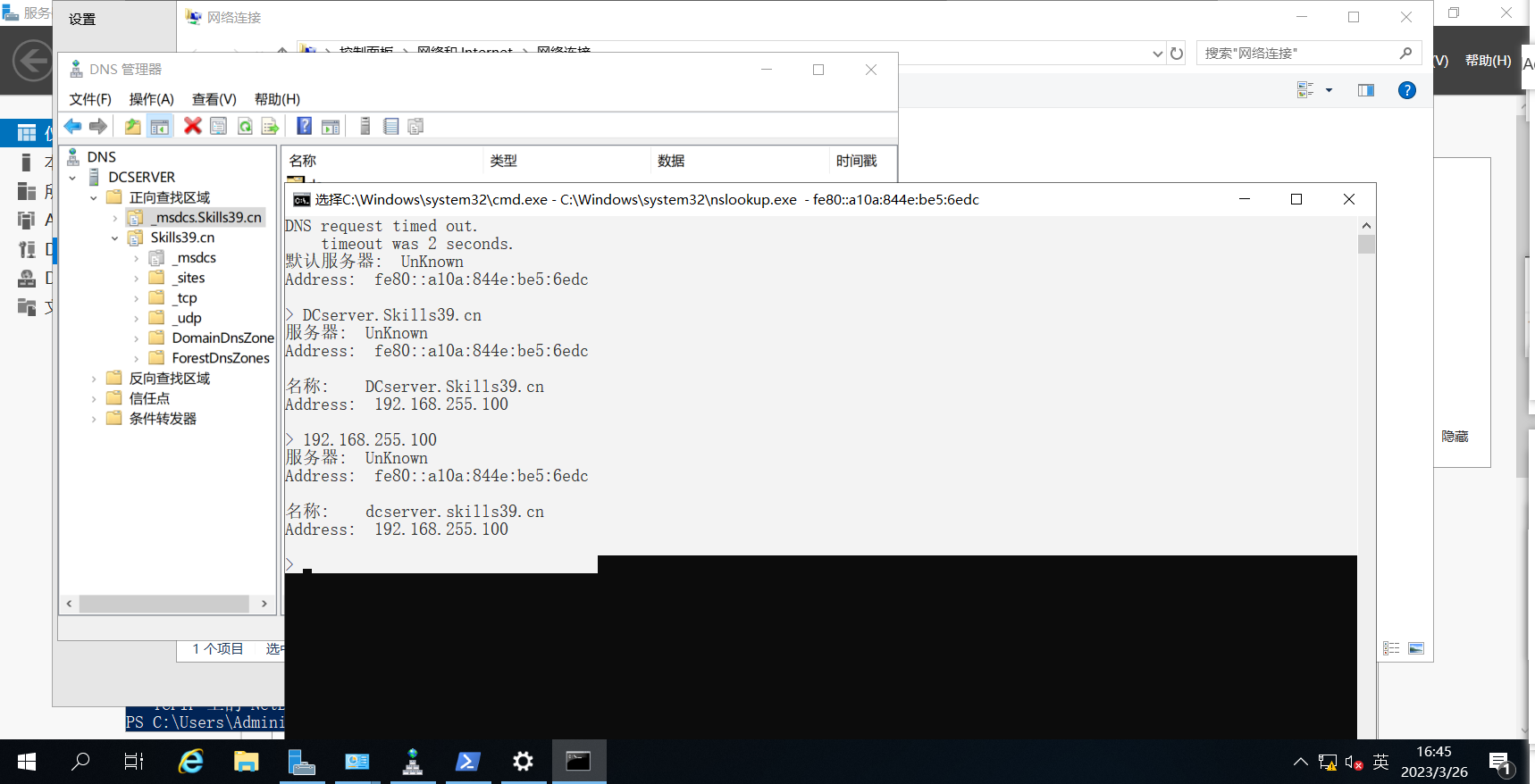
然后解析: