4.23作业 系统初始化设置.note
一、巩固练习
在全新安装的mini系统上进行以下初始化配置:
(1)配置自定义的主机名。
#hostnamectl set-hostname 111
#cat /etc/hostname
或使用vim修改/etc/hostname文件以达到自定义主机名的效果
(2)配置正常可用的IP地址,使用putty工具(或其他工具)远程登录mini Linux系统。
先配置可用的IP地址
#vim /etc/network/interfaces //配置网卡文件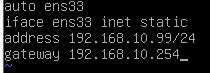
重启网卡:
#ifdown ens33    //关闭网卡
#ifup ens33    //重启网卡
再安装防火墙,启用TCP22端口,并将防火墙关闭
#apt install ufw    //下载防火墙
#apt openssh-server    //安装SSH
#ufw allow 22/tcp    //启用tcp22端口
#ufw disable    //关闭防火墙(需要重启才生效)
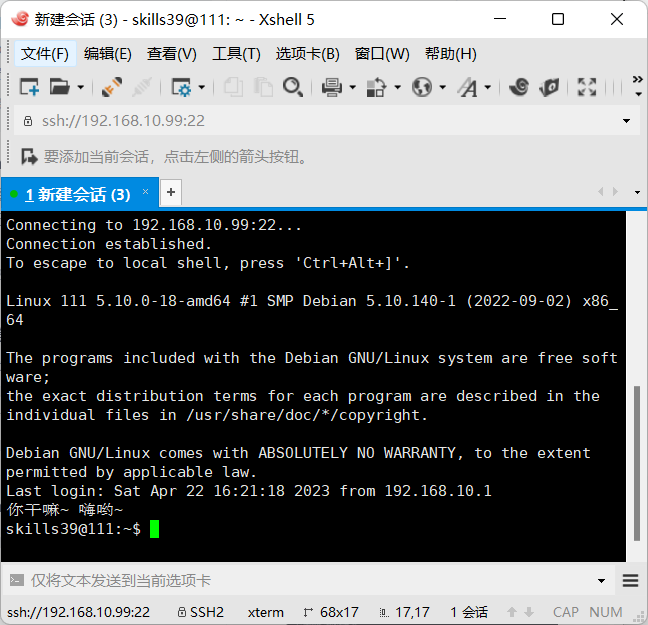
使用Xshell工具进行远程连接:
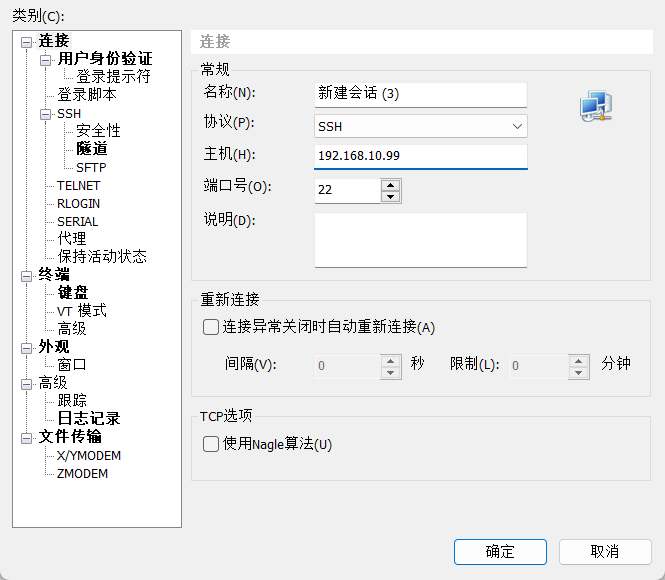
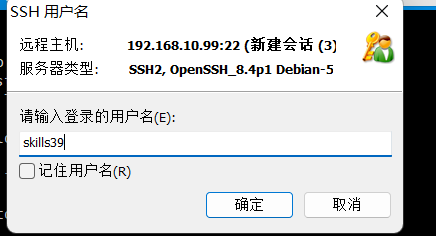
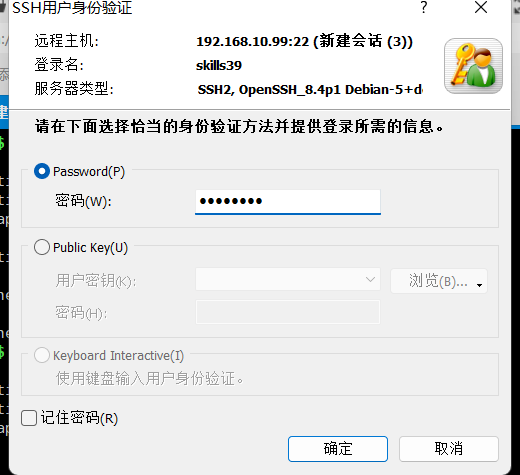
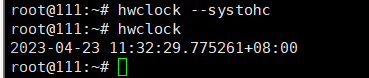
(3)设置系统的时间,使其正常。
#date -s "2023/04/23 11:29"
#hwclock --systohc
#hwclock 
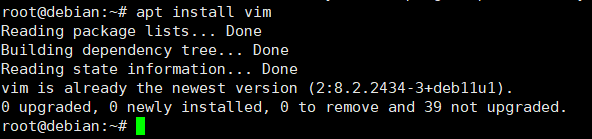
(4)配置软件仓库,安装VIM(注:没有VIM时使用VI进行编辑)。
#apt-cdrom add
#apt search apache2
#apt install apache2
#apt install vim
#apt install apt-transport-https ca-certificates
#vim /etc/apt/sources.list
将其中内容全部注释掉,然后粘贴以下内容:

# 默认注释了源码镜像以提高 apt update 速度,如有需要可自行取消注释
deb http://mirrors.tuna.tsinghua.edu.cn/debian/ bullseye main contrib non-free
# deb-src http://mirrors.tuna.tsinghua.edu.cn/debian/ bullseye main contrib non-free

deb http://mirrors.tuna.tsinghua.edu.cn/debian/ bullseye-updates main contrib non-free
# deb-src http://mirrors.tuna.tsinghua.edu.cn/debian/ bullseye-updates main contrib non-free

deb http://mirrors.tuna.tsinghua.edu.cn/debian/ bullseye-backports main contrib non-free
# deb-src http://mirrors.tuna.tsinghua.edu.cn/debian/ bullseye-backports main contrib non-free

# deb http://mirrors.tuna.tsinghua.edu.cn/debian-security bullseye-security main contrib non-free
# # deb-src http://mirrors.tuna.tsinghua.edu.cn/debian-security bullseye-security main contrib non-free

deb http://security.debian.org/debian-security bullseye-security main contrib non-free
# deb-src http://security.debian.org/debian-security bullseye-security main contrib non-free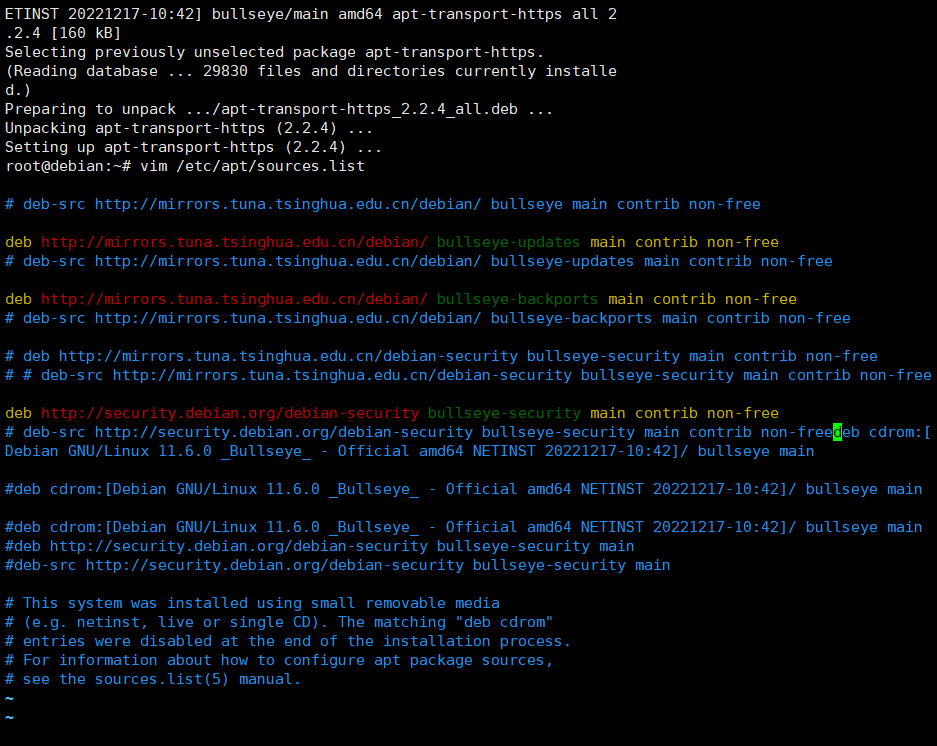
使用:#apt update 更新源二、综合项目
(1)准备一个虚拟机,把它的网络设备的连接方式改为NAT,然后给它配置IP地址、GATEWAY、DNS,使用其能访问外网。
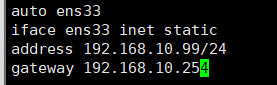

#ifdown ens33    //关闭网卡
#ifup ens33    //启动网卡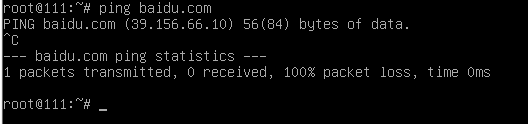
(2)通过在线的方式实现NTP时间同步成功,获得标准的准确时间。
配置ntp服务器:
先配置两台连通性正常的debian,然后输入以下命令:
#apt install ntp
#apt install ntpdate
#apt install ntpstat
#vim /etc/ntp.conf
在上方插入:
restrict 192.168.10.99 nomodify notrap nopper noquery

restrict 192.168.10.254 mask 255.255.255.0 nomodify notrap

server 127.127.1.0

fudge 127.127.1.0 stratum 10

server 192.168.10.99

fudge 192.168.10.99 stratum 10
保存退出
#systemctl enable ntp
配置ntp客户端:
#apt install ntpdate       //安装ntp
#ntpdate 192.168.10.99    //设置ntp服务器地址
修改时间进行测试:
#date -s "2022/03/11 03:11"
#date
#timedatectl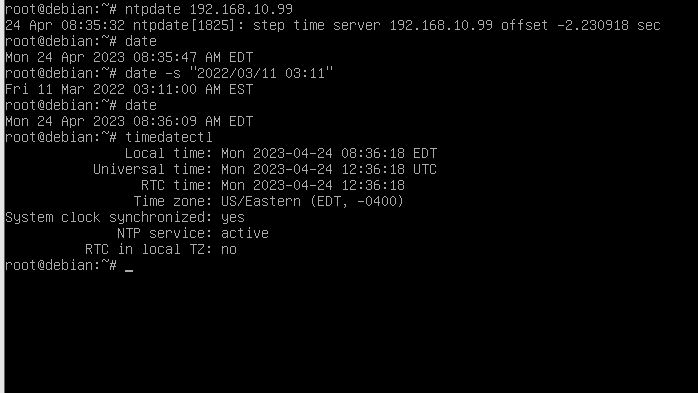
(3)不要配置本地仓库,直接使用Debian自带的官方仓库安装软件。进阶方式:参考网上的资料,把Debian的官方软件源的地址替换成国内的高速镜像源,提高下载速度。
使用清华大学软件源:
#apt install apt-transport-https ca-certificates
#vim /etc/apt/sources.list
注释文档中所有内容,然后复制以下内容:

# 默认注释了源码镜像以提高 apt update 速度,如有需要可自行取消注释
deb http://mirrors.tuna.tsinghua.edu.cn/debian/ bullseye main contrib non-free
# deb-src http://mirrors.tuna.tsinghua.edu.cn/debian/ bullseye main contrib non-free

deb http://mirrors.tuna.tsinghua.edu.cn/debian/ bullseye-updates main contrib non-free
# deb-src http://mirrors.tuna.tsinghua.edu.cn/debian/ bullseye-updates main contrib non-free

deb http://mirrors.tuna.tsinghua.edu.cn/debian/ bullseye-backports main contrib non-free
# deb-src http://mirrors.tuna.tsinghua.edu.cn/debian/ bullseye-backports main contrib non-free

# deb http://mirrors.tuna.tsinghua.edu.cn/debian-security bullseye-security main contrib non-free
# # deb-src http://mirrors.tuna.tsinghua.edu.cn/debian-security bullseye-security main contrib non-free

deb http://security.debian.org/debian-security bullseye-security main contrib non-free
# deb-src http://security.debian.org/debian-security bullseye-security main contrib non-free

#apt update    //更新源
三、技能拓展
编写Bash或Python脚本自动化完成系统初始化操作。